Settings pH 7310
38 ba75929e02 10/2011
7Settings
7.1 Measurement settings
7.1.1 Changing the settings for pH measurements
The settings are made in the menu for calibration and measurement settings of
the pH/ORP measurement. To open the settings, display the required parame-
ter in the measured value display and press the <F1>/[menu] or <ENTER> key.
After completing the settings, switch to the measured value display with <M>.
Default settings are printed in bold.
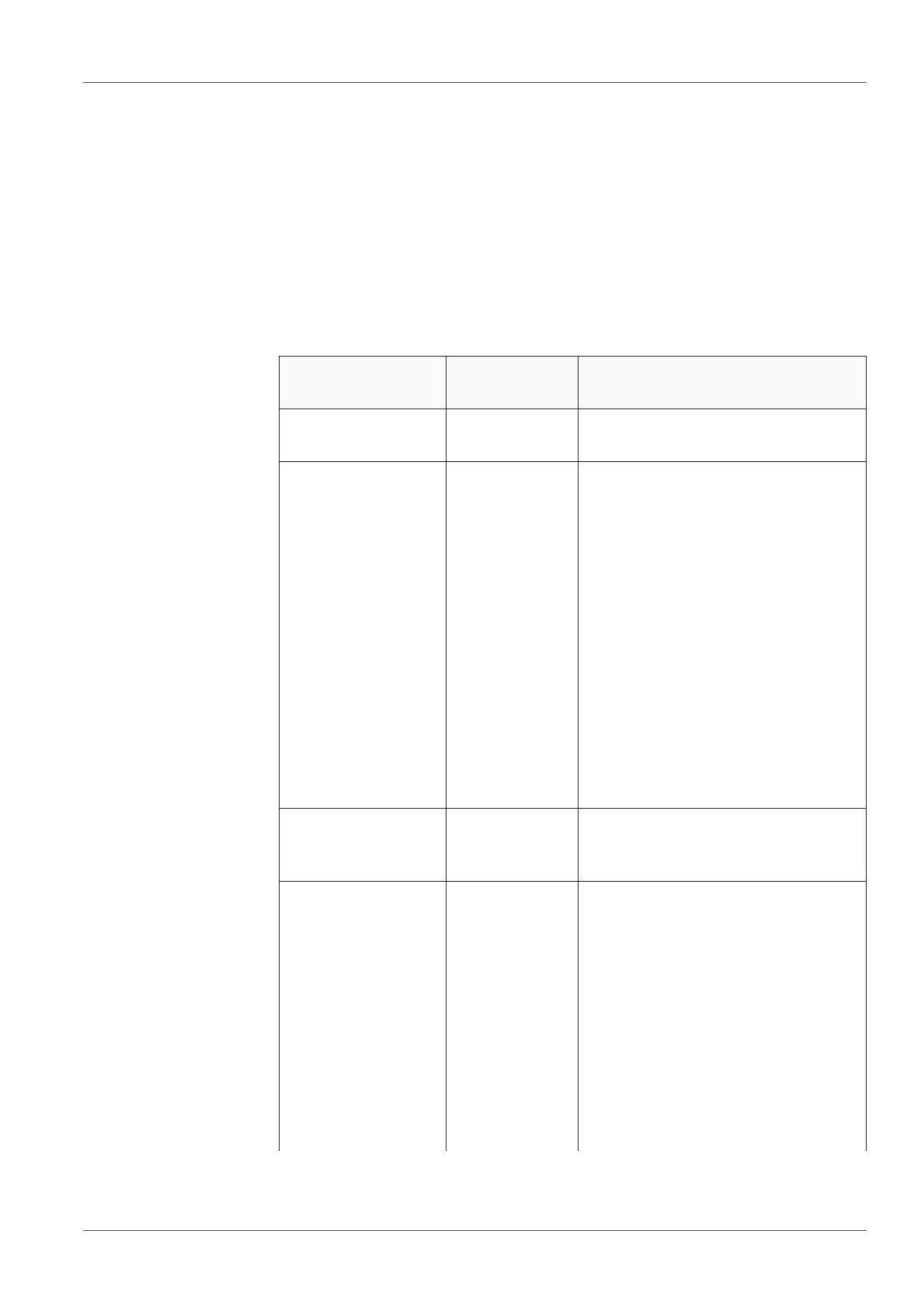
Menu item Possible set-
ting
Description
Calibration /Cali-
bration record
- Displays the calibration record of
the last calibration.
Calibration /
Calibration data
storage /Display
- Displays the calibration record.
Further options:
Scroll through the calibration
records with <><>.
Output the displayed calibration
record to the interface with
<F2>/[USB output].
Output all calibration records to
the interface with <F2__>[USB
output].
Quit the display with <F1>/
[Back] or <ENTER>.
Switch directly to the measured
value display with <M>.
Calibration / Cali-
bration data stor-
age / Output to USB
- Outputs the calibration records to
the interface.
Calibration / Serial
number (probe)
Entry of the serial number of the
connected sensor.
The serial number is output in the
calibration record.
Change the content of the high-
lighted position with <><>.
Go to the next position with
<F2>/[].
When the serial number has
been completely entered, con-
firm with <ENTER>.



 To Next Page