Printer (only pH 7310P) pH 7310
54 ba75929e02 10/2011
10 Printer (only pH 7310P)
10.1 Commissioning / switching the printer on or off
Switching on the
printer
Switching off the
printer
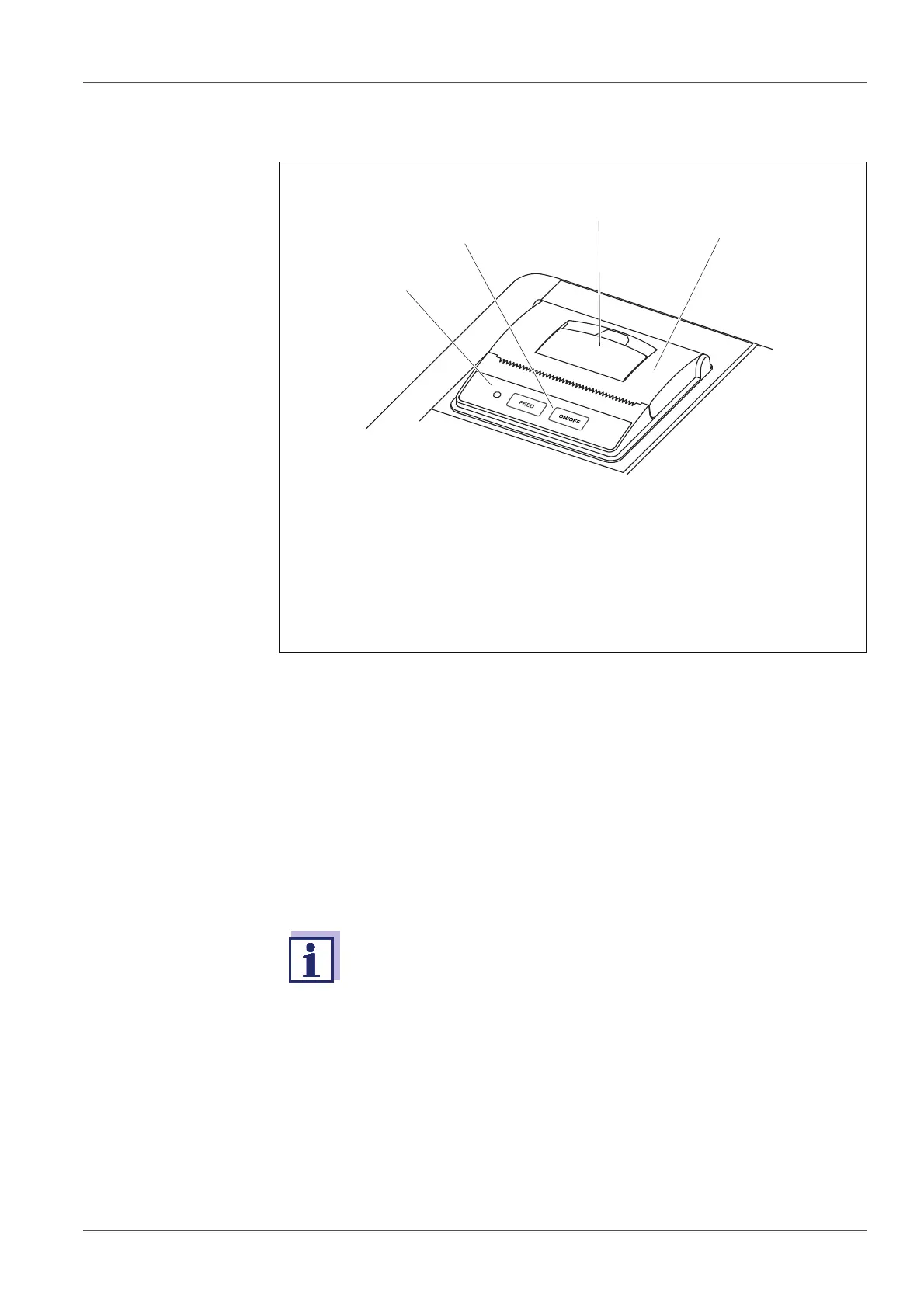
1 Operating LED
– Illuminated: Printer is switched on
– Flashing: Printer is switched off
2 Control panel with the keys <ON/FEED> and <OFF>
3 Lever to open the paper compartment
4 Lid of the paper compartment
1. Connect the power pack to the pH 7310 P.
The LED lights up green. The printer is ready for operation.
or
If the printer was switched off (LED flashing):
Switch on the printer with <OFF>.
The LED lights up green. The printer is ready for operation.
If there is a USB connection (such as to a PC) the data are output
only to the PC.
1. Switch off the printer with <OFF>.
The LED flashes. The printer is switched off.



 To Next Page