CD handling precautions - CD and player cleaning
PRINCESS – Edition: 17.02.2005
8
OPERATING INSTRUCTIONS
2.3 CD handling precautions - CD and player cleaning
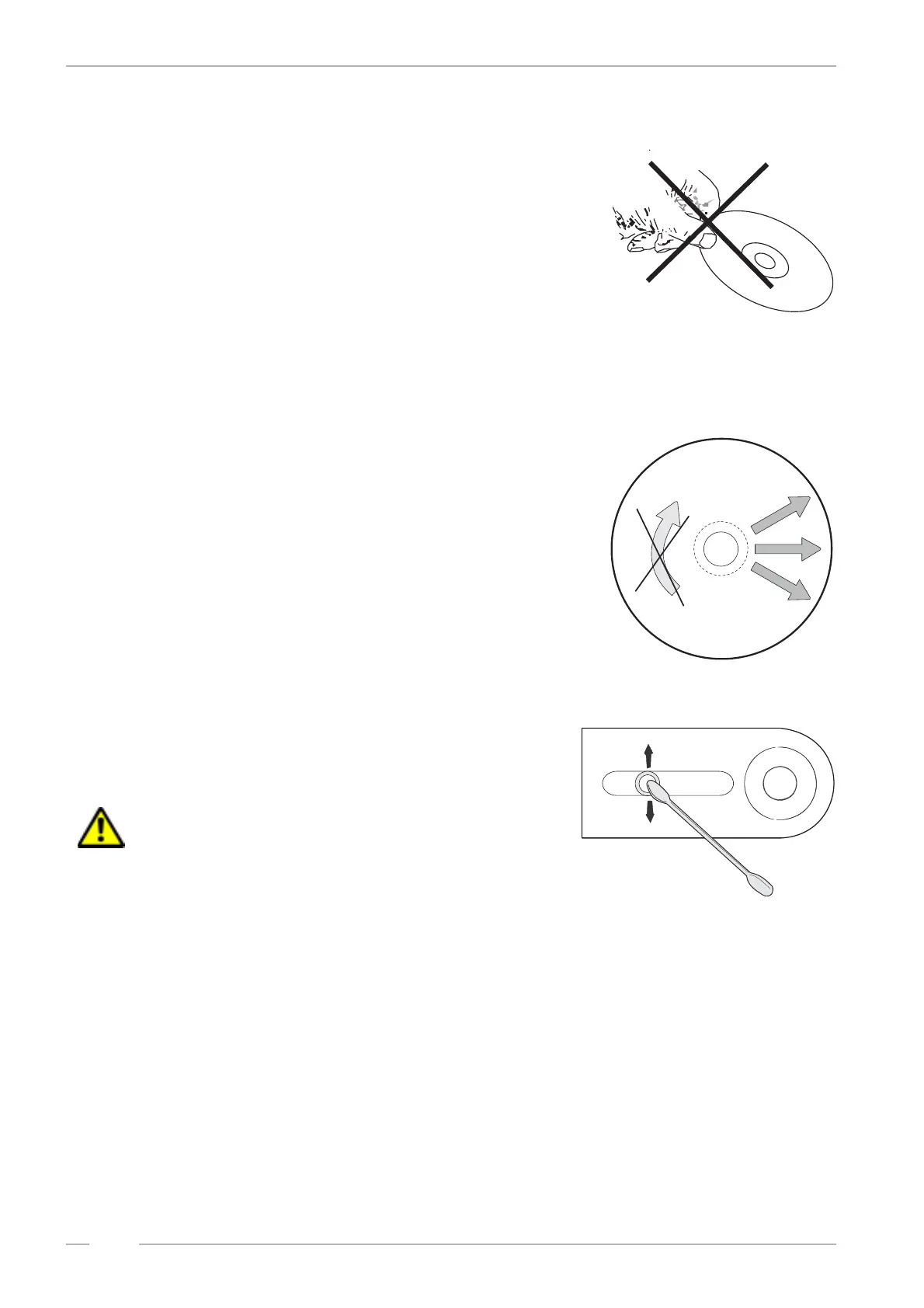
Dust, fingerprints or other dirt on the disc surface can
cause skipping, jumping or sticking problems.
Because of this never touch the surface of a disc! Howe-
ver it is rather easy to remove nicotine, dust or finger-
prints.
Nicotine, dust, fingerprints:
Dust can be removed with a lintfree soft cloth. If neces-
sary, remove heavy dirt or fingerprints with a moistened
soft cloth soaked in a solution of water and a detergent.
Never use record cleaning sprays or anti static sprays!
Furthermore, do not use other types of cleaners contai-
ning benzene, thinner or other solvents. These liquids will
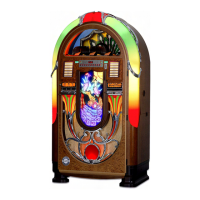
cause damage to the surface of discs. Move the cloth
from the inside towards the outside and not in circular
motion.
Removing scratches:
Use a soft cloth and a soft polish.
Laser lens cleaning:
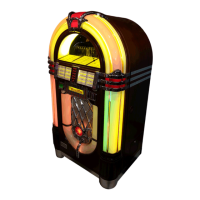
Smoke and dust soils the lens. It can be cleaned with a
cue-tip soaked in a detergent (i.e. Kodak Lens Cleaner,
part no. 0051735). Place the tip on the lens and press
down carefully.
ATTENTION! The whole laser unit is very sensitive!
! Move the cue-tip only in the direction shown in the pic-
ture (perp. to the sledge direction).
! Do not scratch the special treated surface of the
lense.
! Take care that the cleaning solution will not run into
the focus unit.
! Keep away metal parts from the lens unit. A strong magnet is located underneath the lens. It at-
tracts also smallest metal parts and so can block the complete unit.


 To Next Page