Happy hour pricing (additional bonus plays)
PRINCESS – Edition: 17.02.2005
34
OPERATING INSTRUCTIONS
9.5 Happy hour pricing (additional bonus plays)
During the ‘Happy hour’ time additional bonus plays can be given. Happy hour time zone and num-
ber of additional bonus plays have to be programmed as follows.
9.5.1 Programming of the happy hour start and stop time, level 2 button 6
1. Set the slide switch ‘service’ at the SCC unit to ON.
2. Press ‘LT’ button. Display shows e.g.: _ 4 0 9
# (409 or higher = SCC program version)
3. Press selection button R -hold down- and press selection button 0, then release both buttons.
The display is dark.
4. Press selection button 2. Service level 2 is reached. Display shows: 2_ _ _.
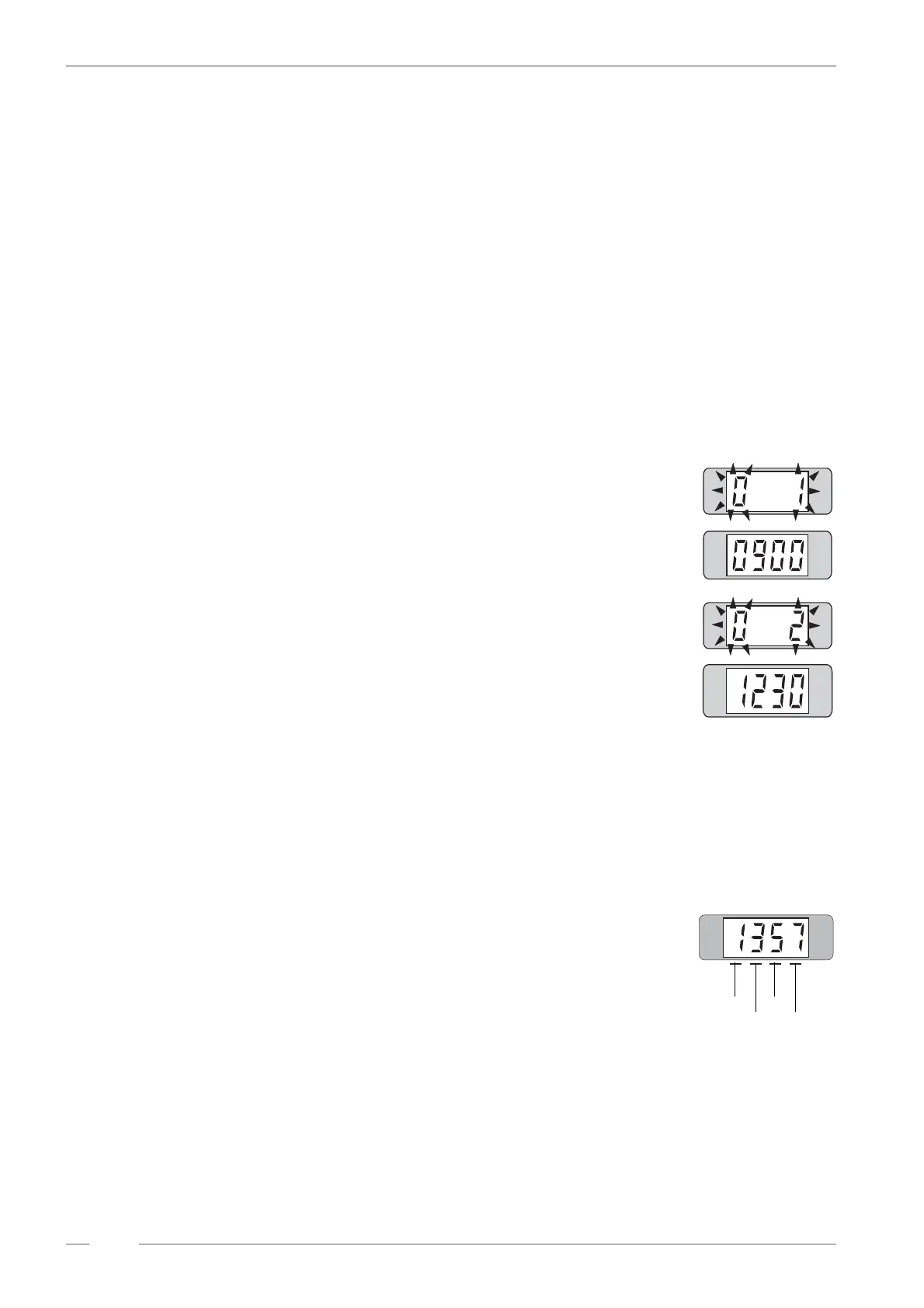
5. Press selection button 6. The display shows flashing:
# 1 means start time
# the start time will be displayed with four digits e.g.: 9.00 o’ clock
6. Press selection button 6 again. The display shows flashing:
# 2 means stop time
# the stop time will be displayed with four digits e.g.: 12.30 o’ clock
7. To reprogram press selection button 6 - hold - and press selection button
R. The digital display goes dark. Enter the ‘Happy hour’ start and stop
time with 8 digits. After complete entry the digital display is dark.
# Example: “Happy Hour” should operate from 09.05 to 11.00 o’clock.
Enter 8 figures: 0 - 9 - 0 - 5 - 1 - 1 - 0 - 0 .
8. To check the settings: Repeat the steps 5 and 6.
9.5.2 Programming of the additional bonus plays, level 2 button 7
1. Press selection button 7. The display shows e.g.:
# 1 additional play at bonus level 4 (B1)
# 3 additional plays at bonus level 3 (B2)
# 5 additional plays at bonus level 2 (B3)
# 7 additional plays at bonus level 1 (B4)
2. To reprogram press selection button 7 - hold - and press selection but-
ton R. The digital display goes dark. Enter the new happy hour pricing
with 4 digits.
3. To check the new setting, press selection button 7 again.
4. To exit the service program set the slide switch ‘SERVICE’ to OFF and press button LT on the
SCC unit.
B1
B2
B3
B4


 To Next Page