BackGround Music (BGM), level 3
PRINCESS – Edition: 17.02.2005
33
OPERATING INSTRUCTIONS
9.4.3 BGM time zones at different weekdays, level 3 button 0 - 6
You can program each weekday differently with two intervals per day. The following steps are the
same for the buttons 1 to 6 in service level 3 according the table for weekdays.
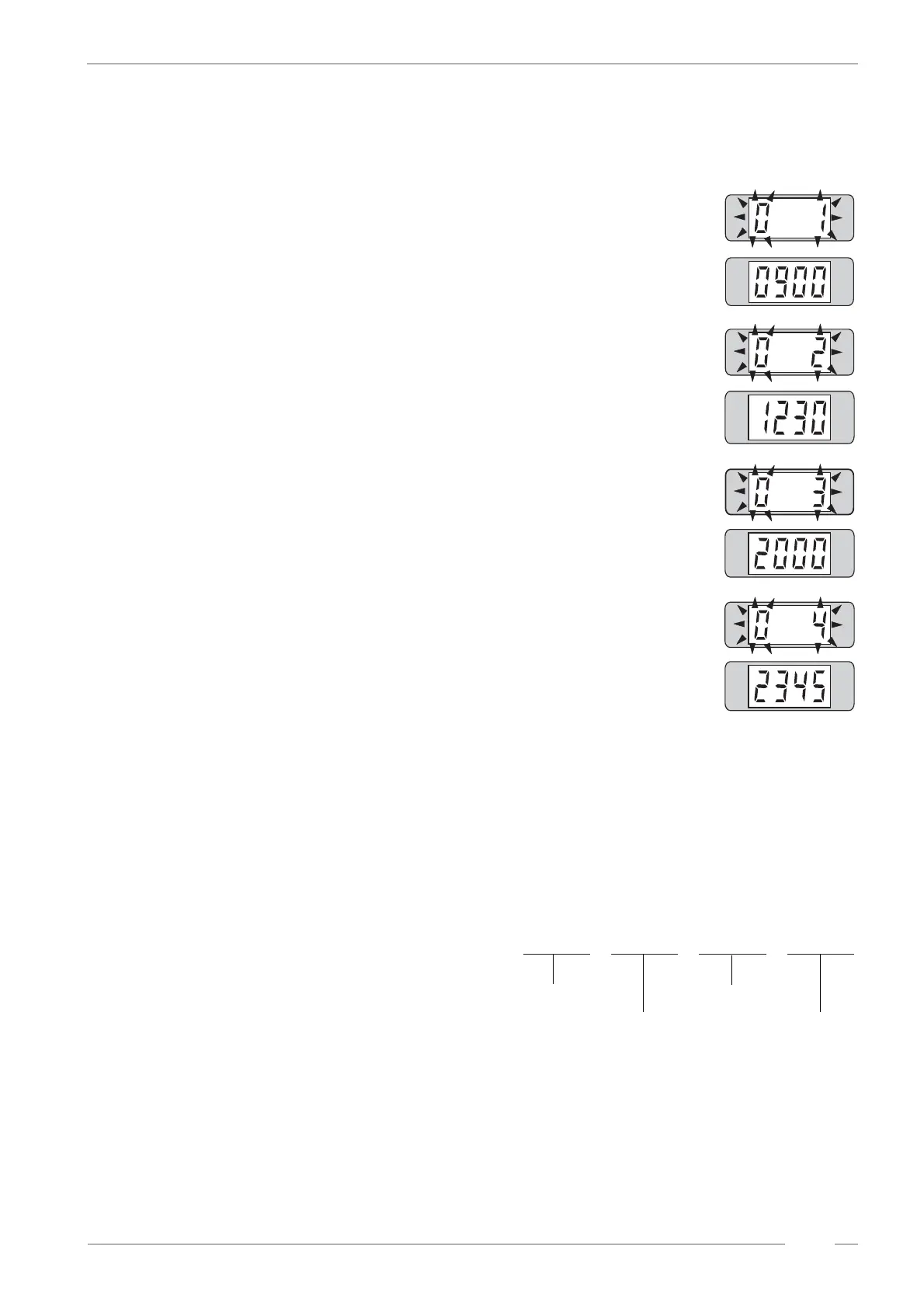
1. Press button 0, the display shows flashing:
# 0 (LH) = Sunday
1 means start time one
# programmed time will be displayed, here 9.00 o'clock
2. Press selection button 0 again, the display shows flashing:
# 0 (LH) = Sunday
2 means stop time one
# programmed time will be displayed, here 12.30 o'clock
3. Press selection button 0 again, the display shows flashing:
# 0 (LH) = Sunday
3 means start time two
# programmed time will be displayed, here 20.00 o'clock
4. Press selection button 0 again, the display shows flashing:
# 0 (LH) = Sunday
4 means stop time two
# programmed time will be displayed, here 23.45 o'clock
To program press selection button 0 (or button 1 - 6 depending on the week-
day to be programmed). The digital display goes dark. Enter the two time zo-
nes in four blocks containing four digits per block one after another (16 digits).
Table of weekdays:
Examples:
The jukebox should play BGM on Tuesday from
9.30 to 11.45 and from 17.00 to 19.55. To pro-
gram press selection button 2 - hold - and press
selection button R. The digital display goes dark.
Then enter 0-9-3-0-1-1-4-5-1-7-0-0-1-9-5-5.
If the jukebox should play BGM on Wednesday from 17.00 to 19.55 only, then program on selection
button 3 as described: 1-7-0-0-1-9-5-5-0-0-0-0-0-0-0-0 . The second time zone has to be filled with
zeros. Also this programming is possible:
0-0-0-0-0-0-0-0-1-7-0-0-1-9-5-5.
Repeat this procedure until all weekdays are programmed (selection buttons 0 to 6).
0 = Sunday 4 = Thursday
1 = Monday 5 = Friday
2 = Tuesday 6 = Saturday
3 = Wednesday
0-9-3-0 1-1-4-5 1-7-0-0 1-9-5-5
start time 1
stop time 1
start time 2
stop time 2


 To Next Page