Albumplay - playing a whole CD
PRINCESS – Edition: 17.02.2005
17
OPERATING INSTRUCTIONS
5 Automatic random select
If the playstimulator is switched on by means of the conti-
nuous play switch or the service program the jukebox
plays random tracks of the registered CDs in the magazi-
nes (service program level 1 button 5). CDs declared as
BGM CDs will not be used, refer to chapt. 9.4 on page 31!
The volume is the same as in normal operation. If a se-
lection is made the playstimulator will be interrupted im-
mediately and remains after having played the selected
tracks.
You can programme the playstimulator by software too.
Then the time between the random tracks of the playsti-
mulator is programmable between 1 up to 98 min. You
may also programme a time window in which the playsti-
mulator works, refer to chapt. 9.3 on page 29.
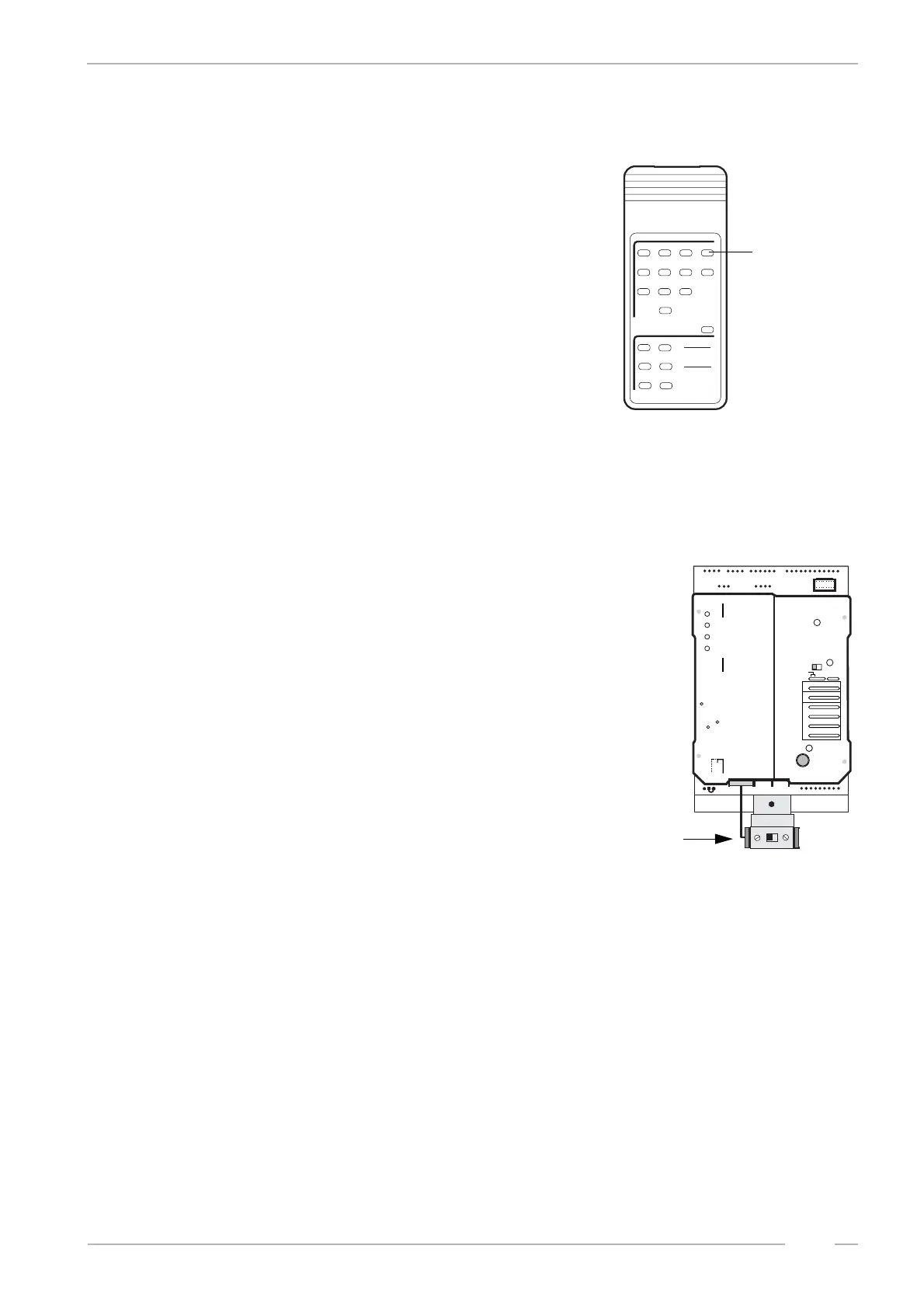
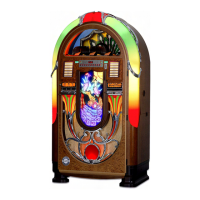
On jukeboxes with F91 amplifier or without remote con-
trols you can switch on CONTINUOUS PLAY with the
continuous play switch. Part number is 0034410. It has
to be connected to P8 of the SCC unit.
RCS-K
No.: 0059745
SELECTION
1
23
4
5
6
RESET
POWER
OPTION
7
89
0
-
+
-
+
CANCEL MUTE
VOLUME
INTERN
CHANNEL 1
EXTERN
CHANNEL 2
button to
switch
continuous
on and off
play
MEMORY - Stecker von OFF
auf ON umstecken, wenn
Top tunes, Popularitätszähler
oder Kassenzähler arbeiten soll.
Move MEMORY Plug from OFF
to ON if Top tunes, Pop Meter or
Cash Box Content Registration
is required.
Placer la prise MEMORY en
position ON, de la position OFF
si le Top Tunes, le compteur de
popularité et la contenu de la
caisse sont demandés.
ACHTUNG:
ATTENTION:
ATTENTION:
CD TOWER
Selection &
Credit Computer
CDM 12
Continuous
Play
on
off
ON
OFF
Memory
0045411
P8
P5
P6
1
6
1
5
1
8
GP
GP + 6
BS B4 B3 B2 B1
F
6
5
4
3
2
0
7
6
5
4
3
2
0
6
5
4
3
2
1
0
6
5
4
3
2
1
0
6
5
4
3
2
1
0
ON
OFF
SERVICE
Z
K
T. T.
+2
+3
BR
1
2
4
5
T1
10
20
+B
T
M
LT
continuous play
switch


 To Next Page