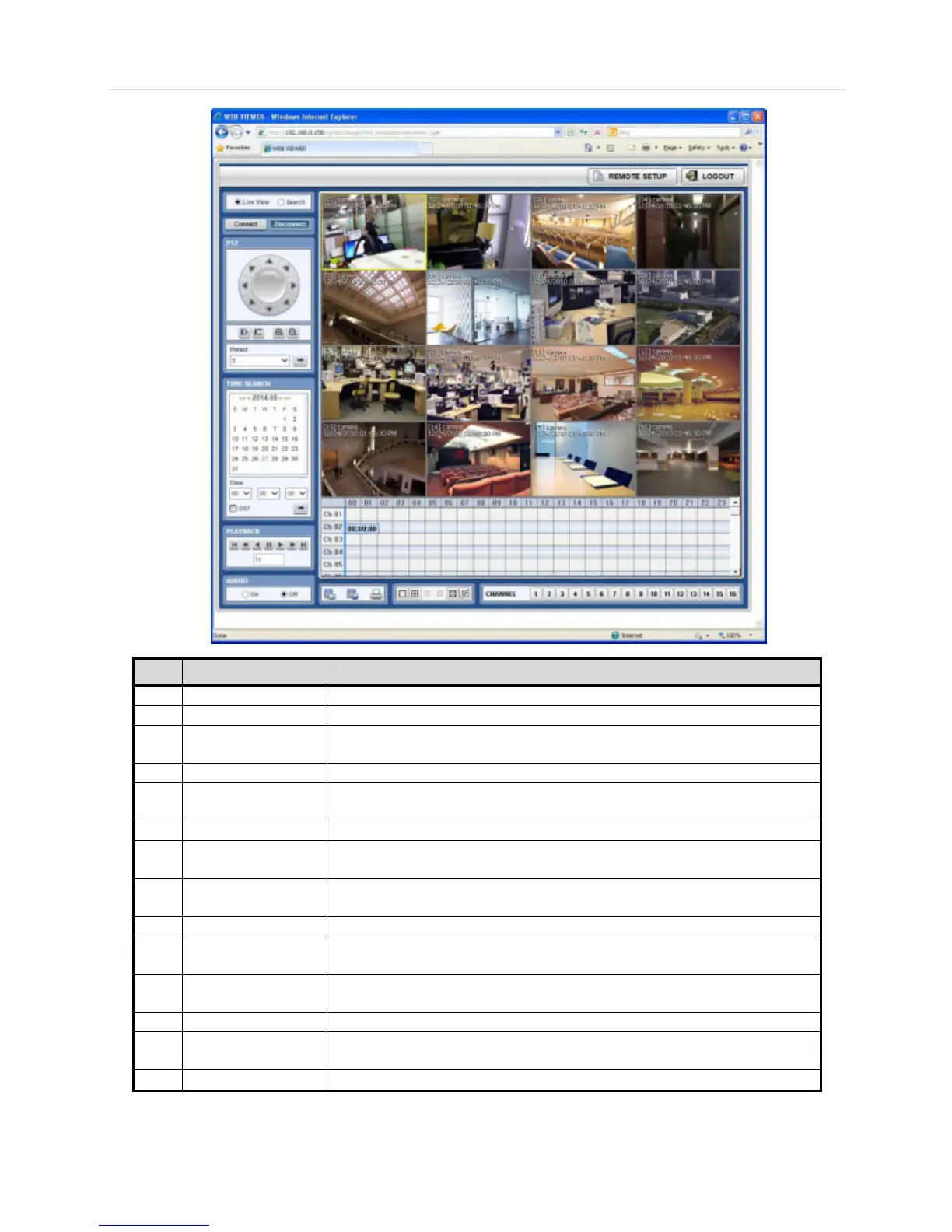
Select to view the DVR in Live or Playback Mode.
Select to Connect or Disconnect from the DVR.
PTZ control options, including: virtual direction arrows, zoom and focus, and
preset.
First data, fast rewind speed, play rewind, pause, play, fast forward speed, last
data.
Export a still image, export a video, or print a still image with notes of a selected
channel.
Select single, 4-channel mode, 9- channel mode, or 16-channel mode (16-
channel display will not be available on 8-channel models).
Select manually a specific channel to go to single channel mode.
In playback mode, indicates available recorded video for each channel for the
24 hours of the selected day.
Use the time indicator line to update playback video from a selected channel or
multi-channels.
View live or playback from the selected cameras.
Will open remote setup option (See 5.2 Web Configuration). Available for admin
users only.
Exit connection from the DVR.



 To Next Page