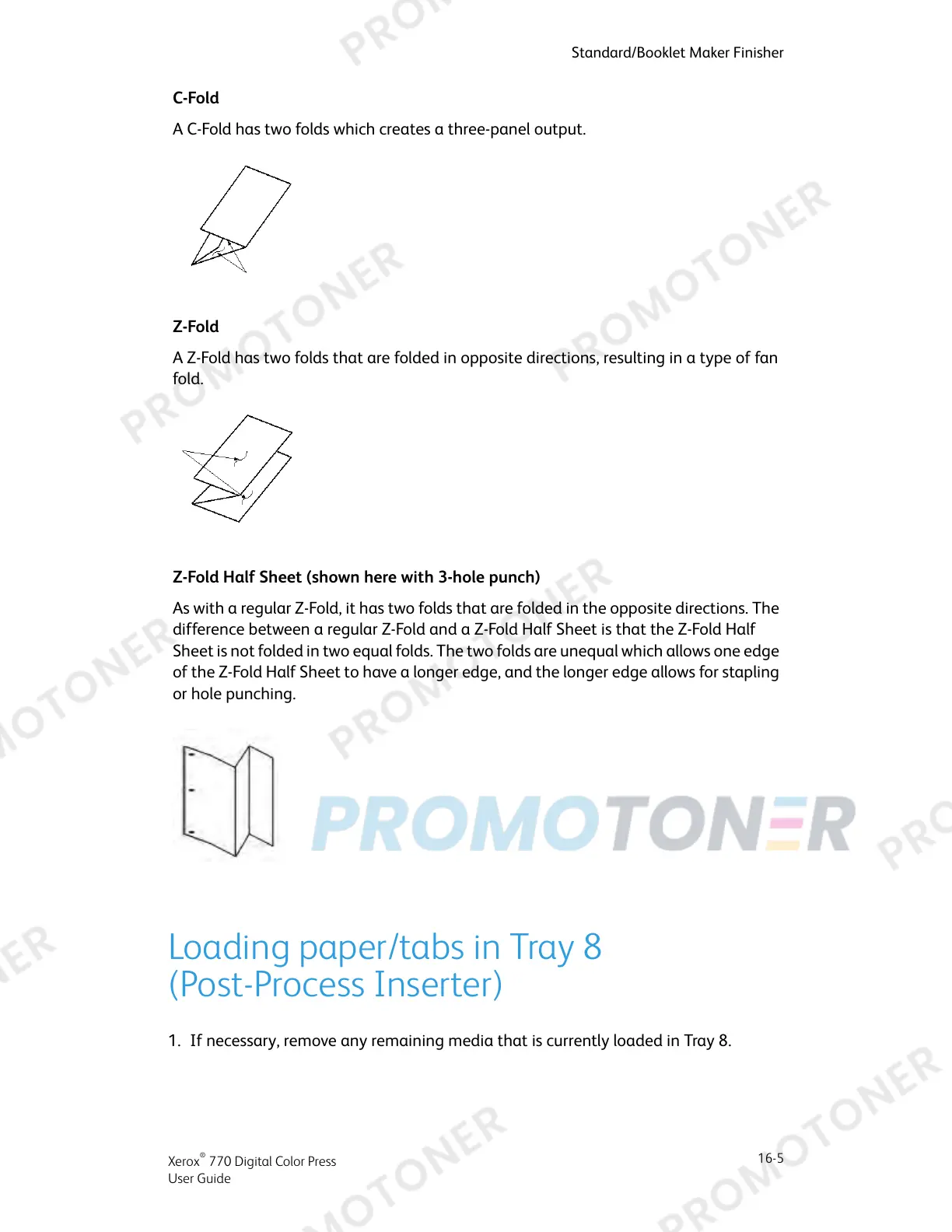
C-Fold
A C-Fold has two folds which creates a three-panel output.
Z-Fold
A Z-Fold has two folds that are folded in opposite directions, resulting in a type of fan
fold.
Z-Fold Half Sheet (shown here with 3-hole punch)
As with a regular Z-Fold, it has two folds that are folded in the opposite directions. The
difference between a regular Z-Fold and a Z-Fold Half Sheet is that the Z-Fold Half
Sheet is not folded in two equal folds. The two folds are unequal which allows one edge
of the Z-Fold Half Sheet to have a longer edge, and the longer edge allows for stapling
or hole punching.
Loading paper/tabs in Tray 8
(Post-Process Inserter)
1. If necessary, remove any remaining media that is currently loaded in Tray 8.
16-5
Xerox
®
770 Digital Color Press
User Guide
Standard/Booklet Maker Finisher



 To Next Page