EasyManua.ls Logo

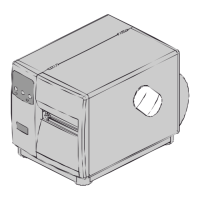
Xerox I Class - User Manual

Xerox I Class
146 pages
Print Icon
To Next Page IconTo Next Page
Loading...
Operator’s Manual
Datamax International
Herbert House
12 Elizabeth Way, Pinnacles
Harlow, Essex CM19 5FE UK
Phone: +44 1279 772200
Fax: +44 1279 424448
Asia-Pacific
19 Loyang Way
#01-01 CILC Building
Singapore 508724
Phone: +65 542-2611
Fax: +65 542-3611
Corporate Headquarters
4501 Parkway Commerce Blvd.
Orlando, Fl 32808
Phone: 407-578-8007
Fax: 407-578-8377

Table of Contents

Questions and Answers

  • A
    austinfrancoJul 30, 2025
    What to do if the LCD is blank on my Xerox I Class Printer?
    • W
      williamsbrianJul 31, 2025
      If the LCD screen on your Xerox Printer is blank but the Ready Indicator is on, the display contrast might be set too low. To resolve this, press and hold the MENU Key for 10 seconds, or until the display reappears.
  • A
    Alec ChapmanAug 7, 2025
    Why is my Xerox Printer feeding erratically?
    • R
      Ruth BowmanAug 7, 2025
      If your Xerox Printer is experiencing erratic feeding, it might need a Quick Media Calibration. Consult Section 3.4 for instructions on performing this calibration.
  • M
    Michael SharpAug 14, 2025
    What to do if my Xerox Printer cannot load media through the optional cutter?
    • W
      woodardjaimeAug 14, 2025
      If your Xerox Printer is unable to load media through the optional cutter, first turn off and unplug the printer. Ensure that the cutter and cutter cable are properly installed. Then, plug in and turn the printer back on. You should hear the cutter blade rotate and position itself correctly. If the problem persists, call for service.
  • E
    emily28Aug 22, 2025
    How to troubleshoot parallel port communication issues on a Xerox I Class Printer?
    • T
      Tammy MooreAug 22, 2025
      If you cannot communicate through the parallel port of your Xerox Printer, observe the Ready Indicator as the format is sent to the printer. If it doesn't flash, check the parallel cable type. Also, verify the protocol and port settings of both the printer and the host device.

Summary

Important Safety Instructions

Printer Overview

1.1 Option Installation

Instructions for installing optional printer features.

Using the Front Panel

4.0 Operation

Explains the front panel controls and modes of operation.

4.0.2 Menu Mode: Configuration

Explains how to access and navigate the printer's configuration menu.

4.0.6 Resetting the Printer

Provides instructions for resetting the printer to different levels.

Adjusting and Maintaining the Printer

5.0 Media Sensor Calibration

Guides users through calibrating the media sensor for accurate detection.

5.0.1 Standard Calibration

Details the standard procedure for media sensor calibration.

5.0.2 Advanced Entry Calibration

Explains the advanced method for media sensor calibration.

5.1 Printhead Adjustments

Covers adjustments for printhead leveling and burn line for print quality.

5.1.1 Leveling Cam Adjustment

How to adjust the leveling cam for even printhead pressure distribution.

5.1.2 Burn Line Adjustment

How to adjust the burn line for printhead consistency.

Troubleshooting

6.0 Problem Resolution

Lists common problems and their solutions for user assistance.

6.1 Fault and Warning Messages

Explains fault and warning messages and their remedies.

Printer Specifications

Communications

Specifies communication interfaces and protocols.

Printing Specifications

Media and Ribbon Requirements

Media Types

Lists the supported media types for printing.

Approved Media

Recommends Datamax-approved media and ribbons for best results.

Appendix A

Appendix B

Appendix C

Print Resolutions and Maximum Label Widths

Lists print resolutions and maximum label widths by model.

Appendix D

Appendix E

Appendix F

Saving a Configuration File

Details how to save and restore printer settings as configuration files.

Warranty Information

Glossary

Xerox I Class Specifications

General IconGeneral
BrandXerox
ModelI Class
CategoryPrinter
LanguageEnglish

Related product manuals