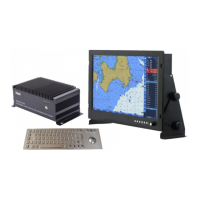
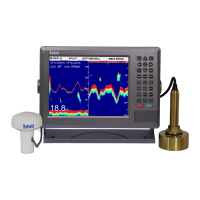
GPSChartPlotter&EchoSounder
15
2-2-5RotateChartPage
Press〖ROTATECHART〗toviewtherotatedchartpage.Thesystemprovidesfourdirectionsof
rotation.ItdefaultstoDueNorth.Thecompassshowninredonthechartisthedirectionof
north.
2-3MainMenuOperation
Innormalstate,press〖MENU〗tocall【MainMenu】.
Function: Themenuprovidesthefunctionofcallingwaypointdataandenteringwaypointdata.
Operation: Press〖↓〗〖↑〗toselectmenuitem,orenterthenumberoftheitemtoopenthe
submenu.Press〖QUIT〗 toclosethecurrentmenuor〖MENU〗onceagaintoenter
【Param.settings】.
【Param.settings】Function: Modifythesettingsofthesystem.
Operation: Press〖↓〗〖↑〗toselectmenuitem,press〖OK〗toenterthenextmenu.〖QUIT〗
istoexit【Param.settings】.
2-4TrackOperation
Select【TrackList】inthe【MainMenu】andpress〖OK〗toenterthemenu.Thelistprovides
ID,name,mileage,styleandwhetherthetrackisshowninthechart.Selectthetrackinthelist,
andpress〖OK〗tooperatethecorrespondingtrack.
2-4-1TrackSwitch&Color
Press〖TRK〗toopenorclosethetrackfunction.Press〖COL〗toswitchthecurrentrecording
trackcolor.Thetrackwillberecordedusingthenewmodifiedcolor.
2-4-2TrackRecord&Parameters
Option1:Recordmodesetting
Select【Setup】inthe【Trackoperation】menuandpress〖OK〗toenterthe【Trackconfigure】.
Press〖←〗〖→〗tochooserecordmethod(Dist.ortime),andsetthetimeanddistanceinterval.
Note: 1.Thepop-upmenucontentisdifferentaccordingtotheemptytrackornon-emptytrack.
2.Whenindistancerecordmode,trackwillberecordedaccordingtothesettingof
distanceinterval.
Option2:Modifythename,colorandstyleoftrack
Select【Modifytrack】in【Trackoperation】menuandpress〖OK〗toenterthe【ModifyTrack】.
Function: Themenuisusedtomodifythetrackattributeincludingname,color,styleetc.
Note: Thesecondoptionisonlyeffectiveforasingletrackwhilethefirstoptioniseffectivefor
alltracks.
2-4-3DeleteTrack
Select【Deletetrack】inthe【Trackoperation】menutodeletetheselectedtrack.Andselect
【Deleteall】todeletealltracks.


 To Next Page