GPSChartPlotter&EchoSounder
37
2】hide
VRMwillbehiddenonthescreen.Press 〖navigation/depth〗canshowit.
3】Auto
Show5secondsafterpress〖navigation/depth〗buttonandthenhideautomaticallyafteranother
5seconds.
4-1-9DepthAlarm.
Depthalarmcanbeset:off,depth-water,Low-water.
1】 depthalarmsetting:
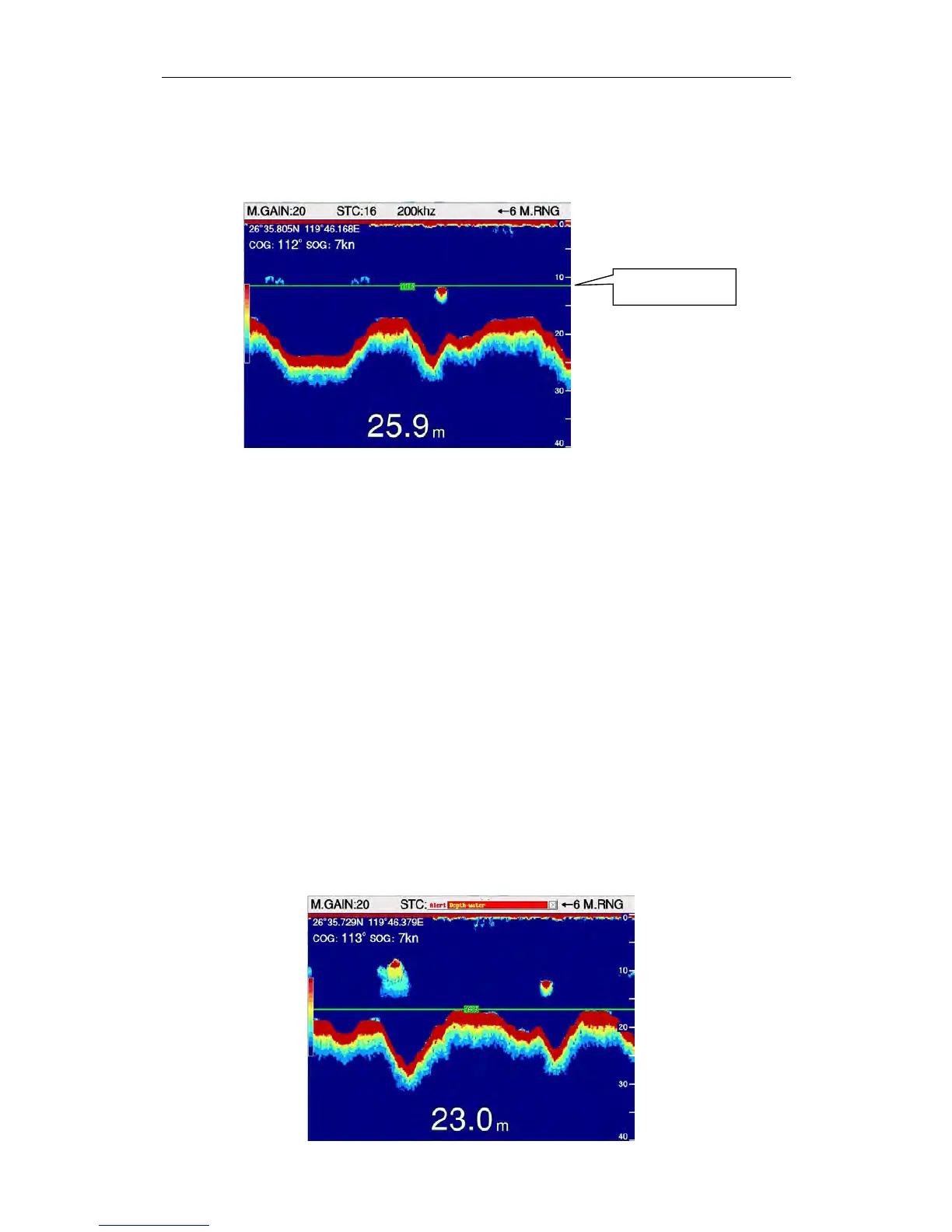
Press〖Navigation/Depth〗button,VRMwillbeshowasgreencolortobeedited,Press〖↑〗〖 ↓ 〗
toadjustthepositionofVRM,thenpress〖OK〗.Press〖Navigation/Depth〗buttonagaintoexit
edit.
2】Settingmenu
Onmapscreen:
Press〖MENU〗toenter【MainMenu】,select 【FishFinder】.Select 【09DepthAlarm】in
【FishFinder】 ,press 〖←〗、〖→〗toselectdepthalarm..
Onfishfinderscreen:
Press〖MENU〗toenter【FishFinder】,Select【09DepthAlarm】in【FishFinder】,press 〖←〗、
〖 → 〗 toselectdepthalarm.
3】DepthAlarm
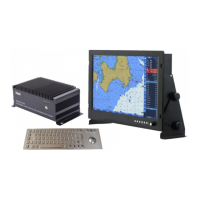
Systemwillbealarmwhendepthalarmvalueistriggered. “Depth-water “ or “Low-water “ will
beshownonthescreen,alsowithvoiceprompt.
VRM


 To Next Page