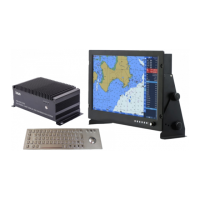
GPSChartPlotter&EchoSounder
21
Operation: Press〖↓〗〖↑〗toviewGregoriancalendarmonthdateoflastyearandnextyear.
Press 〖←〗〖→〗toviewlastmonthandnextmonthofthecurrentyear. 〖 〗
istoviewthedateoftoday.Press〖Quit〗toexitcurrentmenu.
2-9-4DistanceMeasure
Thefunctioncanmeasurethedistancebetweenanytwopointsinthechart.
Howtocallout:
Option1:Press〖DIST〗tocallthefunction.
Option2:【MainMenu】->【Accessory】->【DistanceMeasure】.
Operation:Press〖ARROW〗keytomovethecursorwhileviewingthevalueofthe【Cursorinfo.】.
Press〖OK〗toselect/resetstartpointand〖QUIT〗toexitcurrentoperation.
2-10MOB
Inemergencycondition,press〖MOB〗tosavecurrentshiplocation.YoucanviewitintheMOB
listorwaypointlist.TheIDofMOBcoordinateinthewaypointlistis9980-9999.Youcanmodify,
delete,andnavigatewithMOBpointsintheMOBlist.
2-11DrawLine
Thesystemcanatmostrecord200draw-lines.Eachdraw-lineconsistsof40points.Inthe
settingsyoucanset8colors,whicharethesameasthetrack’s.
2-11-1AddDrawLineontheChart
Press〖ARROW〗keytomovethecursortodesiredlocation.Press〖OK
Andoperatebythesamemethodtosetupotherdraw-linepoints.Press〖QUIT〗tosavedraw
lineasshownbelow:
Select【Save】topopupapromptwindow: ‘Doyouwanttosavetheclosedboundary? ’.


 To Next Page