GPSChartPlotter&EchoSounder
20
2-8-3DeleteRoute
Enter 【RouteList】,selectdesiredroute,press〖OK〗andselect【Deleteroutes】inthe【Route
operation】todeletetheselectedrouteorselect【Deleteall】toclearallroutes.
2-8-4CallRoute
Therearetwonavigationmodes:ForwardnavigationandReversenavigation.
Option1:SelectrouteintheRouteList
Enter【RouteList】 andselectdesiredroute,press〖OK〗andselect【Forwardnavi】or【Reverse
navi】inthe【Routeoperation】.
Option2:Press〖0〗inthekeyboard
Press〖0〗topopup【Callnavidata】.Press〖←〗〖→〗toselectnavigationmodes.Youcan
entertheIDtocallthewaypointorroute.
Note: 1.Press〖←〗〖→〗toselectForwardnaviorReversenaviinthefirstbar.
2.Thenameofwaypointandroutecannotbemodified.
2-8-5SelectWaypointoftheRoute
Inthecallingroutestatus,youcanselectonewaypointofroutetonavigatewiththefollowing
methods:
l
Selectnextwaypoint:innormalnavigationstate,press〖7〗.
l
Selectpreviouswaypoint:innormalnavigationstate,press〖4〗.
2-9Accessory
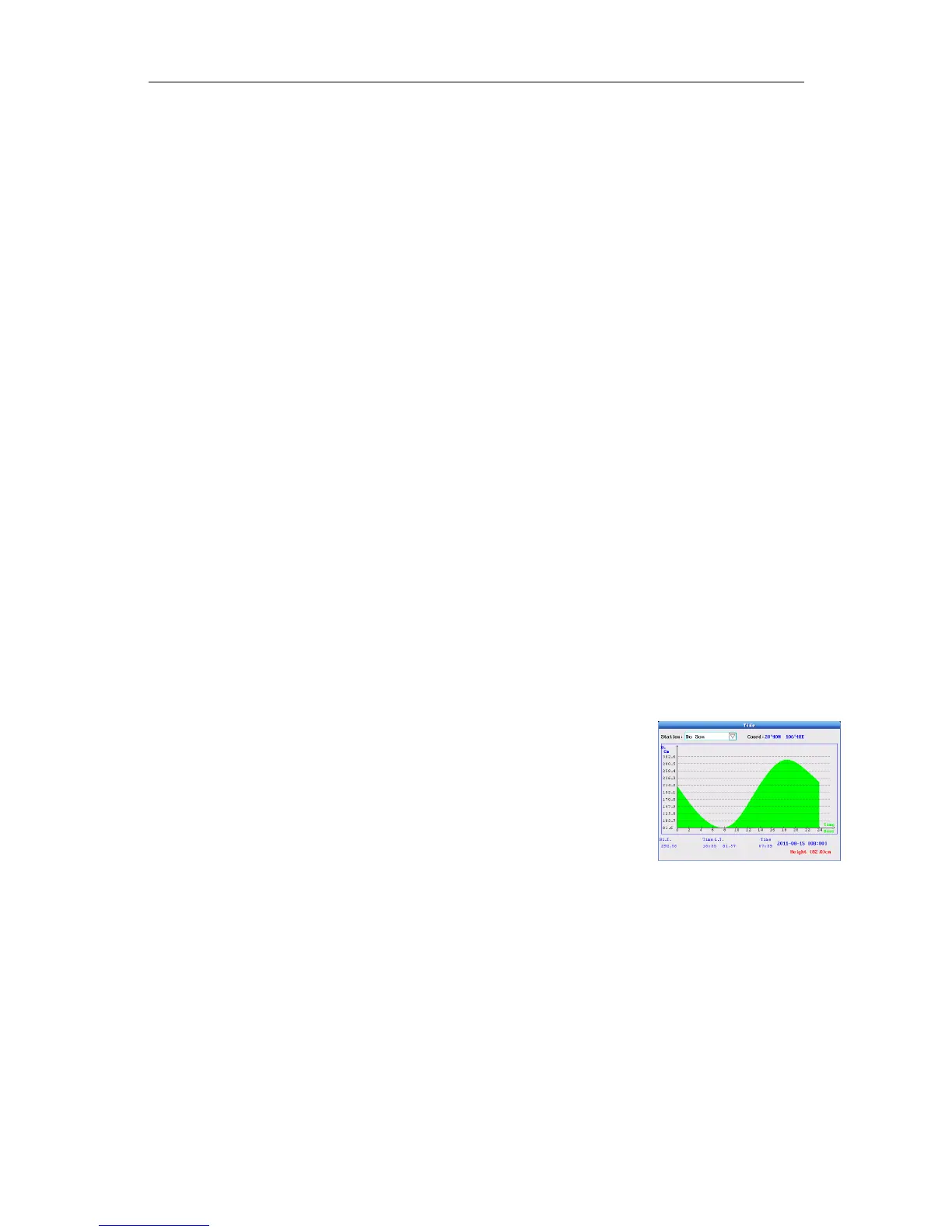
2-9-1Tide
Function: Thetidemenuprovidestidedataof202areasinChinainrecent60years.
Method:【MainMenu】->【Accessory】->【Tide】
Operation:〖↓〗〖↑〗〖←〗〖→〗istotoggleareasandtidestation.
〖4〗toviewtidedataoflastday,and〖6〗fornextdaythen
andthere.Press〖2〗toviewthetidedataofthefirstdayof
lastmonthand〖8〗forthefirstdayofnextmonthinstantly.
Press〖QUIT〗toexitthecurrentmenu.
2-9-2ViewChart
Function: Themenuprovidesthenavigationdataof52areasinChina.
Method:【MainMenu】->【Accessory】->【ViewChart】
Operation: Press〖↓〗〖↑〗toselectdesiredareaandpress〖OK〗toview.Press〖QUIT〗
toexitthecurrentmenu.
2-9-3Calendar
Function: ThemenuprovidesGregoriancalendardateandlunarcalendardatesinceJanuary
1
st
1999toDecember31
th
2100.Itprovides24solartermsand10importantlunarfestivalsfor
inquiryeachyear.
Method: 【MainMenu】->【Accessory】->【Calendar】


 To Next Page