EasyManua.ls Logo

Xinuo XF-1069GF - 3-1-2 AIS Display Settings; 3-1-3 Enhanced-A Mode; 3-1-4 Safety Message Handling; 3-1-5 through 3-1-8 Message Management

Xinuo XF-1069GF
48 pages
Print Icon
To Next Page IconTo Next Page
To Previous Page IconTo Previous Page
Loading...
GPSChartPlotter&EchoSounder
28
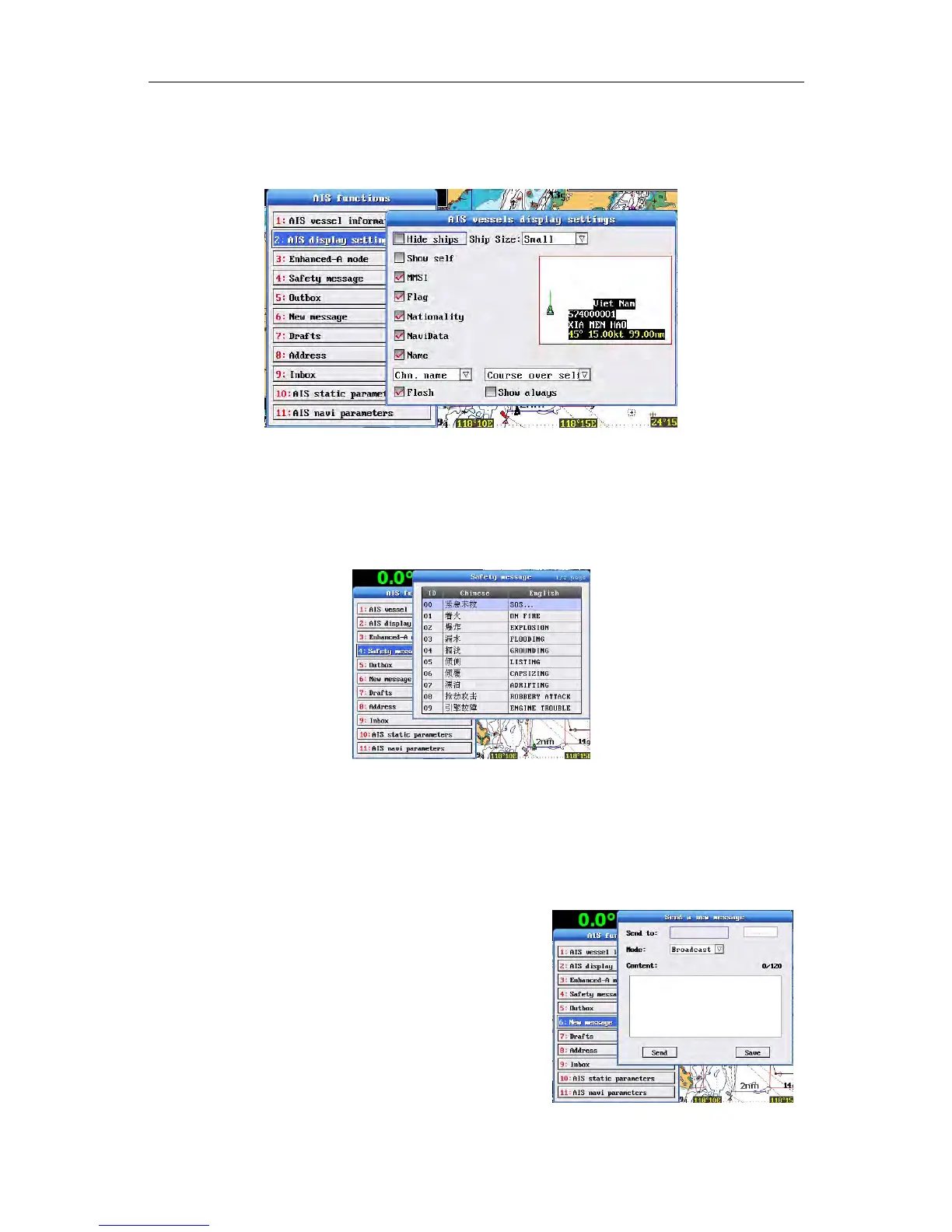
3-1-2AISDisplaySettings
SelectAISdisplaysettingsintheAISfunctions andpressOKtopopupAISvessels
displaysettings.
3-1-3Enhanced-AMode
SelectEnhanced-AmodeintheAISfunctionsandpressOKtoswitchon/off.
3-1-4SafetyMessage
SelectSafetymessageintheAISfunctionsandpressOKtopopupSafetymessage.
3-1-5Outbox
SelectOutboxintheAISfunctionsandpressOKtopopupOutboxwindow.Press
↑〗totogglecontents.
3-1-6Inbox
SelectInboxintheAISfunctionsandpressOK
topopup Inboxwindow.Press↑〗to
toggle
contents.
3-1-7NewMessage
SelectNewmessageintheAISfunctionsand
OKtopopupSendanewmessagewindow.
3-1-8Drafts
SelectDraftsintheAISfunctionsandpressOK
topopupDraftswindow.Press↑〗totogglecontents.

Table of Contents

Related product manuals