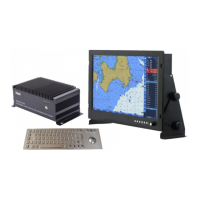
GPSChartPlotter&EchoSounder
40
2】ManualRange
Manualrangestatuswillbeshownonthetitleoffishfinderimage.
Press〖zoomin/M.RNG↑〗narrowtherangeincurrentimage.
Press〖Zoomout/M.RNG↓〗widetherangeincurrentimage.
3】AutoRange
Autorangestatuswillbeshownonthetitleoffishfinderimage.
Fromshallowtodeepsea,whentheimageoftheechosoundreachesthebottomofthescreen,
systemwillautomaticallyswitchtothenextlargerrange.
Fromdeeptoshallowsea,whenthecsoundreachesthecenterofthescreen,systemwill
automaticallyswitchtonextsmallerrange,imageofechosoundwillshowredororange.
Note:Rangewillswitchtothemaxrangetodetectiveifechogramdisappearbyanyreason.If
systemcan’tdetectivetwodarkercolorsofechogram,itwillsearchfromthefirstrange,
itwilltakeseveralminutestoselectthecorrectrange.
4-1-13Shift
Shiftcanbesetasmanualandautomode.
1】Shiftmodesetting
Onmapscreen:
Press〖MENU〗toenter【MainMenu】,select【FishFinder】.Select【15Shift】in【FishFinder】,
press 〖←〗、〖→〗tosetshiftmode..
Onfishfinderscreen:
Press〖MENU〗toenter【FishFinder】,Select 【15Shift】in【FishFinder】 ,press 〖←〗、
〖→〗tosetshiftmode.
2】manualshift
manualshiftstatuswillbeshownonthetitleoffishfinderimage.
Press[AIS/M.SFT ↑]toadjusttherangestartvalue
Press 〖ROUTE/M.SFT ↓〗 toadjusttherangestartvalue
3】Automaticshift
Automaticshiftstatuswillbeshownonthetitleoffishfinderimage.
Whentracingatdeepseabed,iftheimageofecoreachesthebottomofthescreen,systemwill
automaticallyswitchesdowntotheselectedstartingrange.
Whentracinginshallowseabed,iftheechomaparrivesatthecenterofthescreen,thedevice
automaticallyswitchesuptheselectedstartingrange.
Note: Foranyreason,whenthebottomechoimagedisappears,thedisplacementwillcontinue
tomovedownto1000(m/in/feetuntiltheechopatternisdetectedagain.)Ifthesystem
doesnotdetectbothtypesduringthistimedarkercolorechoimage,itwillautomatically
switchto"0"andre-movedown.Theseoperationstakeafewminutestocomplete,and
thedevicewillcontinuetoselectuntiltheechoimageisdetected.
4-1-14InterferenceReduction
InterferenceReductioncaneliminatetheinterferencewaveproducedbytwofishatthesame
frequency.


 To Next Page