GPSChartPlotter&EchoSounder
24
2-14-2AlarmSettings
Function: Tosetalarmswitchesandalarmscopes.
Howtocallout:【Param.settings】->【Alarmsettings】->Press〖OK〗
Operation: Press〖↓〗〖↑〗toselectdesiredparameters,press〖←〗〖→〗toselectparameter
values.Press〖DIGIT〗keystosetthealarmscope.Select 【Save】tosavethe
settingsandpress〖QUIT〗toexitthecurrentmenu.
Note: 1.Ifalarmsettingison,therewillbealarmvoicewhenthesystemdetectsthealarm.
2.The ‘AISalarm’ and ‘AISalarmdistance’ willappearwhenthesystemreceivesthe
AISsignal.
2-14-3Displayswitchsettings
Function: Tosetthedisplayswitchesofmapdata,cursorwindow,shippositionwindow,
calendarwindowetc.
Howtocallout:【Param.settings】->【Displayswitchsettings】->Press〖OK〗
Operation:Press〖↓〗〖↑〗toselectdesiredparameters,press〖←〗〖→〗toselectparameter
values.Press〖QUIT〗toexitthecurrentmenuandpopup【SaveSettings】prompt.
Select【Yes】tosavethesettingsorselect【No】togiveupthecurrentsettingsand
exit.
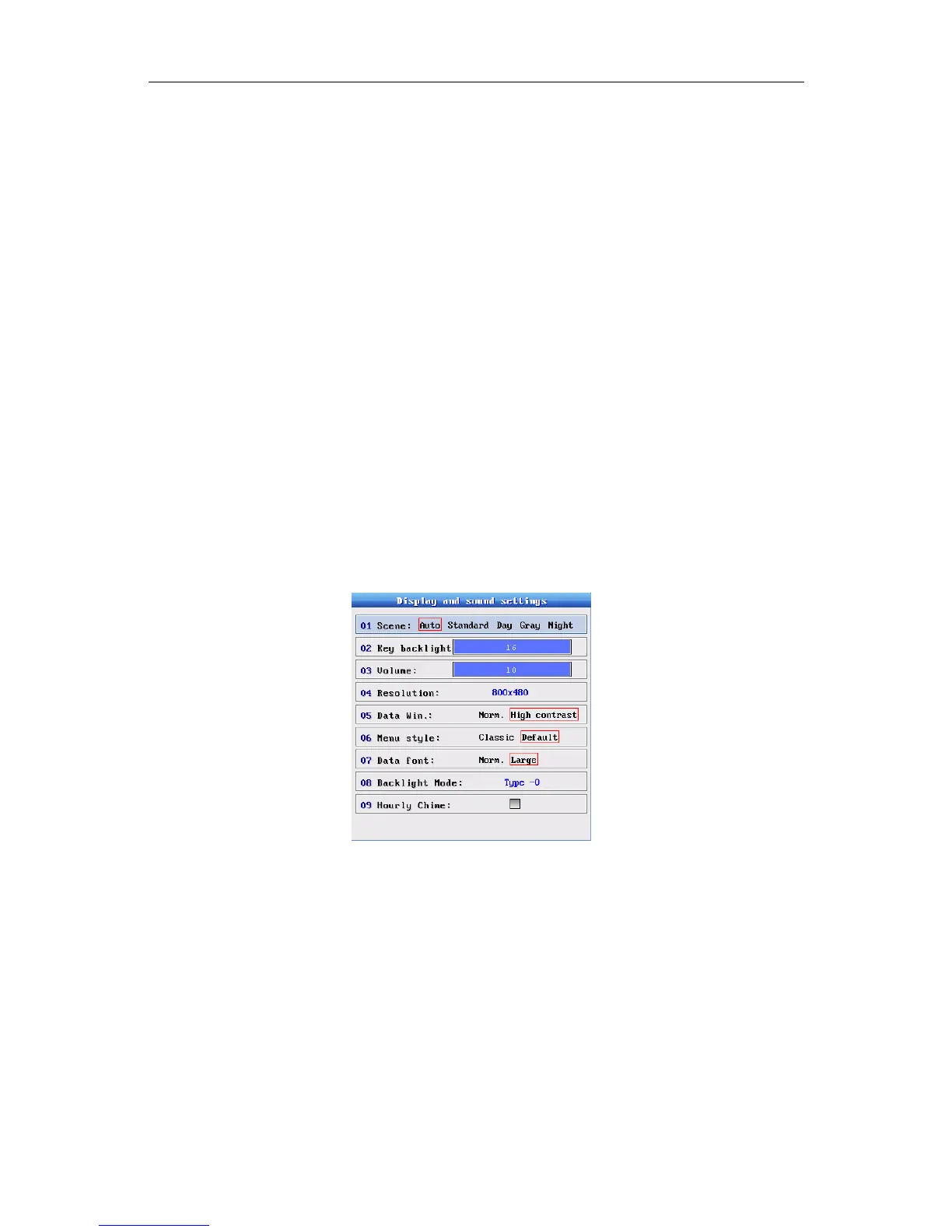
2-14-4Display&SoundSettings
Function:To setthesystemscene,screenbacklightandvolumeetc.
Howtocallout:【Param.settings】->【Displayandsound】->Press〖OK〗
Operation: Press〖↓〗〖↑〗toselectdesiredparameters,press〖←〗〖→〗toselectparameter
values.Press〖QUIT〗toexitthecurrentmenuandpopup【SaveSettings】 prompt.
Select【Yes】tosavethesettings,orselect【No】togiveupthecurrentsettingsand
exit.
Tips: Youcanalsopress〖BACKLIGHT〗or〖POWER〗onthekeyboard/paneltoadjustthe
brightnessandvolume.
2-15-5ViewHardwareInfo.
Function: Viewhardwareinformationofthedevice.
Howtocallout:【Param.settings】->【Viewhardwareinfo.】


 To Next Page