XP0100 Enterprise IP Phone Getting Started
Xorcom Ltd. 4 www.xorcom.com
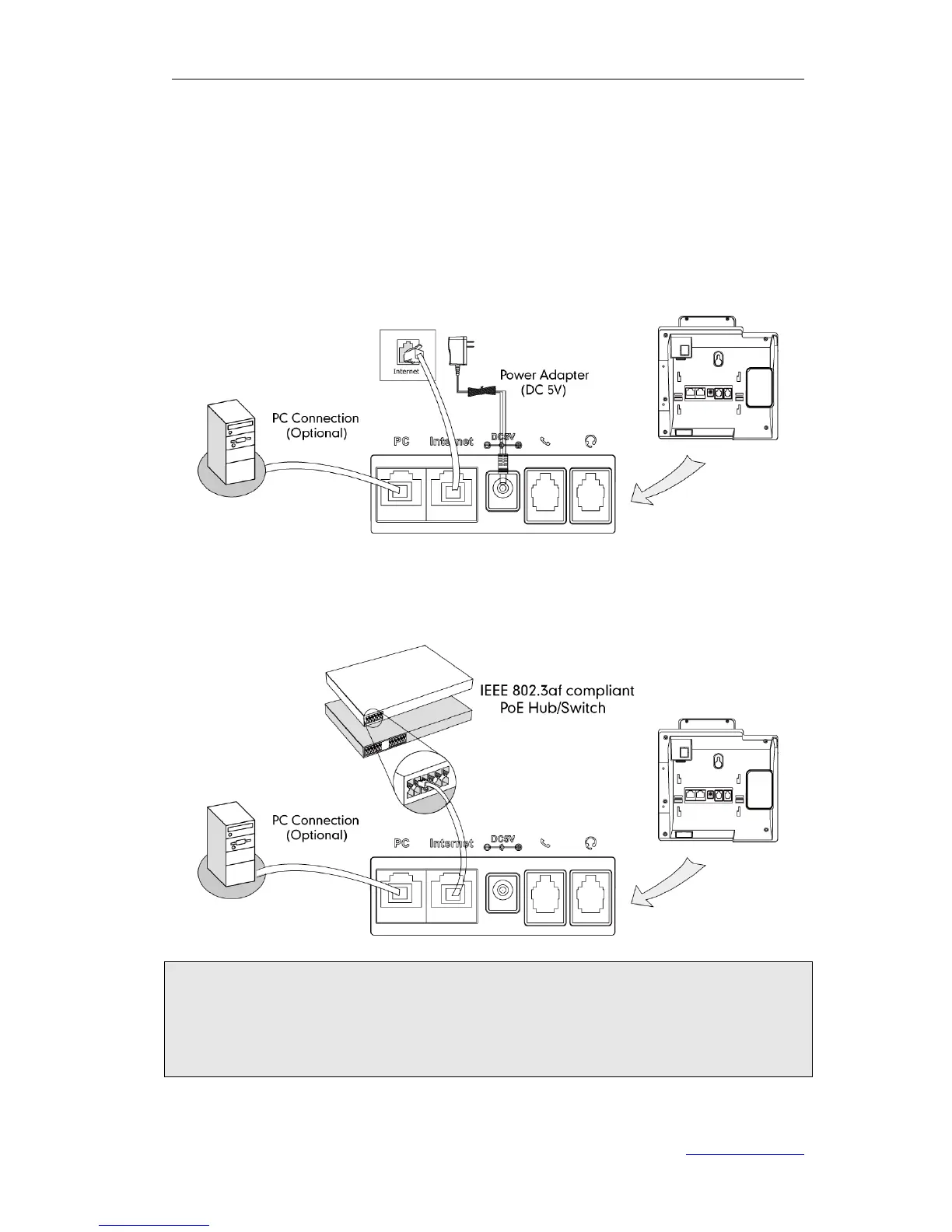
3) Connect Network and Power
You have two options for power and network connections. Your system administrator
will advise you on which one to use.
AC Power
1) Connect the DC plug on the power adapter to the DC5V port on the phone and
connect the other end of the power adapter into an electrical power outlet.
2) Connect the supplied Ethernet cable between the Internet port on the phone and
the Internet port in your network or switch/hub device port.
Power over Ethernet
Connect the Ethernet cable between the Internet port on the phone and an available
port on the PoE (IEEE 802.3af) compliant switch/hub
Note:
1. If in-line power is provided, you don’t need to connect the AC adapter. Make sure
the Ethernet cable and switch/hub is PoE compliant.
2. The phone can also share the network with other network device such as a PC
(personal computer). It is an optional connection.



 To Next Page