XP0100 Enterprise IP Phone Customizing Your Phone
Xorcom Ltd. 25 www.xorcom.com
Area codes usually indicate geographical areas within one country, although the
correlation to geographical area is becoming obsolete. For non-geographical numbers,
as well as mobile telephones outside of the United States and Canada, the "area code"
does not correlate to a particular geographic area.
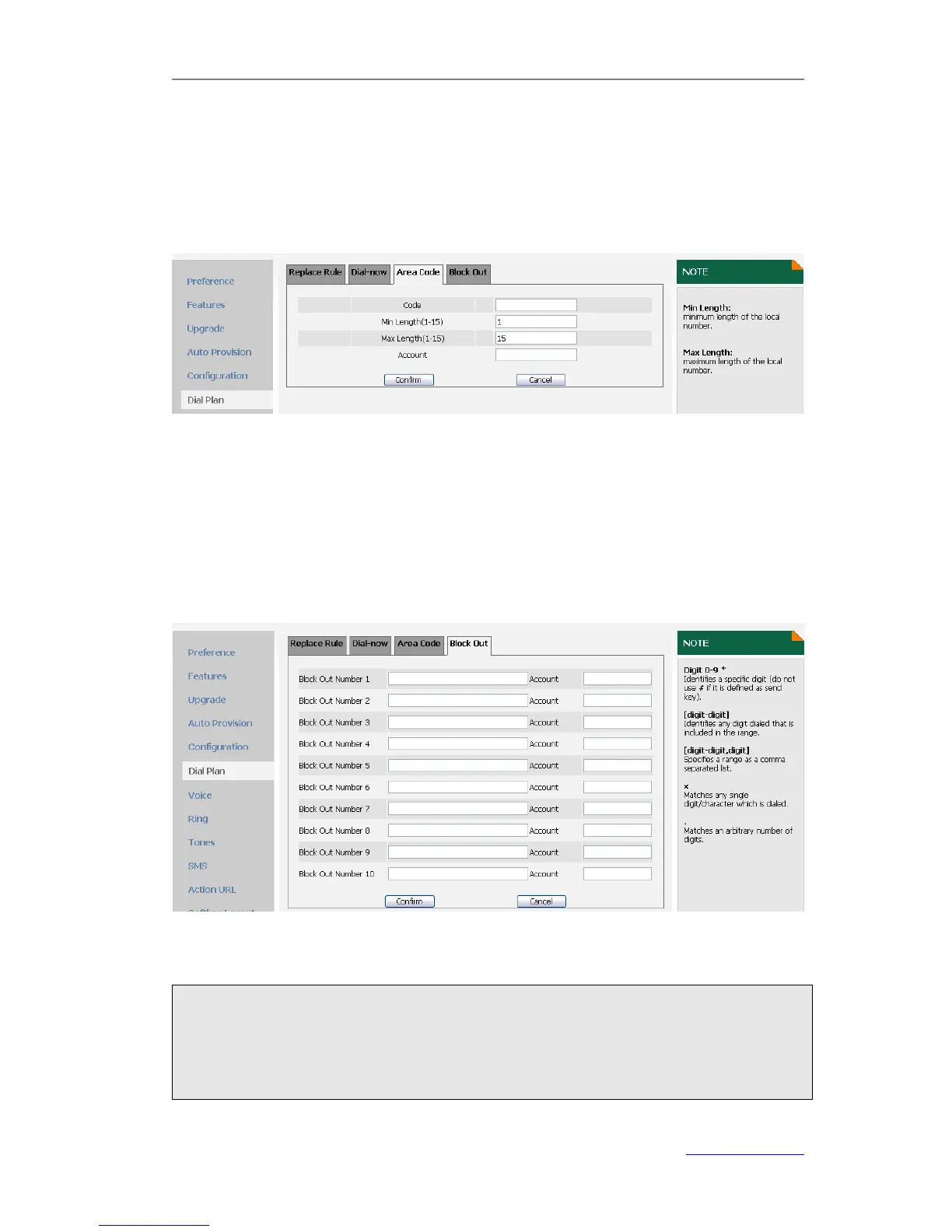
To configure area code via web user interface:
1) Click on Phone->Dial Plan->Area Code.
2) Enter the Code and Account, set the Min Length and the Max Length.
3) Click Confirm to save the change.
Block Out
The specific phone numbers can be forbidden to be call out from your IP phone.
To configure Block Out number via web user interface:
1) Click on Phone->Dial Plan->Block Out.
2) Enter the desired block out number and account in the proper fields.
3) Click Confirm to save the change.
Note:
1. The numbers set in Emergency cannot use the Dial Plan.
2. In the Account field, you can enter 1,2,3…, “1” represents Account 1, “2”
represents Account 2 ……, if the account box is empty, it mean this rule works for
all accounts .



 To Next Page