XC Camera Setup and OSD Guide
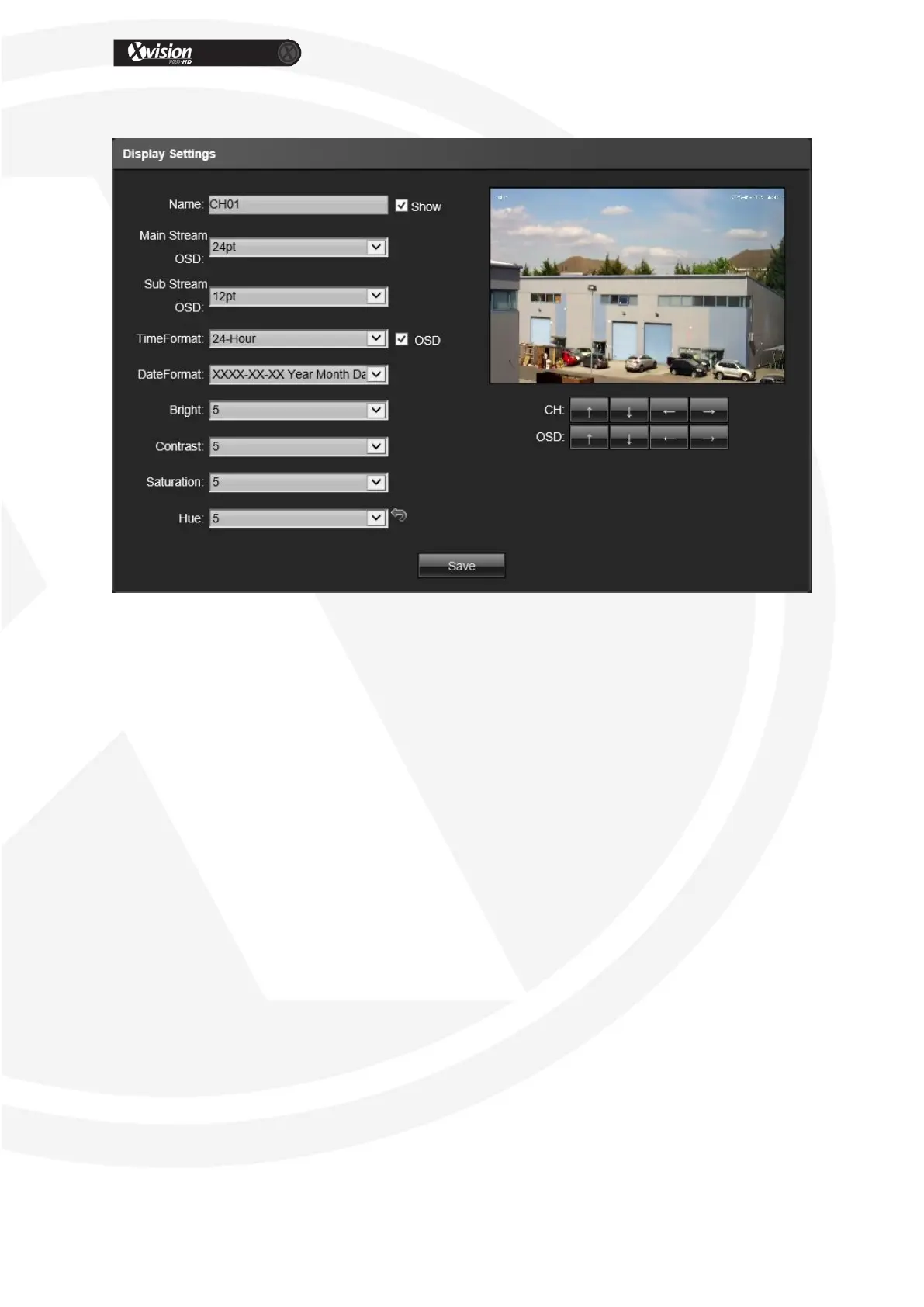
Display Settings
Name: Modify the appointed channel name
Main stream OSD: 12pt/18pt/24pt/36pt/48pt
Sub stream OSD: 12pt/18pt/24pt
Time Format: Select different time display mode for the appointed channel
Date Format: Select different date display mode for the appointed channel
Bright: Adjust the brightness for the appointed channel
Contrast: Adjust the contrast for the appointed channel
Saturation: Adjust the saturation for the appointed channel
Hue: Adjust the hue for the appointed channel
CH: Set the channel title location for the appointed channel
OSD: Adjustment: Set the channel date location for the appointed channel
Cyclotron arrow: Restore the default parameters
After all parameter settings are completed, click “Save” these settings will take
immediate effect.


 To Next Page