XC Camera Setup and OSD Guide
DDNS Settings
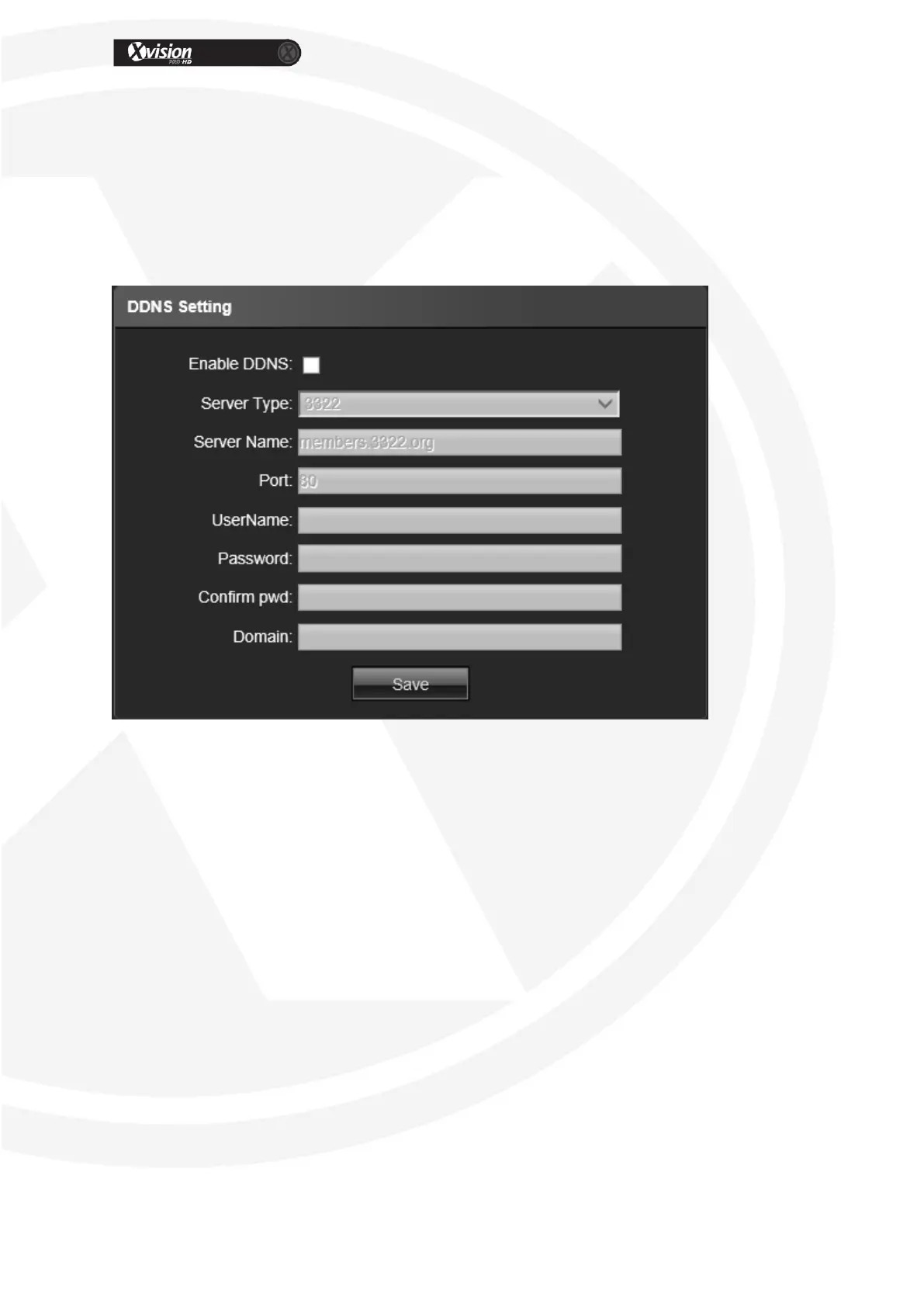
DDNS is implemented through a dynamic domain resolution server. You will need to setup an
account through a DDNS provider, some are listed below. This is used when you do not have
a Static IP address from your Broadband provider. The IP Camera network setting interface as
below. For more information please contact your network administrator.
Enable DDNS: Click to enable Dynamic Domain Name Server
Server Type: Select DDNS server type (There are Dyndns/ PeanutHull/ NO-IP/ 3322/
DnsDynamic five types selectable)
Server Name: Input server name, for example, member.3322.org
Port: Input port No.
Username: Input user name
Password: Input password
Confirm pwd: Input the password again to confirm
Domain: Input the standby domain
After all parameter settings are completed, click “Save” these settings will take
immediate effect.


 To Next Page