XC Camera Setup and OSD Guide
System Setup Tab
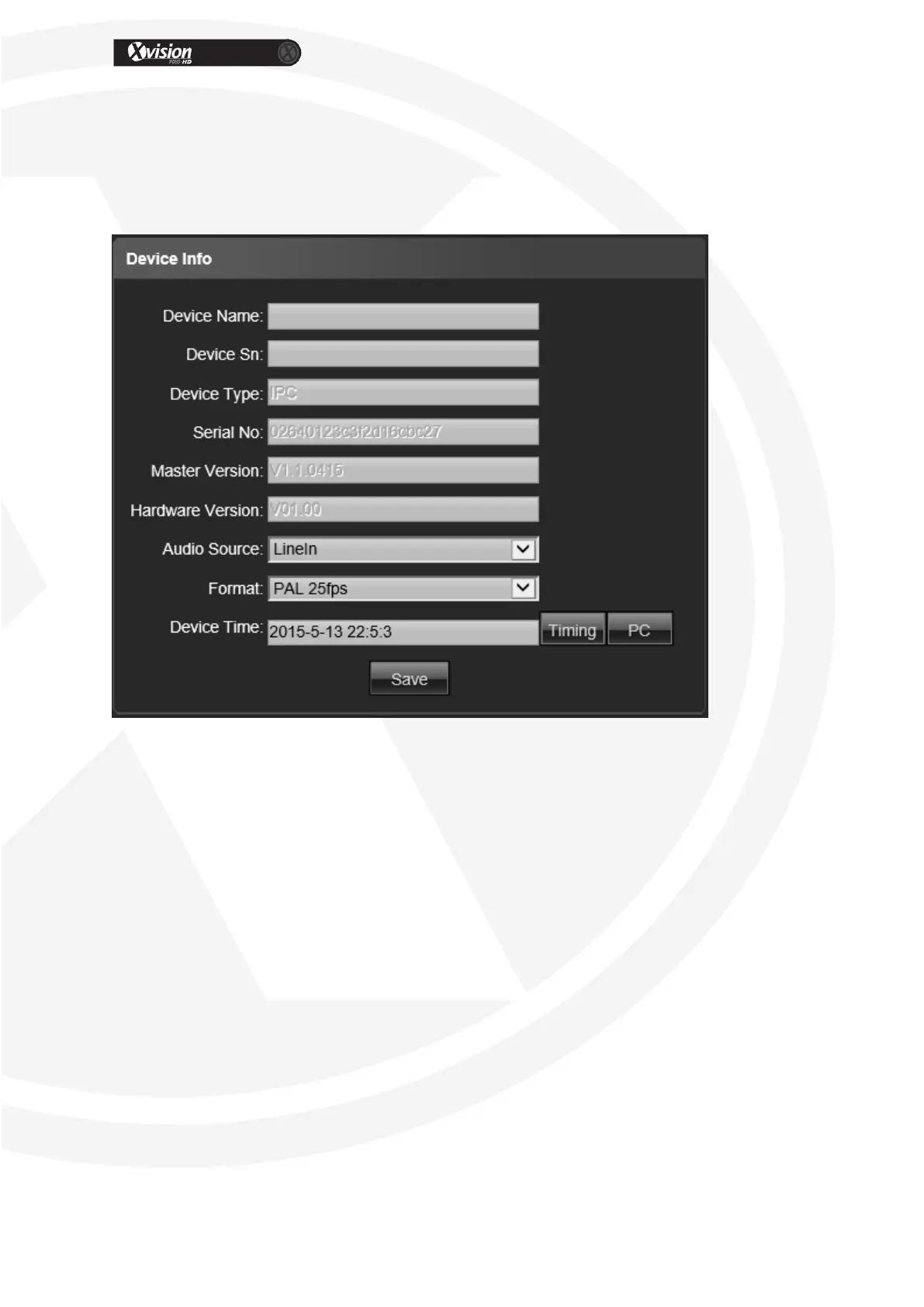
Device info
Device Name: Edit the camera name
Device Sn: Display the IPC Sn
Device Type: Display the IPC type
Serial No. : Display the product serial No.
Master Version: Display the software version date
Hardware Version: Display the hardware version number
Format: Switch to select the PAL and NTSC image scanning system (not supported
on all models)
Device Time: Set and display the IPC current time
After all parameter settings are completed, click “Save” these settings will take
immediate effect.


 To Next Page