XC Camera Setup and OSD Guide
Recap
Once you have set the IP address, amended the Active X controls and installed them, viewed
the XC IP camera on the Browser, you can now go through all the menu options.
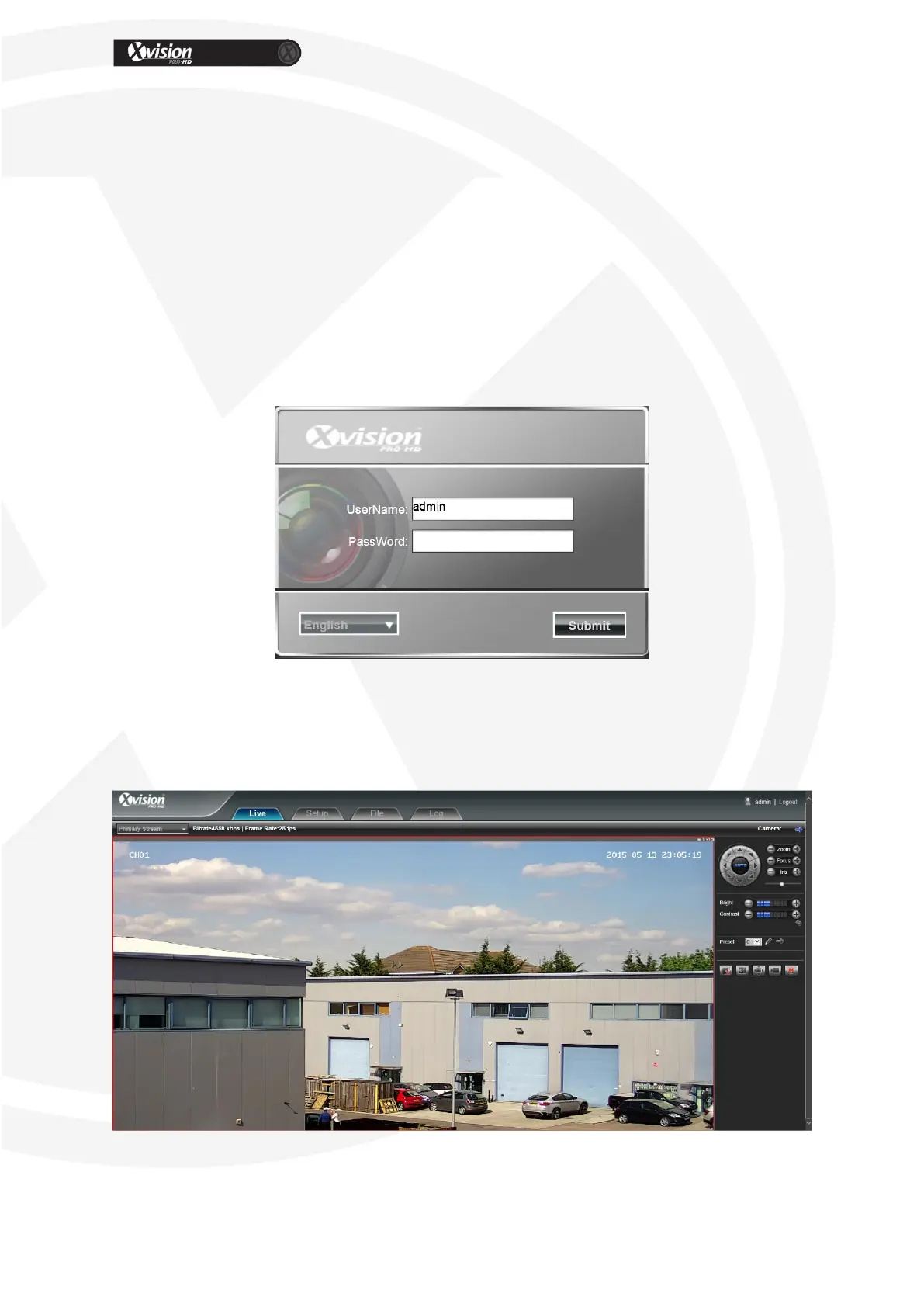
Navigate back to your XC device, http://192.168.1.100 that we previously
setup.
Input User name – admin
Password – Blank
Select your chosen Language.
Click [Submit], as shown below:
Live View
In the Live view interface, users can use features such as voice intercom, full-screen, video
record, alarm information, PTZ and lens control, etc. These will all be covered below.


 To Next Page