XC Camera Setup and OSD Guide
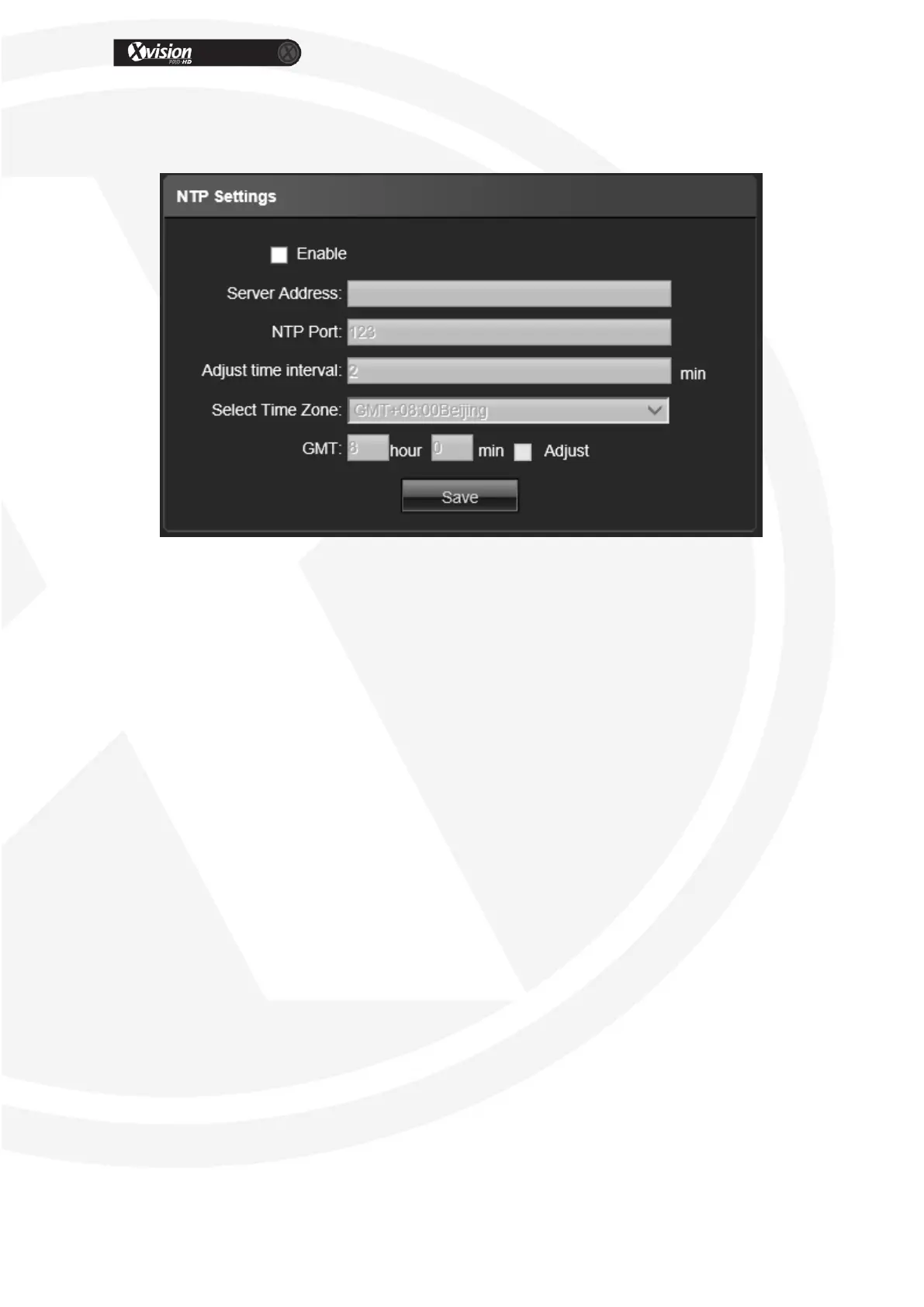
NTP Settings
Enable NTP: Click enable use NTP
Server Address: Input NTP server IP address
NTP Port: Only TCP transmission supported, default is 123
Adjust time interval: Input the interval time
Select Time Zone: Different time zones are selectable
GMT: Adjust the time
After all parameter settings are completed, click “Save” these settings will take
immediate effect.


 To Next Page