XC Camera Setup and OSD Guide
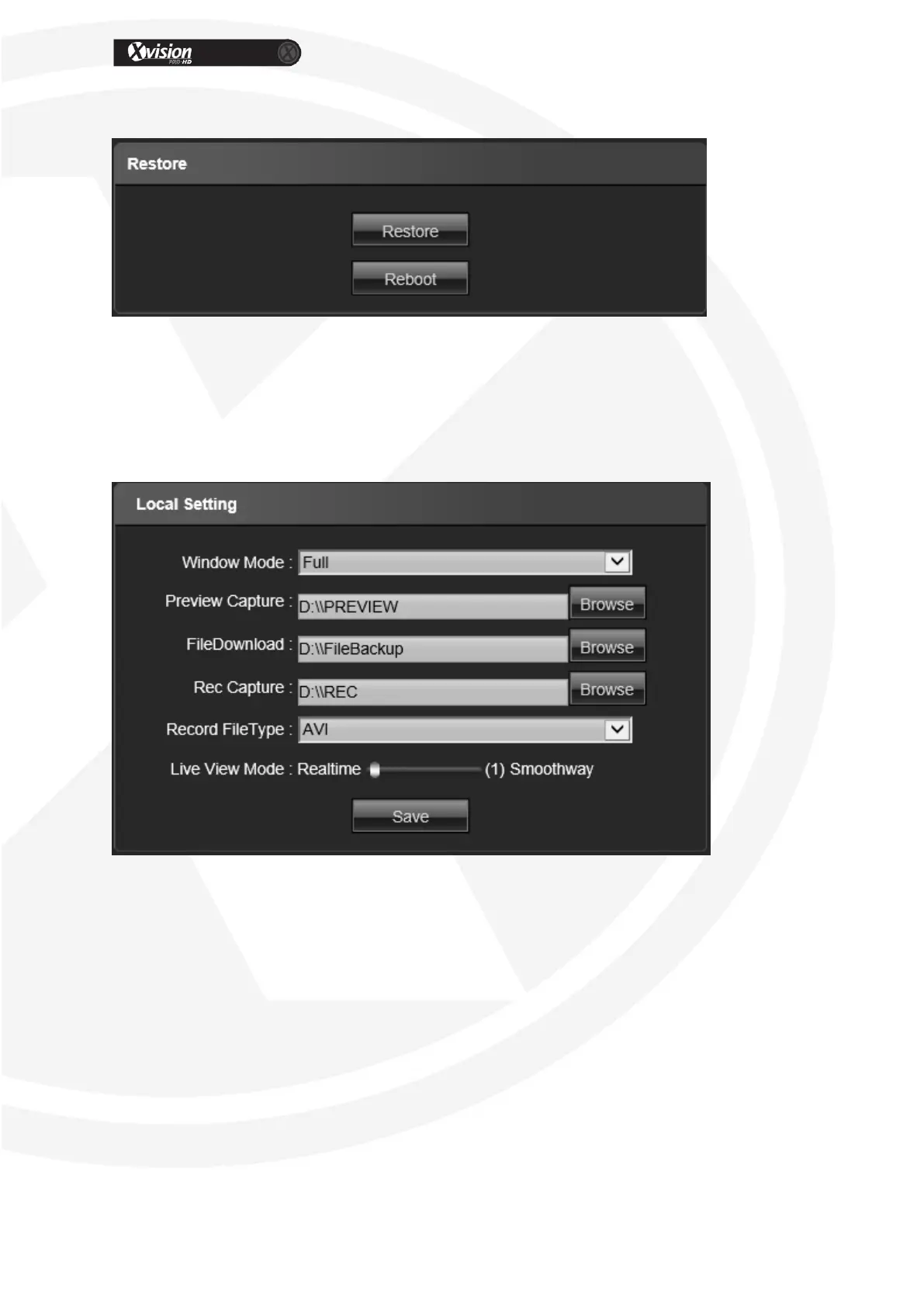
Restore
Restore: Restore to factory setting
Reboot: Reboot the devices
Local Settings
Window Mode: Set the preview window mode(Full/ 4:3/ 16:9 )
Preview Capture: Select the preview capture file storage path
File Download: Select the download file storage path
Rec Capture: Select the Rec Capture file storage path
Record File Type: AVI/ I8 format selectable
Live view Mode: Real-time/ Smooth way two types selectable
After all parameter settings are completed, click “Save” these settings will take
immediate effect.


 To Next Page