XC Camera Setup and OSD Guide
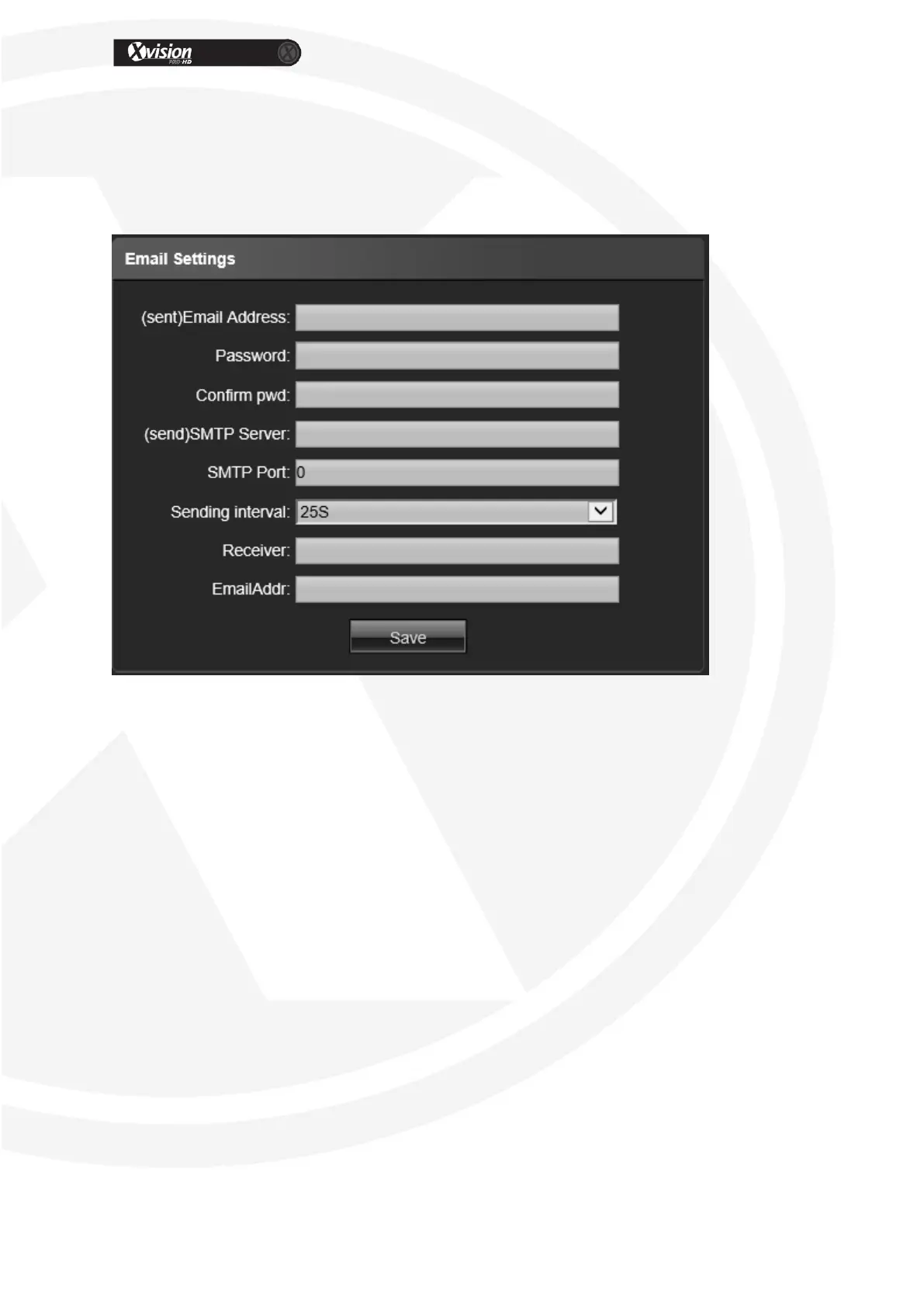
Email Settings
You will need to confirm the following details from your Email provider or your network
Administrator.
(sent)Email Address: Input the address of the outbox
Password: Input the password of the outbox
Confirm pwd: Input the password again to confirm
(sent)SMTP Server: Input the smtp server address of the outbox
SMTP Port: Input the smtp server port of the outbox
Sending interval: Input the sending interval time
Receiver: Input the mail receiver name
Email Addr: Input the address of the inbox
After all parameter settings are completed, click “Save” these settings will take
immediate effect.


 To Next Page