XC Camera Setup and OSD Guide
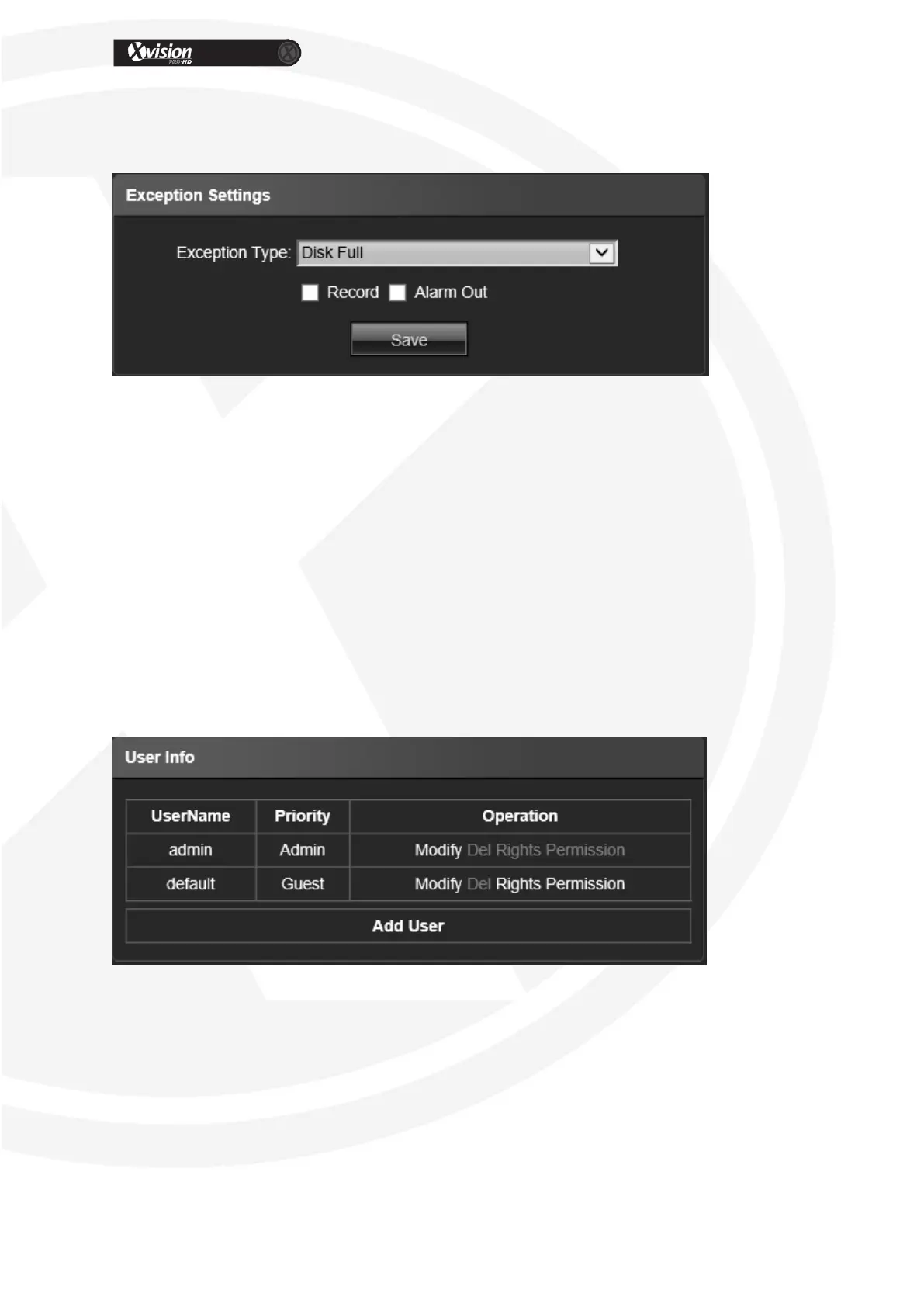
Exception Settings
Exception Type: Disk full/ disk fault/ network broken/ IP address conflict/ Illegal
access/ video signal exception types selectable
Record: Click Record, video will record as any exception when the type is triggered
Alarm out: Click Alarm Output, this will link to the alarm out when the exception is
triggered.
After all parameter settings are completed, click “Save” these settings will take
immediate effect.
User Info
IP Camera “User Info” setting interface as below, admin is the administrator (default), default
indicates general users, both login with permissions authorized to default users (default).
Modify: Modify the new user password, user type, IP combine.
Del: Delete the new user
Rights Permission: permission assignment for new user
Add User: Add a new user
After all parameter settings are completed, click “Save” these settings will take
immediate effect.


 To Next Page