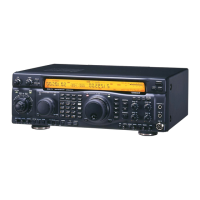
FT-920 Operating Manual
51
The input level of your voice signal to the Digital Voice
Recorder may be adjusted by using the MIC GAIN con-
trol. The optimum settings for the Recorder may, how-
ever, be slightly different from those used in normal
operation; this is normal.
CW Transmission
The FT-920’s versatile design allows the CW opera-
tor unparalleled flexibility for operation using the in-
ternal electronic keyer, an external keyer, a computer-
driven keying interface, or a straight key.
The best selections for interconnections and switch
positioning will depend critically on your application.
See the configuration details beginning on page 18
for suggestions.
Straight Key Operation
Insert your key’s plug into either KEY jack. Set the
other controls as follows:
M
ODE; CW
KEYER; Off (No icon should appear on display).
RF POWER; Fully clockwise.
SIDE TONE; 12 o’clock position.
VOX; Off
B
K-IN;Off
PDL-KEY; Confirm that
this rear panel switch is set to KEY.
If you close the key at this point, you will hear the
CW side tone in the background, but you will not
be transmitting. This mode allows you to adjust
the SIDE TONE control for a comfortable volume
level, and it is also useful if you wish to practice
sending.
For “Semi-Break-In” operation, press the VOX
switch. Now, when you press on the key, the trans-
mitter will automatically activated, and after you
quit sending the FT-920 will return to the receive
mode. The “Hang Time” for the CW “VOX” cir-
cuitry is adjustable (separately for the CW mode
as opposed to SSB) via Menu Item U-24. See page
76.
For “Full Break-In” (“QSK”) operation, turn the
VOX off and press the BK-IN switch. Now, press-
ing and releasing the key will cause instantaneous
TX/RX switching in tandem with your keying, al-
lowing you to hear any incoming signals in the
spaces between dots, dashes, and letters in your
sending. This may be particularly helpful for mes-
sage handling or contest operation.
? When the VOX is
on
, pressing the BK-IN switch
does
not
cause QSK operation to be activated,
as the
VOX
command will
override
the
Break-
In
command. When both switches are pressed
so these features are both on, the FT-920 will






 To Next Page