FT-920 Operating Manual
93
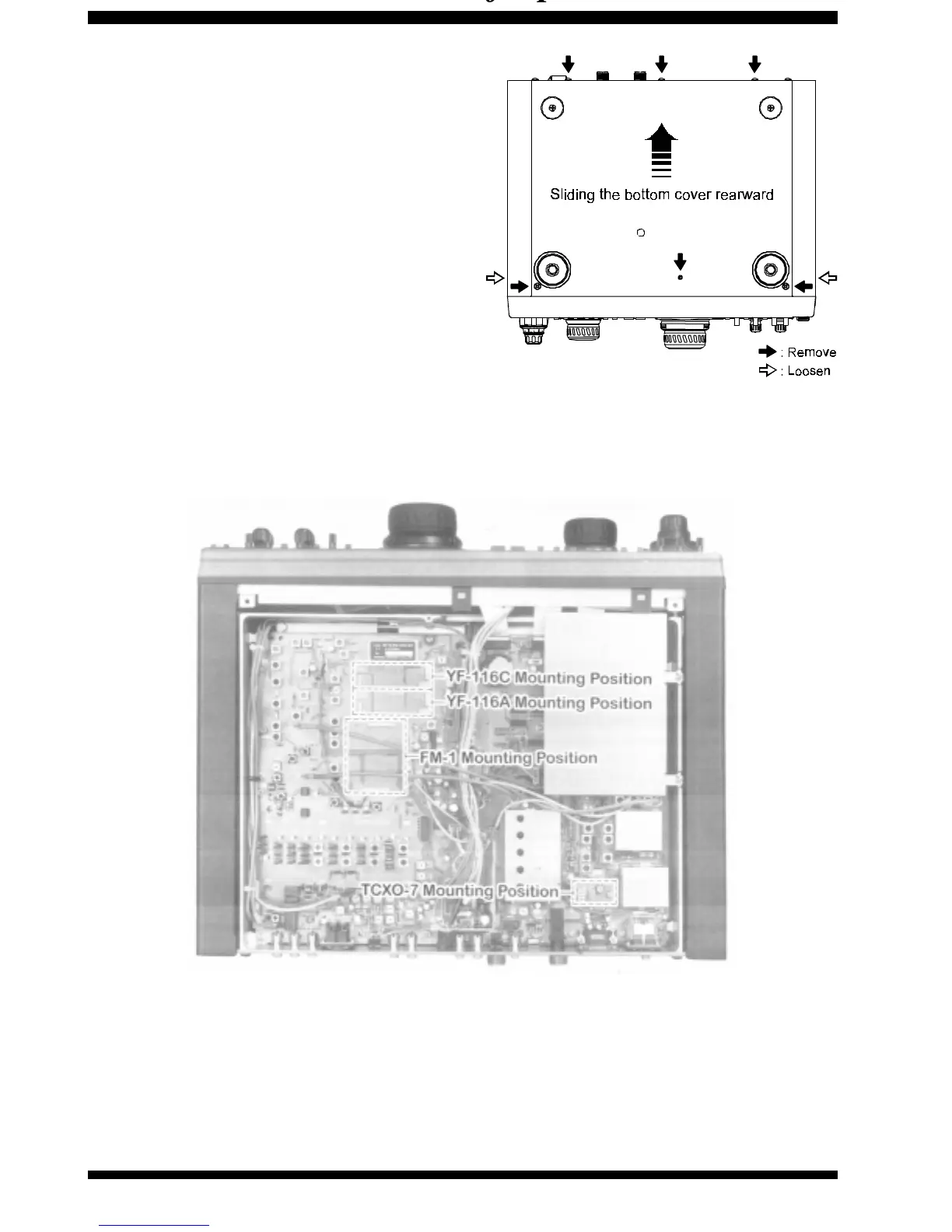
Bottom Case Removal
Turn the transceiver off, and remove all cables
connected to it.
Turn the transceiver upside down, and remove
the six screws affixing the bottom panel of the
radio. Loosen the four screws on the sides of the
upper case, but do not remove them.
Now fold the rear of the bottom panel slightly away
from the chassis, and remove the bottom panel
by sliding it rearward.
To close up the case, replace the six screws on
the bottom, then tighten the four screws on the
side panels. Be careful not to pinch any wires while
re-assembling the radio.
Figure 1
Figure 2












 To Next Page