FT-920 Operating Manual
70
stored in a special Menu Bank which allows you to
recall them quickly by pressing
and holding in
the
[STEP] key while pressing
another
key. These Menu
Items are shown below:
For example, here is how to use the Panel Menu fea-
ture to activate the Display Dimmer:
Press and hold in the [STEP] key.
While you are holding in the [S
TEP] key, press the
[DISPLAY] key. Menu U-08 will appear just to the
left of the “DIMMER” title, and “oFF” will blink in
the main display area. This means that the cur-
rent condition of the Dimmer is
Off
.
Rotate the VFO-B Tuning Dial to select “on;” you
will note that the display just got darker.
Press the [ENT] key on the keypad. You may now
rotate the VFO-B Tuning Dial if you want to change
some other Menu Item, or just press [MENU] to
exit the Menu System and resume normal opera-
tion.
Quick Menu Operation
The Quick Menu feature allows
you
to select certain
Menu Items you feel the need to change more fre-
quently. These are assembled into Quick Menu bank
which operates almost identically to the “Normal”
Menu mode. However, access is very slightly differ-
ent:
r When you have created a Quick Menu, you
activate it by pressing [MENU]
momentarily
(as
described above in the “Normal Menu Opera-
tion” section). You now
only
have access to
the Quick menu Items.
r To gain access to the other “Normal” Menu
Items, press [MENU] and hold it in for ½ sec-
ond (instead of pressing it momentarily).
After you have done one of the above actions with
the [M
ENU] key, operation is identical to that described
in the “Normal Menu Operation” section.
The Quick Menu bank is set up by first accessing
Menu Item U-67 via Normal Menu operation. For il-
lustrative purposes, we shall create a Quick Menu
bank consisting of Menu Items U-01, U-02, and U-
03:
Press the [M
ENU] key momentarily to enter the
Menu mode.
Rotate the VFO-B Tuning Dial to select Menu Item
U-67. The Title for this item is “Q MENU,” and
the default value is “U-01 oFF.”
Press the [ENT] key to enter the Menu Item Com-
mand mode. The “U-01 oFF” display will blink.
Now press the [UPp] key to change the “oFF” to
“on” relative to U-01.
Rotate the VFO-B Tuning Dial to select Menu Item
U-02 . Again press [UPp] to change the “oFF” to
“on.”
Rotate the VFO-B Tuning Dial to select Menu Item
U-03. Again press [UPp] to change “oFF” to “on.”
Press the [ENT] key to lock in the new settings for
U-67, then press [MENU] to exit.
Now press [MENU] momentarily, and rotate the
VFO-B Tuning Dial. You will see that you have
access only to Menu Items U-01, U-02, and U-03.
Press [MENU] to exit.
Press and hold in the [MENU] key for ½ second,
then rotate the VFO-B Tuning Dial. You will see
that you now have access to
all
Menu Items. Press
[MENU] to exit.
We will now provide a summary chart showing the
Menu Items available, followed by a more compre-
hensive description of each Menu Item and the
choices available.
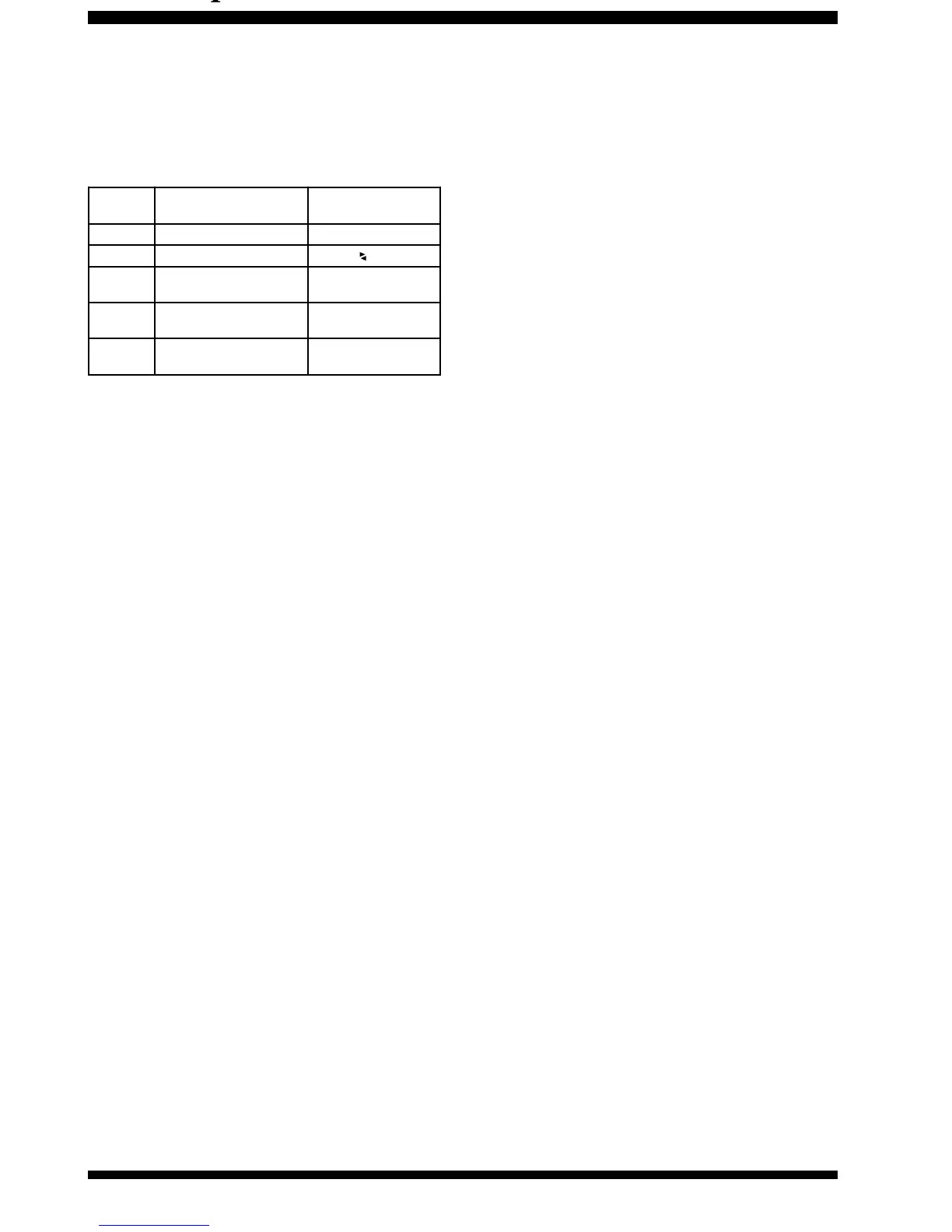
Menu Mode Summary Chart
Menu # Function Description
Press this ke y while
Holdi ng in [ S
TEP] key
U-08
Disp lay Dimme r On/Off [
DISPLAY
] K ey
U-09
Multi Panel Display Choice [
A B
] key
U-10
Enhanced Tuning Scale
Disp lay
[
METER SELECT
] K ey
U-24
"VOX" Hang Time i n CW
Mode
[
B
K
-I
N
] K ey
U-37
(TX) CTCSS Tone
Fr equ e nc y
[
RPT
] K ey












 To Next Page