FT-920 Operating Manual
69
a large number of adjustments would ordinarily re-
quire dozens of additional knobs on the front panel
of the transceiver, thus complicating operation hope-
lessly. The Ergonomics Design Team at Yaesu Musen
Co., Ltd. therefore created the Menu System such
that virtually all Menu items are of the “set and for-
get” variety, not requiring revision during day-to-day
operation.
Three Menu operating modes are provided, allowing
different avenues of access to the Menu System.
These are:
H Normal Menu operation (73 selections), ac-
cessed by pressing the [M
ENU] key.
H Panel Menu operation (5 fixed selections), ac-
cessed by holding in the [STEP] key plus one
additional key, providing instant access to criti-
cal Menu items.
H Quick Menu operation (5 user-selected items),
accessed by pressing the [MENU] key after ac-
tivation via Menu Item U-67. When Quick Menu
has been activated, Normal Menu operation is
activated by pressing and holding in the [MENU]
key for ½ second.
Here are operating procedure summaries for each
Menu mode.
Normal Menu Operation
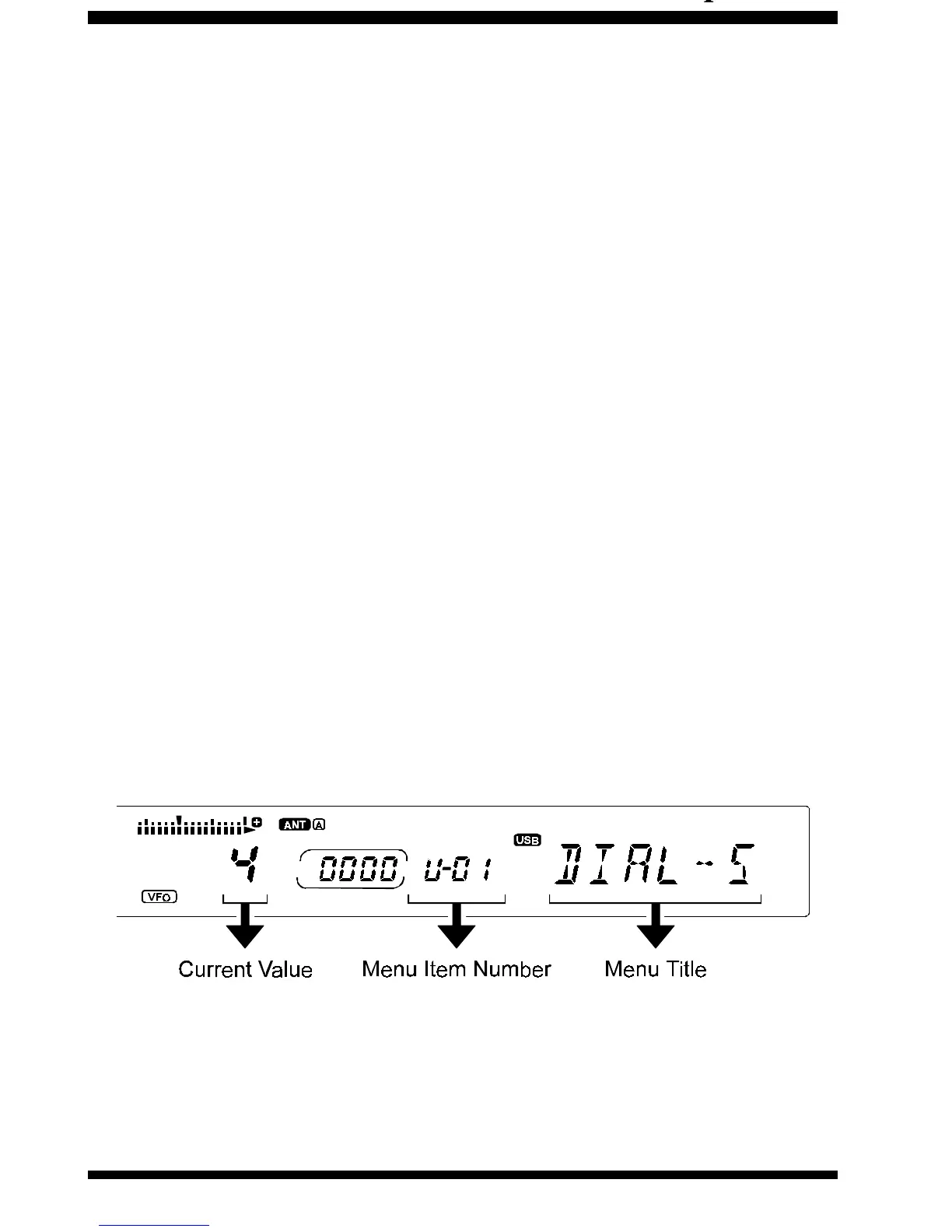
Q Press the [MENU] key once momentarily. The Menu
Item number will start blinking, and a brief title for
the Memory Item will appear at the far right side
of the display.
R Rotate the
VFO-B Tuning Dial
to select the Menu
Item you wish to work on.
S When you have chosen the desired Menu Item
number, press [ENT] on the keypad momentarily.
The current value or condition for the Menu Item
chosen will be shown in the main frequency dis-
play area.
T Again rotate the
VFO-B Tuning Dial
, or press the
front panel [UPp] or [DOWNq] keys, to change the
value or condition for the Menu Item.
U When you have made your selection, press [E
NT]
to lock in your setting. You may now select an-
other Menu Item number to work on (by rotating
the VFO-B Tuning Dial) or press [MENU] to exit
and resume normal operation.
Panel Menu Operation
Five more-frequently-used Menu Items have been












 To Next Page