FT-920 Operating Manual
53
Memory Register (Key #[9]). If the number gets
out of sequence during the contest, you may set
the number to an arbitrary value via Menu Item U-
25.
Review of Stored Messages
To review messages previously stored
without send-
ing them over the air
, press
and hold in
the [PLAY]
switch for ½ second, then press the desired number
key on the keypad. You will hear the message via the
Sidetone circuit, so as to check it for accuracy.
Transmission of Stored Messages
Press the [PLAY] switch momentarily, then one of the
number keys [1] ~ [4], [8], or [9] to play the message
stored in that memory register. The transmitter will
automatically be activated for message generation,
after which the transceiver will automatically revert
to the receive mode.
? The CW Message Memory, and electronic keyer,
only function in the CW mode. If you wish to prac-
tice sending, or check message memory contents,
be certain to select the CW mode of operation.
Split Frequency Operation
DX operators frequently have need for split frequency
operation, whereby a DX-pedition station may trans-
mit on one frequency while listening over a segment
of the same band. The FT-920 provides several
means of efficient split frequency operations for DX
operation and even certain satellite operating situa-
tions.
TX C
LAR
ifier Operation
For splits of up to ±9.99 kHz, the TX Clarifier pro-
vides a simple means of split operation.
Example:
DX1DX is transmitting on 14.024.0 MHz, listening
“Up 5” kHz:
With the Clarifier set to zero offset, tune in
DX1DX on 14.024.00 MHz using the Main VFO
Tuning Dial.
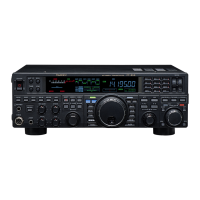
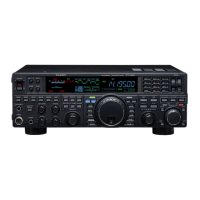
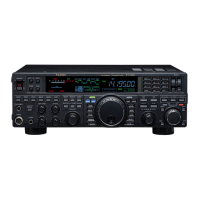
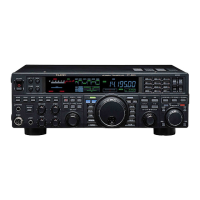
Press the TX C
LAR button, and rotate the Sub
VFO Tuning Dial so as to set up a Clarifier off-
set of -5.00 kHz.
Push the RX CLAR button, and you will now be
listening in the area of 14.029.0 MHz. You may
hear a number of stations calling, and you
may
hear this station currently being worked by
DX1DX.
If you can hear the station being worked by
DX1DX, press the SPOT key, and adjust the
VFO-B Tuning Dial so as to align the pitch of
the station being worked by DX1DX with the
pitch of your radio’s SPOT tone; this action will
place you exactly on the frequency currently
being received by DX1DX.
Now press the RX CLAR key again to turn off
the Receive Clarifier. You will now be back on
14.024.00 MHz, listening for DX1DX to send
“QRZ?” When you transmit, you will be approxi-
mately on 14.029 MHz, depending on how far
you adjusted the offset so as to zero in on the
station being worked by DX1DX.
If you don’t work DX1DX after one or two calls,
again press the RX CLAR key and look around
for the station being worked by DX1DX; then
press RX CLAR again to return to 14.024.00
MHz for receiving DX1DX.






 To Next Page