170 MIDI
02R User’s Guide
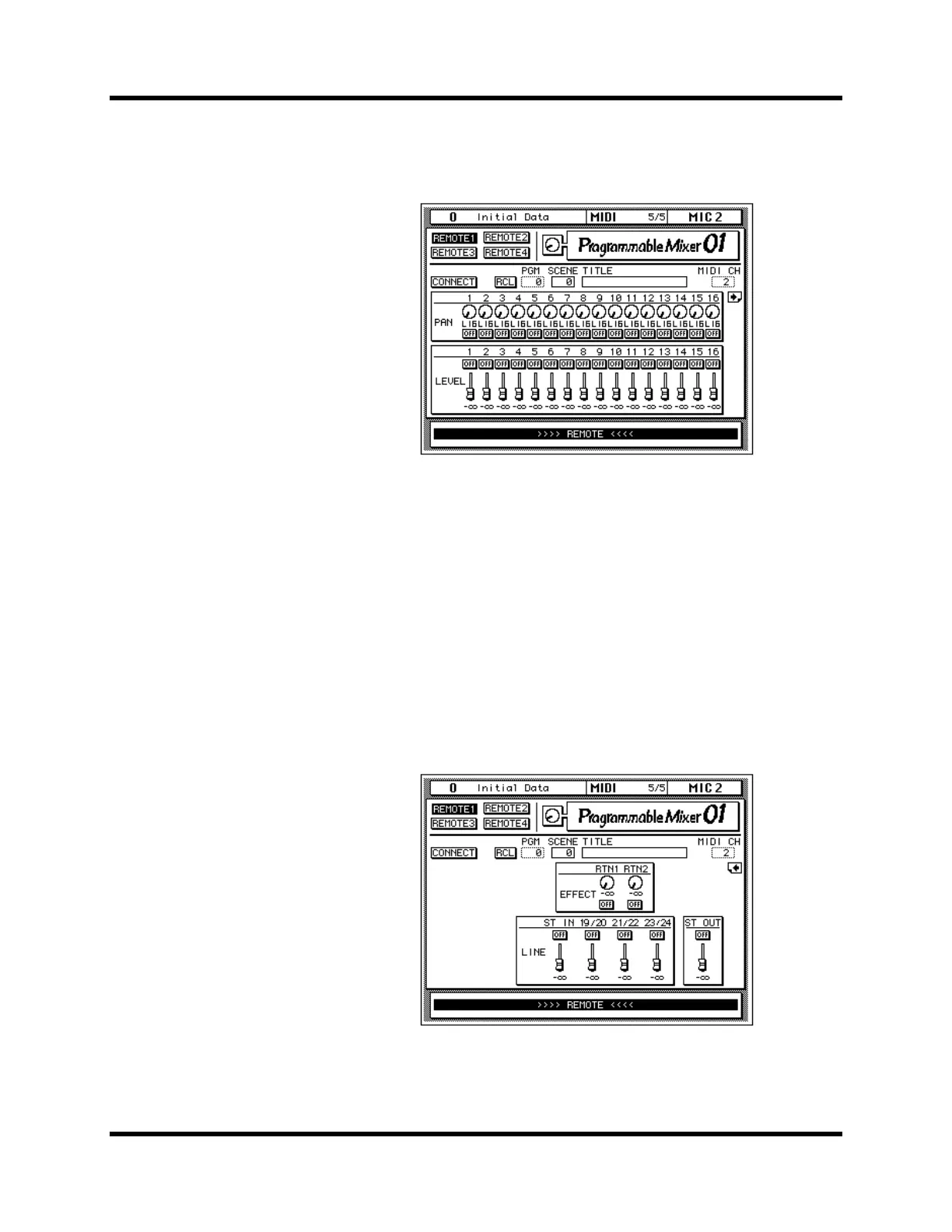
There are two pages for Programmable Mixer 01 remote control. Pages can
be selected using the page icon at the right hand side of each page, or by
operating a control on that page. For example, operating fader 16 displays
the first page, while operating fader 17/18 displays the second page.
When the 02R or Programmable Mixer 01 is first connected, or turned on,
use the CONNECT function to update the 02R controls so that they match
those of the Programmable Mixer 01. When the CONNECT function is
used, the settings from the Programmable Mixer 01 are copied to the 02R.
Scene memories on the Programmable Mixer 01 can be recalled from either
page. To do this, use the PGM parameter to select a MIDI Program Change
from 0 to 127. When the RCL icon is pressed, the corresponding scene
memory is recalled on the Programmable Mixer 01, and the 02R controls
move to their new positions. The SCENE number and TITLE parameters
do not change until the scene is recalled. Then they display the scene
memory number and title. The 02R fader positions correspond to fader
positions on the Programmable Mixer 01. Likewise, the indicators in the
02R [ON] buttons show which channels on the Programmable Mixer 01 are
turned on and which are turned off.



 To Next Page