31
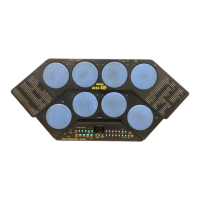
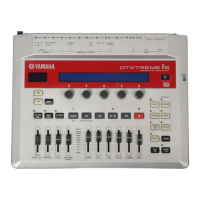
DTX-MULTI 12
[Check item]
· [
OUTPUT L/MONO
]: Frequency: 1 kHz ± 1.5 Hz
Waveform: Sine wave
Level: +3.0 ± 2 dBu (load of 10 kΩ)
Distortion: 0.1 % or less
· [OUTPUT R]: Level:
-89.0 dBu or less (load of 10 kΩ)
·
Operate the [MASTER VOLUME] to check that volume from
the [OUTPUT L/MONO] is changed smoothly.
· [PHONES] Lch: Frequency: 1 kHz ± 1.5 Hz
Waveform: sine wave
Level: +6.0 ± 2 dBu (load of 33 Ω)
Distortion: 0.1 % or less
· [PHONES] Rch: Level: -58 dBu or less (load of 33 Ω)
· Operate the [PHONES] volume to check that volume from the
[PHONES] Lch is changed smoothly.
When [OUTPUT R] is unplugged
· [
OUTPUT L/MONO
]: Frequency: 1 kHz ± 1.5 Hz
Waveform: sine wave
Level: -2.5 ± 2 dBu (load of 10 kΩ)
Distortion: 0.1 % or less
[Judgment indication]
None
[MIDI code output for judgment result]
None
[How to quit test]
Press the [EXIT] button to return to the “test number selection
screen”. Press the [+/INC] button to proceed to next test.
29. OUTPUT-R
[Test Code]
A0 1D 00
[Initial indication]
29:OUTPUT-R
Press [ENTER]
[Test contents]
Check that specifi ed signals are outputted from the [OUTPUT]
and [PHONES] terminals.
[Test method]
Press the [ENTER] button to execute the test.
The [MASTER] volume and [PHONES] volume should be set
at MAX.
Insert standard PHONE plugs to both the [OUTPUT L/MONO]
and [OUTPUT R] terminals and measure frequency, waveform,
level and distortion of each output.
Insert standard stereo plug to the [PHONES] terminal and
measure frequency, waveform, level and distortion of each
output.
Do not insert a plug to the [AUX IN] terminal.
[Check item]
· [OUTPUT R]: Frequency: 1 kHz ± 1.5 Hz
Waveform: sine wave
Level: +3.0 ± 2 dBu (load of 10 kΩ)
Distortion: 0.1 % or less
· [
OUTPUT L/MONO
]:
Level: -
89.0 dBu or less (load of 10 kΩ)
· Operate the [MASTER] volume to check that volume from
the [OUTPUT R] is changed smoothly.
· [PHONES] Rch: Frequency: 1 kHz ± 1.5 Hz
Waveform: sine wave
Level: +6.0 ± 2 dBu (load of 33 Ω)
Distortion: 0.1 % or less
· [PHONES] Lch: Level: -58 dBu or less (load of 33 Ω)
· Operate the [PHONES] volume to check that volume from the
[PHONES] Rch is changed smoothly.
[Judgment indication]
None
[MIDI code output for judgment result]
None
[How to quit test]
Press the [EXIT] button to return to the “test number selection
screen”. Press the [+/INC] button to proceed to next test.
30. AUX IN (LR+ph)
[Test Code]
A0 1E 00
[Initial indication]
30:AUX IN(LR+ph)
Press [ENTER]
[Test contents]
Check that signal inputted from the [AUX IN] terminal is
outputted from the [OUTPUT] terminal as specifi ed signal.
w
w
w
.
x
i
a
o
y
u
1
6
3
.
c
o
m
Q
Q
3
7
6
3
1
5
1
5
0
9
9
2
8
9
4
2
9
8
T
E
L
1
3
9
4
2
2
9
6
5
1
3
9
9
2
8
9
4
2
9
8
0
5
1
5
1
3
6
7
3
Q
Q
TEL 13942296513 QQ 376315150 892498299
TEL 13942296513 QQ 376315150 892498299
http://www.xiaoyu163.com
http://www.xiaoyu163.com



 To Next Page