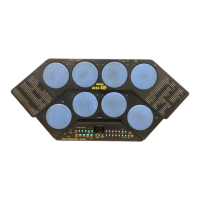
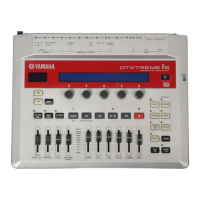
DTX-MULTI 12
58
UTIL7-5 <FILE>
Format
Certain types of USB memory device must be formatted
before they can be used with your DTX-MULTI 12. The
correct way to format such a device is as follows.
CAUTION
• All data on the USB memory device will be deleted during
the formatting process. Before formatting a memory device,
therefore, ensure that any important data it contains is backed
up.
NOTE
• In certain cases, USB memory devices formatted on a computer
will not be recognized by the DTX-MULTI 12. Be sure, therefore,
to always use this instrument to format memory devices that will
be used with it.
1
Plug the USB memory device into the USB TO
DEVICE port on the side of the DTX-MULTI 12.
2
Navigate to the Format page (UTIL7-5) and press
the [ENTER] button.
You will be asked to confirm that the USB mem-
ory device is to be formatted.
Format
Are you sure?
3
To proceed, press the [ENTER] button.
The following message will be displayed as the memory
device is being formatted.
Executing...
CAUTION
• When formatting a USB memory device, it must not be
unplugged from the USB TO DEVICE port and the memory
device and the DTX-MULTI 12 must not be turned off. Failure
to observe this precaution can lead to the memory device or
the DTX-MULTI 12 being permanently damaged.
When the formatting process has been completed, the
message “Completed.” will be displayed. Following this,
the display will return to the Format page (UTIL7-5).
UTIL7-5 <FILE>
Format
FORMAT OF USB MEMORY DEVICE(USB 記憶装置のフォーマット(初期化))
UTIL7-5 <FILE>
Format
USB 記憶装置は、そのままではご使用になれない
場合があります。その場合は、以下の手順に従って
フォーマット(初期化)を行なってから使用してく
ださい。
注意
・フォーマットを実行すると、USB 記憶装置内のすべてのデー
タは消去されます。必要なデータが入っていないことを確認
した上でフォーマットを実行してください。
NOTE
・コンピューターでフォーマットした USB 記憶装置は、本体では
使用できない場合があります。フォーマットは必ず本体で行なっ
てください。
1
USB 記憶装置を、本体側面の USBTODEVICE 端
子に差し込みます。
2
UTIL7-5Format画面で [ENTER]ボタンを押します。
フォーマット実行の確認画面が表示されます。
Format
Are you sure?
3
[ENTER] ボタンを押して、フォーマットを実行し
ます。
フォーマット実行中は以下のような画面が表示さ
れます。
Executing...
注意
・フォーマット実行中は、USB 記憶装置を USBTODEVICE端
子から外したり、USB 記憶装置や本体の電源を切らないでく
ださい。楽器本体の故障や USB 記憶装置の故障の原因となり
ます。
フォーマットが完了すると、Completed.と表示
された後、UTIL7-5Format 画面に戻ります。
UTIL7-5 <FILE>
Format
w
w
w
.
x
i
a
o
y
u
1
6
3
.
c
o
m
Q
Q
3
7
6
3
1
5
1
5
0
9
9
2
8
9
4
2
9
8
T
E
L
1
3
9
4
2
2
9
6
5
1
3
9
9
2
8
9
4
2
9
8
0
5
1
5
1
3
6
7
3
Q
Q
TEL 13942296513 QQ 376315150 892498299
TEL 13942296513 QQ 376315150 892498299
http://www.xiaoyu163.com
http://www.xiaoyu163.com



 To Next Page