PSR-A5000 Reference Manual 89
6
Registration Memory
Adding Tags to a Registration Memory Bank for Easy Searching
The tags of Registration Memory Banks help you to quickly find desired files when searching.
1 Select the desired Registration Memory Bank file to which you want to add tags.
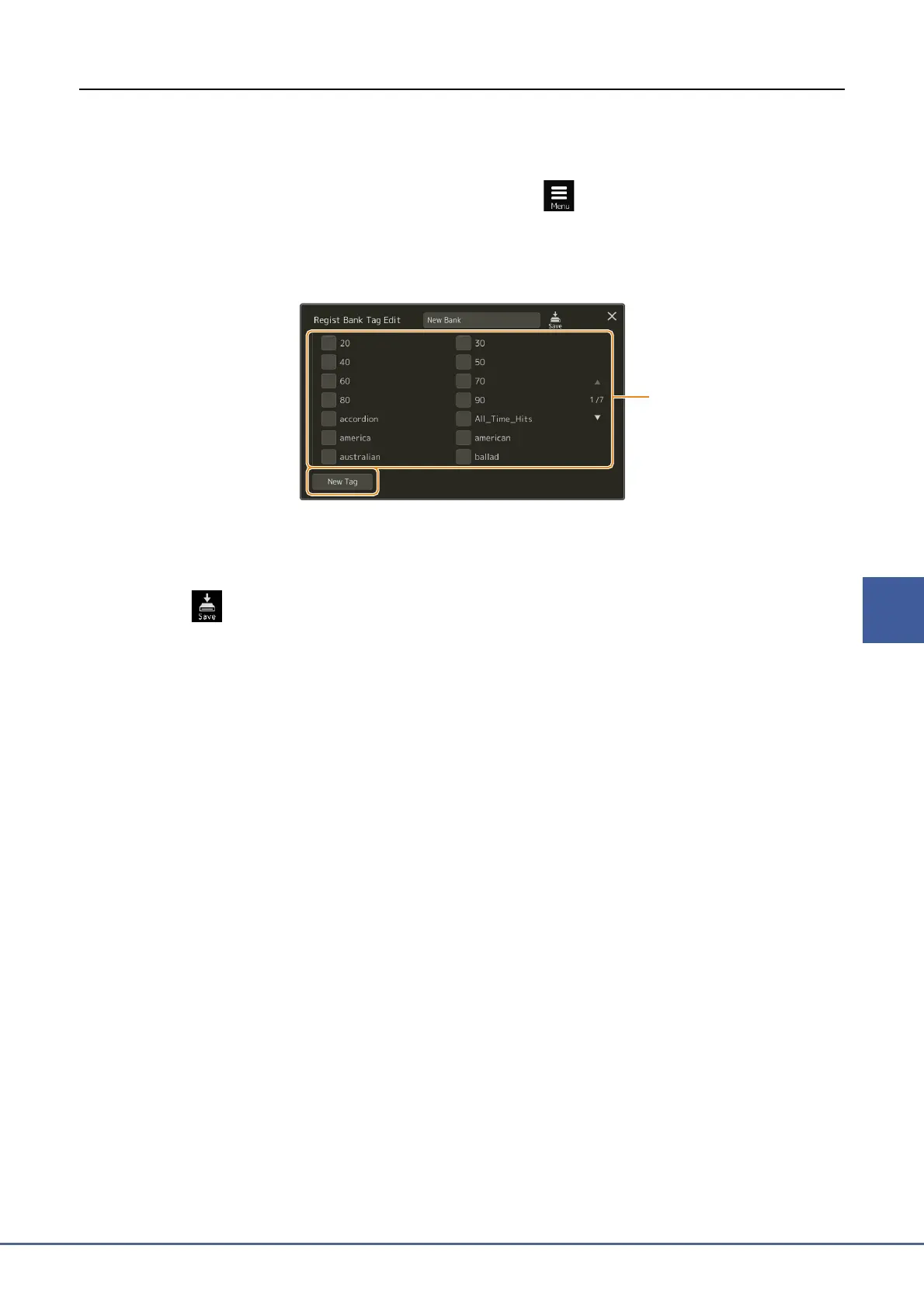
2 On the Registration Bank Selection display, touch (Menu) then [Regist Bank Tag
Edit] to call up the operation display.
3 Touch [New Tag] to enter the desired text on the Character Entry window.
If you have already added any tags to another Registration Memory Bank file, existing tags appear in the list, and
can be selected by entering checkmarks. It may take some time for the list to be shown.
4 Touch (Save) to register the tag information to the Registration Memory Bank file.


 To Next Page
 Loading...