EasyManua.ls Logo

Yamaha RDX-E700 - Service Manual

Yamaha RDX-E700
30 pages
Print Icon
To Next Page IconTo Next Page
Loading...
SERVICE MANUAL
This manual has been provided for the use of authorized YAMAHA Retailers and their service personnel.
It has been assumed that basic service procedures inherent to the industry, and more specifically YAMAHA Products, are already
known and understood by the users, and have therefore not been restated.
WARNING: Failure to follow appropriate service and safety procedures when servicing this product may result in personal
injury, destruction of expensive components, and failure of the product to perform as specified. For these reasons,
we advise all YAMAHA product owners that any service required should be performed by an authorized YAMAHA
Retailer or the appointed service representative.
IMPORTANT: The presentation or sale of this manual to any individual or firm does not constitute authorization, certification or
recognition of any applicable technical capabilities, or establish a principle-agent relationship of any form.
The data provided is believed to be accurate and applicable to the unit(s) indicated on the cover. The research, engineering, and service
departments of YAMAHA are continually striving to improve YAMAHA products. Modifications are, therefore, inevitable and
specifications are subject to change without notice or obligation to retrofit. Should any discrepancy appear to exist, please contact the
distributor's Service Division.
WARNING: Static discharges can destroy expensive components. Discharge any static electricity your body may have
accumulated by grounding yourself to the ground buss in the unit (heavy gauge black wires connect to this buss).
IMPORTANT: Turn the unit OFF during disassembly and part replacement. Recheck all work before you apply power to the unit.
IMPORTANT NOTICE
SERVICE MANUAL
TRAY LOCK MODE / トレーロックモード ......... 12
FACTORY RESET /
ファクトリーリセット ......... 12
PRINTED CIRCUIT BOARD . . . . . . . . . . . . . . . .13–16
BLOCK DIAGRAM . . . . . . . . . . . . . . . . . . . . . . . . . . .17
SCHEMATIC DIAGRAM . . . . . . . . . . . . . . . . . . .18–23
RDX-E700 EXPLODED VIEW . . . . . . . . . . . . . . . . . .24
RDX-E700 MECHANICAL PARTS . . . . . . . . . . .25–26
NX-E700 . . . . . . . . . . . . . . . . . . . . . . . . . . . . . . . . . . .27
REMOTE CONTROL . . . . . . . . . . . . . . . . . . . . . .28–29
CONTENTS
TO SERVICE PERSONNEL . . . . . . . . . . . . . . . . . .2–4
PREVENTION OF ELECTRO STATIC DISCHARGE . . . . . .
4
LOCALE MANAGEMENT INFORMATION . . . . . . . .5
FRONT PANEL . . . . . . . . . . . . . . . . . . . . . . . . . . . . . .6
REMOTE CONTROL PANELS . . . . . . . . . . . . . . . . . . 6
REAR PANELS . . . . . . . . . . . . . . . . . . . . . . . . . . . . . .7
SPECIFICATIONS /
参考仕様 . . . . . . . . . . . . . . . . . . 8–9
DIMENSIONS /
寸法図 . . . . . . . . . . . . . . . . . . . . . . . . . 9
INTERNAL VIEW /
各部名称 . . . . . . . . . . . . . . . . . . . .10
RDX-E700 DISASSEMBLY PROCEDURES /
RDX-E700分解手順 . . . . . . . . . . . . . . . . . . . . . . .10–11
100991
© 2005 YAMAHA CORPORATION. All rights reseved.
This manual is copyrighted by YAMAHA and may not be copied or
redistributed either in print or electronically without permission.
’05.11
RDX-E700/
NX-E700
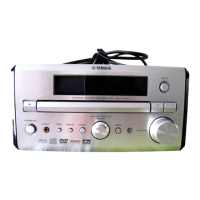
MICRO COMPONENT SYSTEM
MCR-E700
RDX-E700
NX-E700
The MCR-E700 consists of the RDX-E700 and the NX-E700.
MCR-E700 RDX-E700 NX-E700 で構成されています。

Other manuals for Yamaha RDX-E700

Questions and Answers

  • D
    Daniel HallSep 7, 2025
    What to do if Yamaha DVD receiver does not operate properly?
    • S
      Stacy MezaSep 7, 2025
      If your DVD receiver isn't working correctly, it might have experienced a strong electrical shock or a drop in power supply. To resolve this, set the receiver to Standby mode, disconnect the power cable, wait about 30 seconds, then reconnect the power cable and turn the receiver back on.
  • C
    christinabeckSep 6, 2025
    Why doesn't the Preset Tuning function work on my Yamaha Receiver?
    • L
      Lisa BarajasSep 6, 2025
      If the Preset Tuning function does not work on your Yamaha Receiver, the preset (memory) may have been erased. Preset radio stations again.
  • L
    Lauren AndersonSep 6, 2025
    Why does the TV show overlapped picture partly with my Yamaha RDX-E700 Receiver?
    • S
      Stacy PhillipsSep 6, 2025
      If the TV shows overlapped picture partly with your Yamaha Receiver, the disc content does not match the Progressive Scan mode due to the editing method or other conditions. Turn off the Progressive Scan mode.
  • S
    shieldsmartinSep 5, 2025
    Why can't DVD videos be copied with the VCR on my Yamaha RDX-E700?
    • A
      Ann CalhounSep 6, 2025
      If DVD videos cannot be copied with the VCR on your Yamaha Receiver, you may be trying to copy a copy-protected DVD. Most commercially available DVDs include copy protect features. You cannot make a copy of these DVDs.
  • A
    Amy RussoSep 5, 2025
    Why doesn't a viewing angle switch on my Yamaha RDX-E700?
    • E
      Elizabeth RamseySep 5, 2025
      If a viewing angle does not switch on your Yamaha Receiver, the disc may not support the multi-angle feature. Make sure you use a disc that supports the multi-angle feature.
  • A
    Allison ThorntonSep 5, 2025
    Why don't subtitles appear on my Yamaha RDX-E700 Receiver?
    • C
      Catherine WhiteSep 5, 2025
      If no subtitles appear on your Yamaha Receiver, the subtitle may be set to “Off”. Select a subtitle language you want to display. The disc may not contain subtitle data. Make sure you use a disc with subtitle data. When using the A-B Repeat function, the subtitle may not appear at the parts other than the selected section. Cancel the A-B Repeat function.
  • E
    Eric AtkinsSep 4, 2025
    Why doesn't the audio or subtitle language switch on my Yamaha RDX-E700 Receiver?
    • L
      Laurie JoyceSep 4, 2025
      If an audio or subtitle language does not switch on your Yamaha Receiver, the disc may not support the multi- language feature. Make sure you use a disc that supports the multi-language feature.
  • E
    Emily JohnsonAug 25, 2025
    Why do my Yamaha RDX-E700 Receiver speakers have no sound?
    • C
      csmithAug 25, 2025
      If your Yamaha Receiver speakers aren't producing sound, there could be several reasons: * The volume might be too low, so try increasing it. * The Mute function could be enabled; disable it. * The input source might be incorrect; select the correct one. * Cables might be improperly connected; ensure they are all correctly attached. * The disc might be incompatible; use a supported disc. * If playing a DTS source, make a digital connection to a component with a DTS decoder and select “RAW” for “DIGITAL OUTPUT” with the OSD menu.
  • E
    Emma SmithSep 3, 2025
    What to do if the disc may be dirty on my Yamaha RDX-E700 Receiver?
    • J
      Jeffrey SnyderSep 4, 2025
      If the disc may be dirty on your Yamaha Receiver, wipe the disc clean.
  • P
    phudsonSep 3, 2025
    Why does the screen size of the TV (monitor) look strange with my Yamaha Receiver?
    • M
      micheal87Sep 3, 2025
      If the screen size of the TV (monitor) looks strange with your Yamaha Receiver, the picture settings may be improper. Adjust the picture settings with the OSD menu. When the Progressive Scan mode is activated, image with a 4:3 aspect ratio are played on a 16:9 wide television screen. Change “TV TYPE” with the OSD menu. If you cannot adjust the ratio, turn off the Progressive Scan mode and use the interlace output mode.

Summary

To Service Personnel

Critical Components Information

Details on components requiring exact replacement due to special characteristics.

Leakage Current Measurement

Procedure to verify proper insulation of conductive surfaces after service.

Laser Safety Precautions

Laser Emitting Conditions

Information on laser beam emission during operation and handling precautions.

Electrostatic Discharge Prevention

Grounding Procedures

Essential steps for grounding worktables and personnel to prevent static damage.

DVD Mechanism Handling

Specific precautions for handling the high-precision DVD mechanism to avoid damage.

RDX-E700 Specifications

Amplifier Section Specifications

Technical details for the amplifier, including output power, distortion, and sensitivity.

General Specifications

Covers power supply, consumption, weight, dimensions, and included accessories.

NX-E700 Speaker Specifications

RDX-E700 Disassembly Procedures

Top Cover Removal

Step-by-step guide for safely removing the RDX-E700's top cover.

Front Panel Unit Removal

Step-by-step guide for safely removing the RDX-E700's front panel.

DVD Mechanism Assembly Removal

Step-by-step guide for safely removing the RDX-E700's DVD mechanism.

Manual Tray Ejection Procedure

Factory Reset Procedure

Performing Factory Reset

Detailed steps to reset the DVD Mechanism Assy to factory default settings.

Block Diagram

Schematic Diagram - MPEG 1;2 (Front End)

Schematic Diagram - MPEG 1;2 (Back End)

Schematic Diagram - Main Microprocessor

Schematic Diagram - Main Function & Amplifier

Schematic Diagram - Front Panel

Schematic Diagram - Power Supply Unit

RDX-E700 Exploded View

RDX-E700 Mechanical Parts List

Sub Panel Assembly

Part details for the RDX-E700 sub panel assembly.

RDX-E700 Mechanical Parts (Continued)

Power Supply Unit

Part details for the RDX-E700 power supply unit.

DVD Mechanism Assembly

Part details for the RDX-E700 DVD mechanism assembly.

NX-E700 Speaker Parts List

Remote Control Layouts

Remote Control Schematic Diagram

Remote Control Key Function Mapping

Yamaha RDX-E700 Specifications

General IconGeneral
TypeReceiver
Audio Channels2.1
Remote ControlYes
Speaker Impedance6 ohms
Amplifier TypeDigital
Output Power100W per channel (6 ohms, 1kHz, 10% THD)

Related product manuals