SETUP
Controlling the remote control to operate various functions
En 135
Macro programming features
The macro programming feature makes it possible to
perform a series of operations with the press of a single
button. For example, when you want to play a CD,
normally you would turn on the components, select the
CD input, and press the play button to start playback.
The macro programming feature lets you perform all of
these operations simply by pressing the macro button.
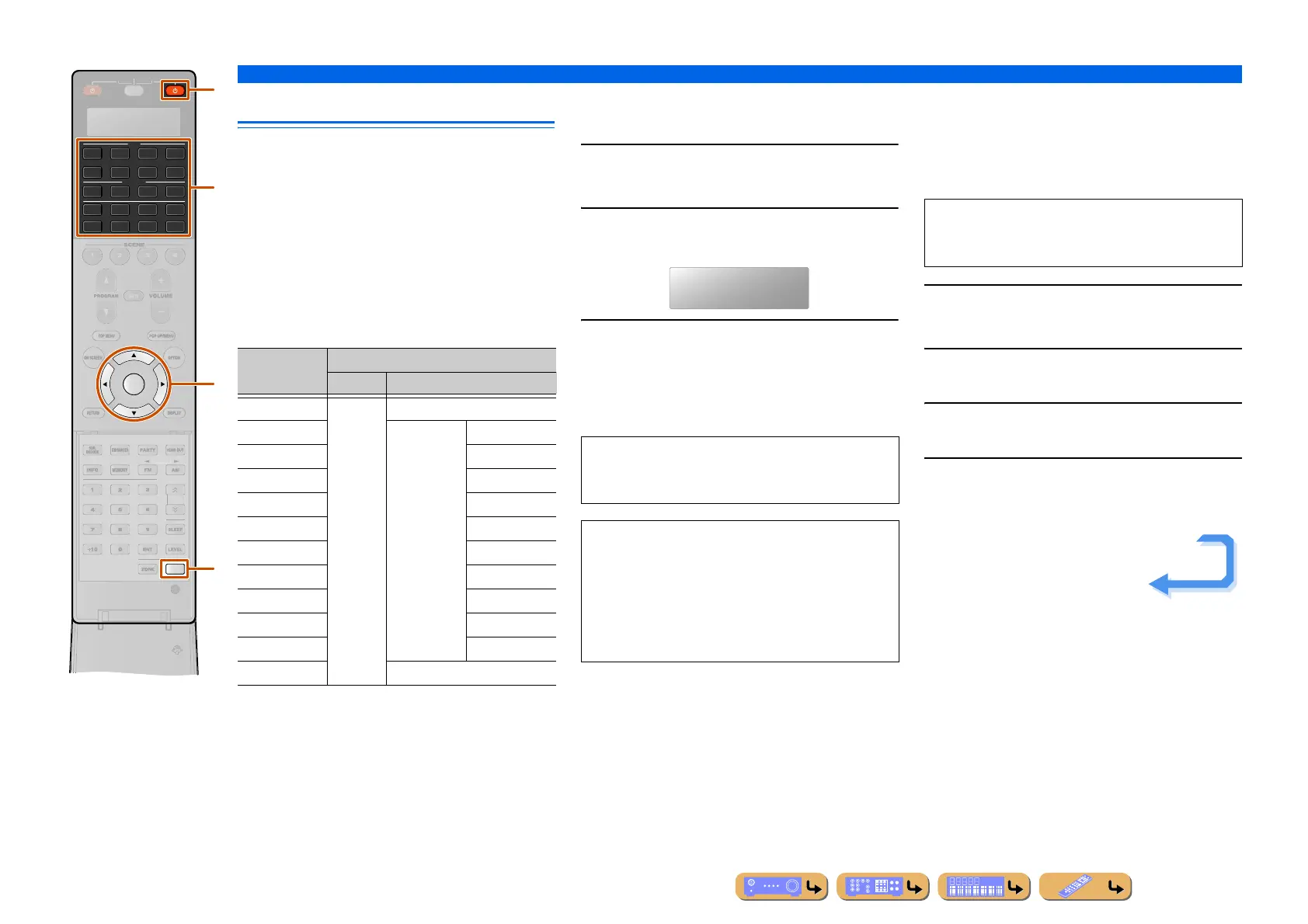
The buttons listed as macro buttons below are factory set
with macro programs. You can also program your own
macros.
■
Recalling programmed macro
operations
1
Press BSETUP.
“SETUP” appears in the display window.
2
Press iCursor B / C repeatedly to select
“MACRO” and press iENTER.
3
Press iCursor B / C repeatedly to select
“ON” and press iENTER.
Press a macro button (lRECEIVER A or
dInput selector) to perform the macro operation
assigned to the button.
■
Programing macro operations
You can program your own macro to transmit several
remote control commands in sequence at the press of a
button. Be sure to set up remote control codes or perform
learning operations before programming the macro.
1
Press BSETUP.
“SETUP” appears in the display window.
2
Press iCursor B / C repeatedly to select
“MACRO” and press iENTER.
3
Press iCursor B / C repeatedly to select
“EDIT” and press iENTER.
4
Press the macro button (lRECEIVER A or
dInput selector) that you want to assign
the macro operations to.
AV
AUDIO
4
4
31
2
75
6
V-AUX
4
31
2
USB
MULTI
NET
PHONO
TUNER
DOCK
ENTER
SETUP
SIRIUS
[ A ]
SOURCE
RECEIVE
T
N.
ATE
R
i
B
l
d
Pressing
macro
To automatically transmit these signals
First Second
RECEIVER A Turns on
this unit
—
AV1-7 Switches the
input source
to:
AV 1 - 7
V-AUX V- AU X
AUDIO1-4 AUDIO1-4
PHONO PHONO
MULTI MULTI
USB USB
NET NET
DOCK DOCK
TUNER TUNER
SIRIUS SIRIUS
[A] —
To exit the macro operation mode, press
iCursor B / C to select “OFF” and press
iENTER.
NOTES
• While the remote control is running a macro program
(the transmission indicator flashes), it does not accept
any other operation.
• Continue to aim the remote control at the component
the macro is operating until the macro operation is
complete.
MACRO
NOTE
We do not recommend that you program continuous
operations (for example, volume control) in a macro.
Continues to the
next page












 To Next Page