SETUP
Extended functionality that can be configured as needed (Advanced Setup menu)
En 140
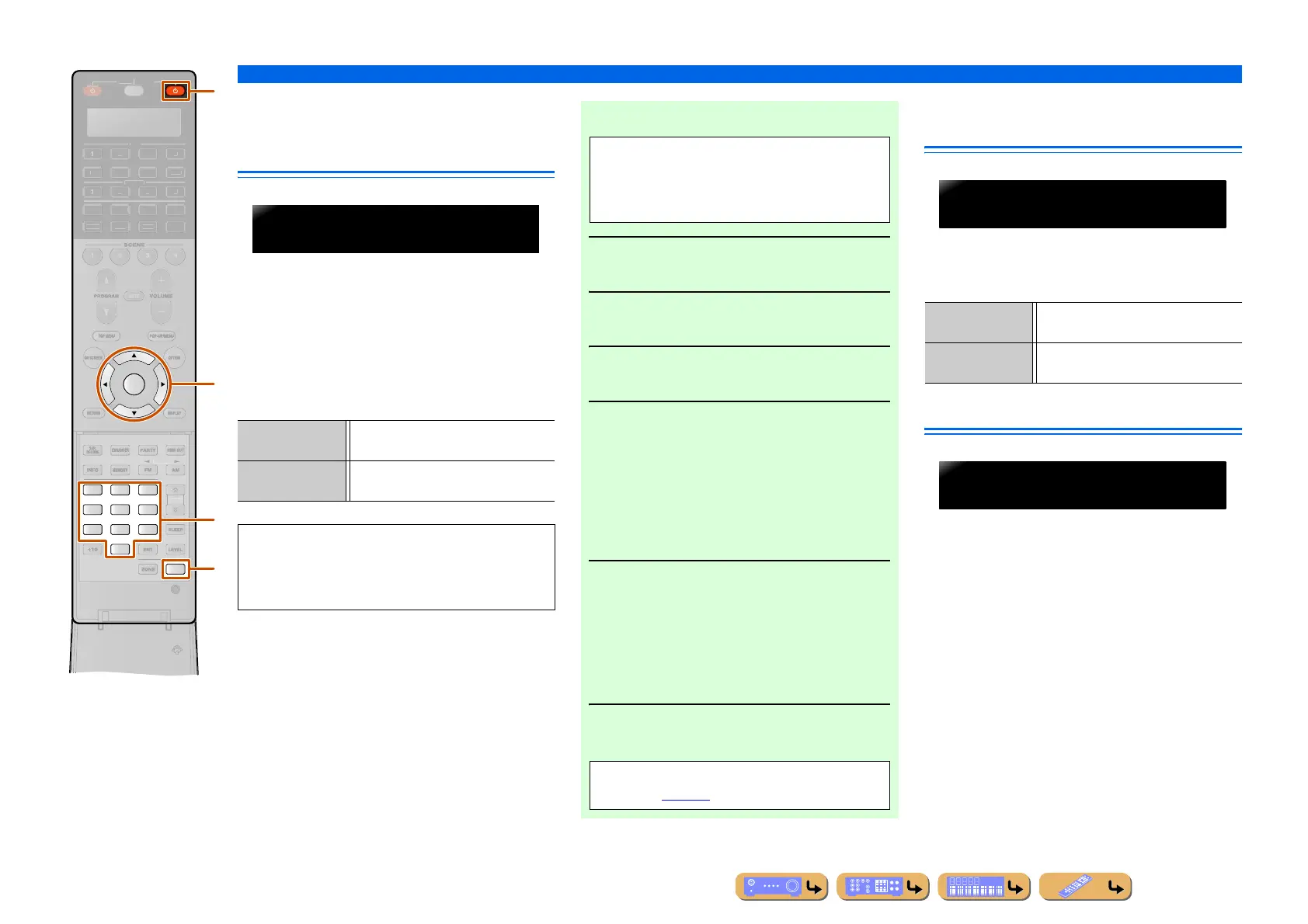
Avoiding crossing remote control
signals when using multiple
Yamaha receivers
The remote control of the unit can only receive signals
from a receiver which has an identical ID (remote
control ID). When using multiple Yamaha AV receivers,
you can set each remote control with a unique remote
control ID for its corresponding receiver.
On the contrary, if you are setting the same remote
control ID for all receivers, you can use one remote
control to operate 2 receivers.
Resetting the SIRIUS Satellite
Radio™ parental lock code
Reset the SIRIUS Satellite Radio parental lock code to
the factory default setting. If you forget the code, it can
be reset.
Changing TV format
Change the color encoding format of OSD to PAL or
NTSC (default), to match the format used by the TV
connected via the HDMI OUT 1-2 or VIDEO
(MONITOR OUT) jack.
ENTER
3
21
6
9
87
0
SETUP
4
5
OURCE
ECEIVE
UDI
2
-AUX
2
B
H
N
D
K
N.
IRI
ATE
R
A
v
i
l
B
ID1 (Default) Receives the remote control signals set in
ID1.
ID2 Receives the remote control signals set in
ID2.
ID1 is set for both remote control and receiver by
default. To avoid crossing remote control, change the
remote control ID for both remote control and
receiver.
REMOTECONAMP
ID1
■ To change the remote control ID
1
Press BSETUP.
2
Press iCursor B / C repeatedly to select
“PRESET” and press iENTER.
3
Press lRECEIVER A and press
iENTER.
4
Enter the desired remote control ID code.
To switch to ID1:
Enter “5019” using
vNumeric keys or
iCursor B / C / D / E.
To switch to ID2:
Enter “5020” using
vNumeric keys or
iCursor B / C / D / E.
5
Press iENTER to set the number.
“OK” appears in the display window if setting was
successful.
“NG” appears in the display window if the setting
was unsuccessful. In this case, start over from step
4.
6
Press BSETUP again to exit from the
setup menu.
Perform each of the following steps within 30
seconds. Settings will be automatically stopped if
more than 30 seconds passes since the last
operation. To reset, repeat from step 1.
Returns to ID1 after the remote control code is
initialized (☞
p. 136).
RESET Resets the code to the factory default
setting.
CANCEL (Default) Cancels resetting of the parental lock
code.
SIRIUSPIN
CANCEL
TVFORMAT
NTSC












 To Next Page