PLAYBACK
En 58
This unit has a unique Option menu for each input source. Option menus can be used to enable features such as volume trim for compatible input sources or to display
audio/video data.
Option menu display and setup
Option menu operations are displayed on the front panel
display or TV screen. TV display is used here to explain
operation.
1
Use dInput selector to select an input
source to which options will be applied.
2
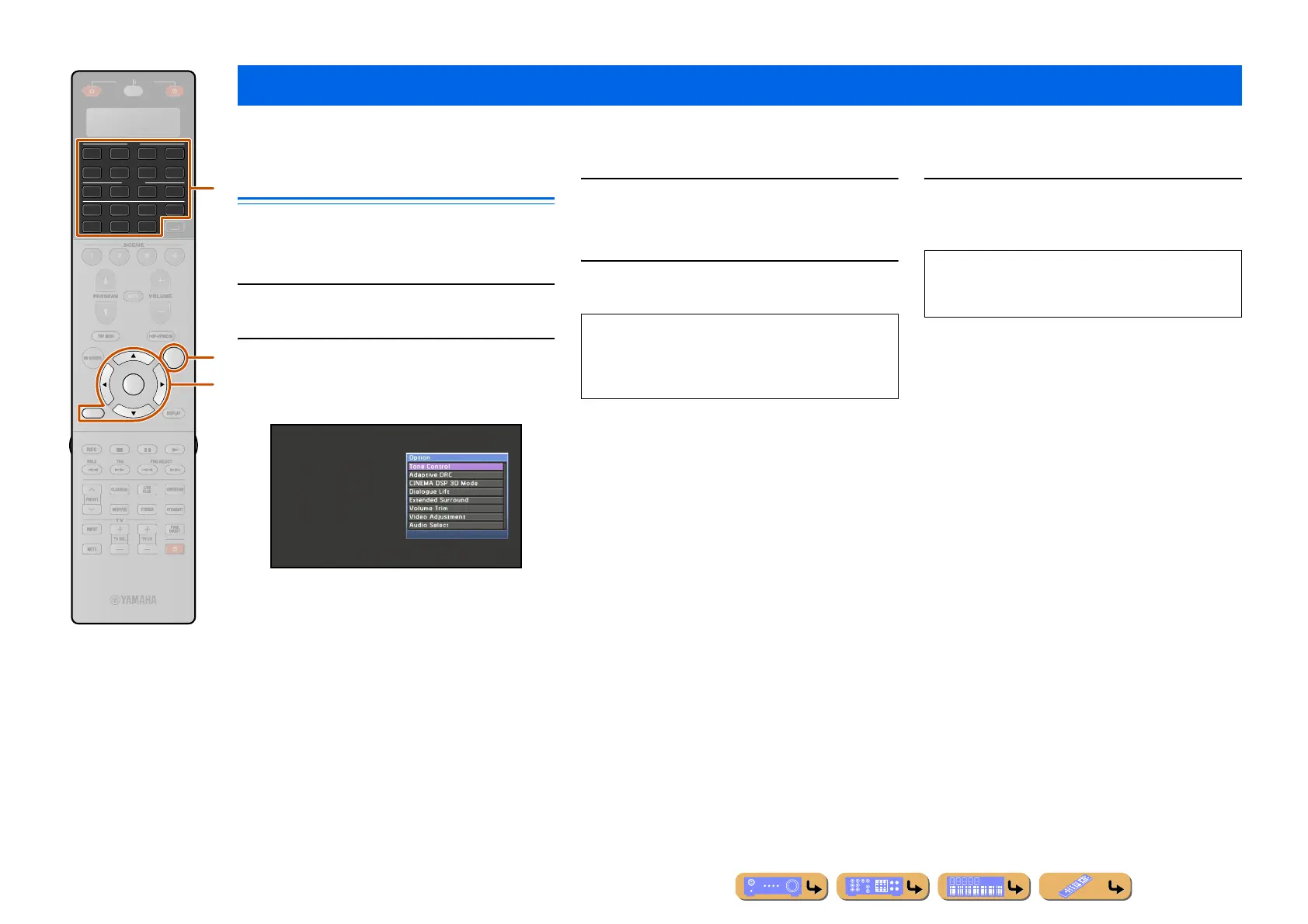
Press pOPTION.
The Option menu is displayed.
The displayed Option menu settings differ depending
on the input source.
For more information, refer to the “Option menu” on
the next page.
3
Use iCursor B / C to select the desired
setting and press iENTER.
Parameters of the selected item are displayed.
4
Use iCursor D / E to select the desired
item (or enable a function).
5
Press pOPTION to close the Option menu.
Configuring settings specific to an individual input source (Option menu)
AV
AUDIO
RETURN
4
4
31
2
75
6
V-AUX
4
31
2
USB
MULTI
NET
PHONO
TUNER
DOCK
OPTION
ENTER
SIRIUS
R
E
ECEIVE
A
i
p
d
Option menu
• Press iRETURN to display the previous screen or
close the Option menu.
• The Option menu may close automatically when some
functions are enabled.
The keys on the remote control may not respond for a
few seconds after the Option menu is closed. Should
this occur, select the input source again.












 To Next Page