SETUP
Controlling the remote control to operate various functions
En 137
■
Clearing the function learned for
each key
1
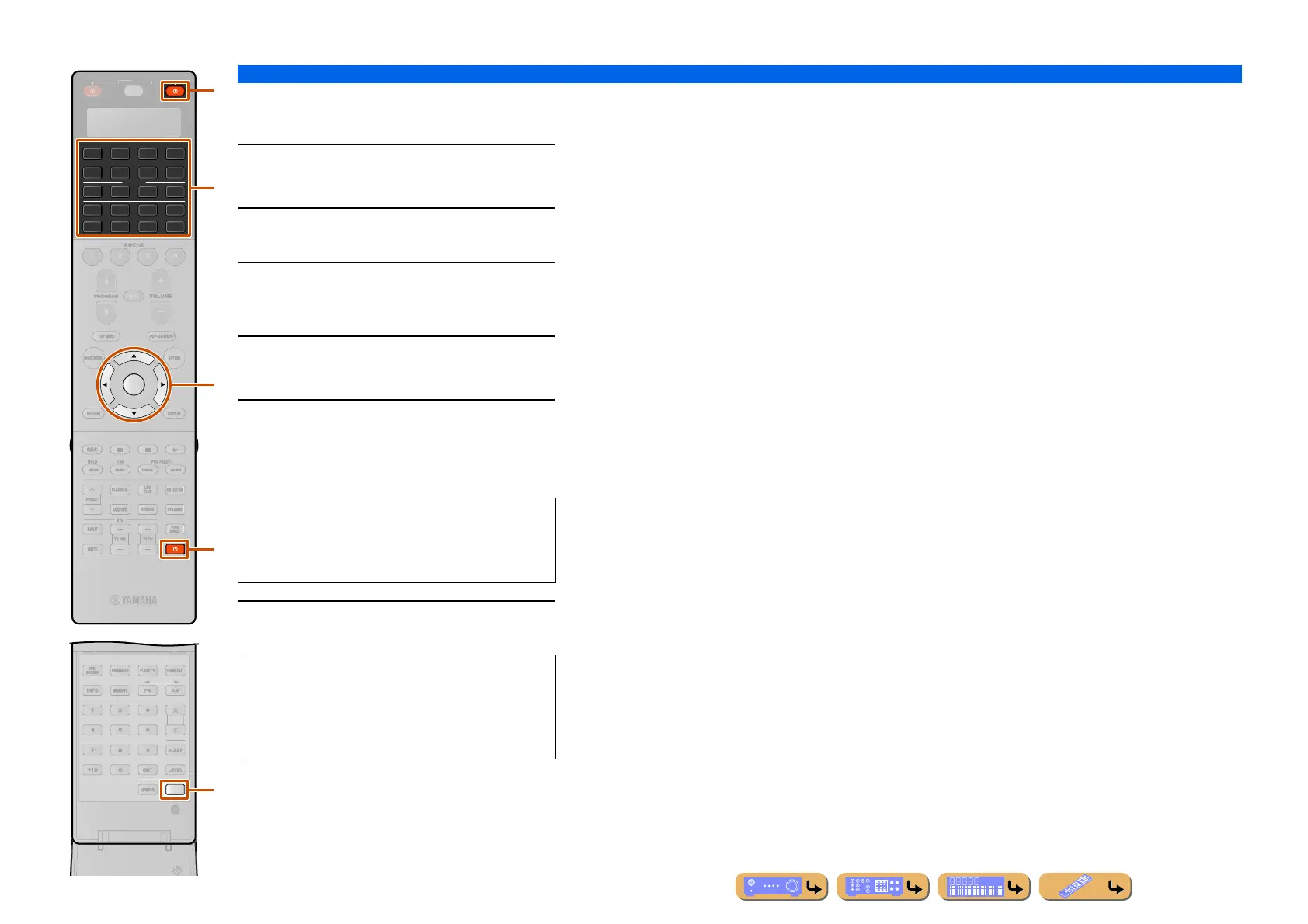
Press BSETUP.
“SETUP” appears in the display window.
2
Press iCursor B / C repeatedly to select
“ERASE” and press iENTER.
3
Press dInput selector, lRECEIVER A or
kA to select the mode for which remote
control key operation will be cleared.
4
Press iENTER.
“PRES KEY” appears in the display window.
5
Press and hold the button you want to clear
for about 3 seconds.
If clearing is successful, “OK” appears in the display
window.
6
Press BSETUP again to exit from the setup
menu.
SETUP
AV
AUDIO
4
4
31
2
75
6
V-AUX
4
31
2
USB
MULTI
NET
PHONO
TUNER
DOCK
ENTER
SIRIUS
[ A ]
N.
H
ATE
R
R
RECEIVE
d
l
i
k
B
• To continue resetting other keys, repeat step 3 to 5.
• Once you clear a learned function, the button reverts to
the factory setting (or to the manufacturer setting if
you have set remote control codes).
NOTES
• “NG” appears in the display window on the remote
control if clearing was unsuccessful.
• “ERROR” appears in the display window if you press
more than one button simultaneously.












 To Next Page