CONNECTIONS
Connecting speakers
En 19
■
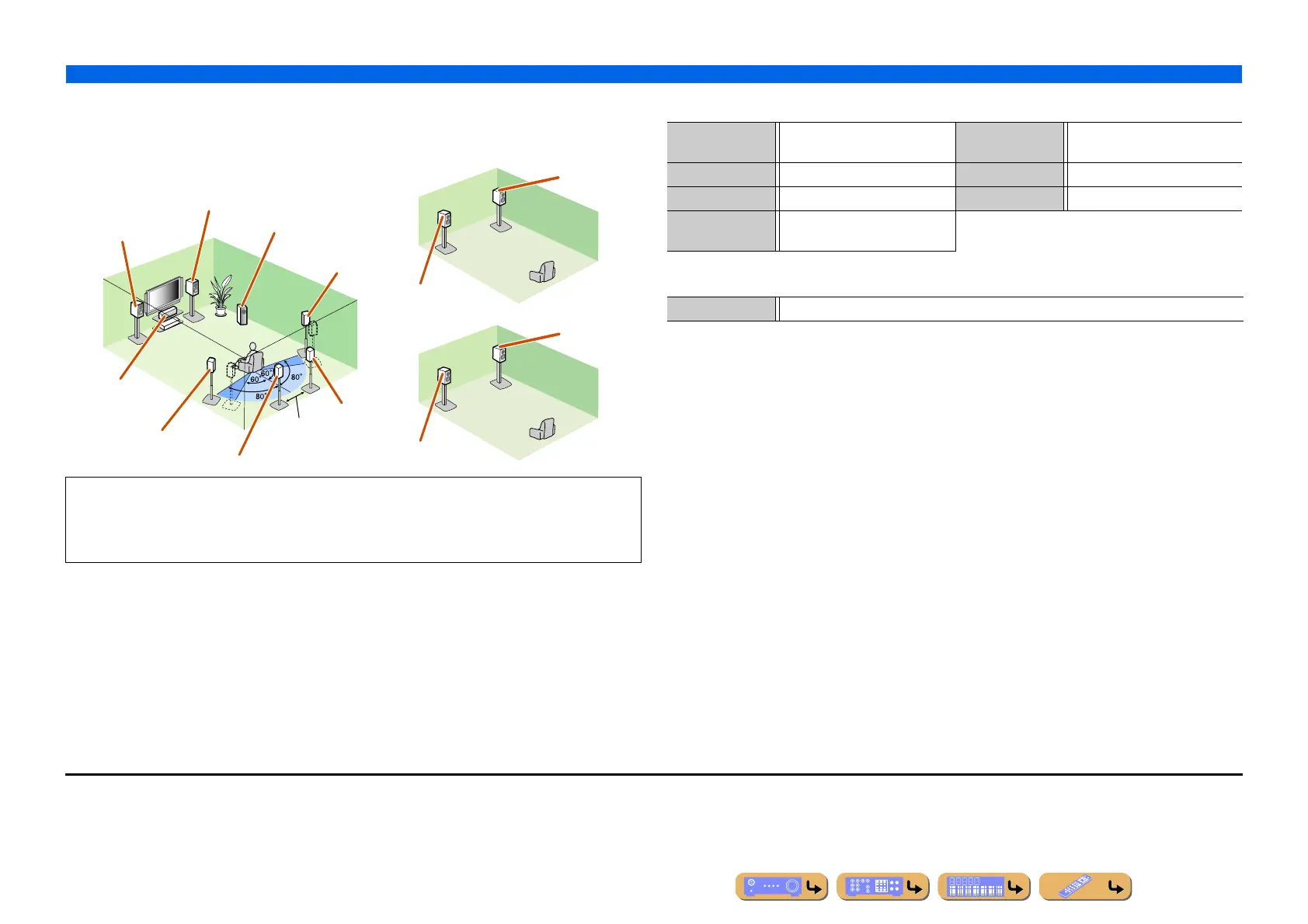
Using speakers in three rooms (Zone2 and Zone3 functions)
■ 7.1-channel speaker layout + Zone2 + Zone3 (7 speakers (in main zone) +
subwoofer (in main zone) + front speakers (in secondary and tertiary zones))
■ Connections of speakers
■ Assigning a speaker configuration
In addition to the main room, speakers in other two rooms can also be controlled.
When the built-in amplifier assigned to speakers in another room is turned on, sound output
automatically switches from the surround back and/or surround speakers to the speakers in the other
rooms. J2, J3
Front L speaker
Front R speaker
Center speaker
Subwoofer
Surround R
speaker
Surround L speaker
Surround back L speaker J1
Surround back
R speaker
12 in (30 cm)
or more
Zone2
Zone3
Front R
speaker
Front R
speaker
Front L speaker
Front L speaker
Main zone
FRONT jacks Front L/R speakers SUBWOOFER
(PRE OUT) jack
Subwoofer
CENTER jack Center speaker EXTRA SP1 jacks Zone2 speakers
SURROUND jacks Surround L/R speakers EXTRA SP2 jacks Zone3 speakers
SURROUND
BACK jacks
Surround back L/R speakers
Power Amp Assign 7ch + 2ZONE
J
1 : The sound of surround back channel can also be output from a single surround back speaker. When only one surround back
speaker is used, connect it to the SURROUND BACK L (SINGLE) jack and place it directly behind the listening position.
J
2 : Sound cannot be output from the surround back speakers when it is output from the speakers connected to the EXTRA SP1
jacks.
J
3 : Sound cannot be output from the surround speakers when it is output from the speakers connected to the EXTRA SP2 jacks.












 To Next Page