PLAYBACK
Using the Rhapsody
®
service
En 84
Screen buttons on the Browse view
To use these buttons, first press iCursor E. Then
select the desired one with iCursor B / C and
iENTER.
Utility
10 Pages Up
10 Pages Down
Goes to 10 pages forwards or backwards.
1 Page Up
1 Page Down
Scrolls the list to the next or previous page.
Now Playing
Switches the display to the Now Playing view.
You can navigate the Rhapsody menu with the following
remote control buttons.
1
Press dNET repeatedly to select
“Rhapsody” as the input source.
2
Press iCursor B / C to select an item to
play back.
• To select an item, folder or file, press iCursor B / C.
• To confirm the selection, press
iENTER.
• To return to the previous menu, press
iRETURN.
3
Press iENTER to start playback.
The Now Playing view appears during playback.
■
Operating from the Now Playing
view
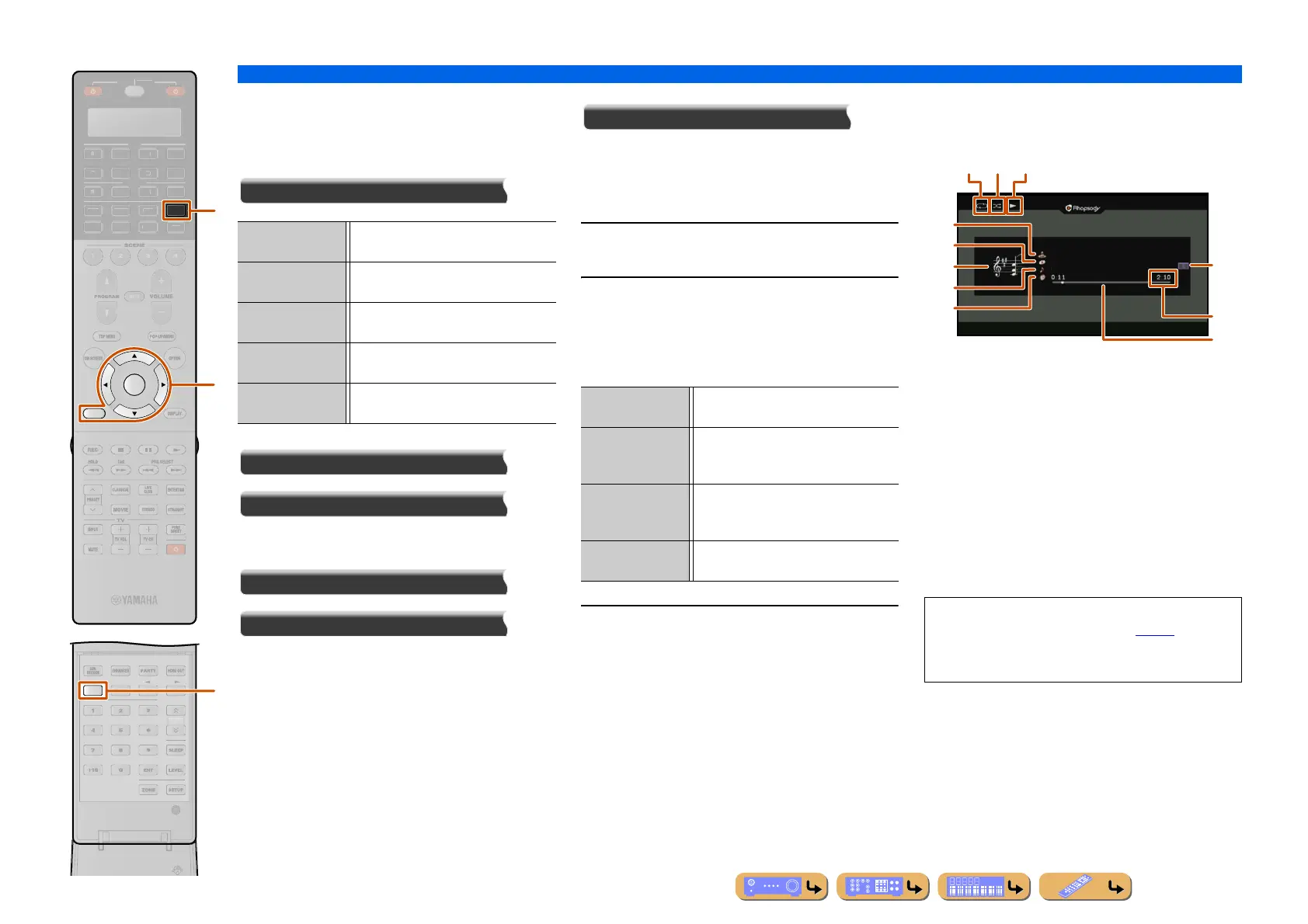
a Repeat icon
b Shuffle icon
c Play icon
d Album image
e Artist name
f Album title
g Screen button area
Buttons for available operations are displayed. See
“Screen buttons on the Now Playing view” for details.
h Song title
i Total playback time
j Progress bar
k Elapsed time
INFO
RETURN
NET
ENTER
T
N.
H
ATE
R
R
E
ECEIVE
DI
-A
B
LTI
H
N
D
K
IRI
A
u
d
i
Play Plays back the song or album highlighted
in the list.
Add track to My
Library
Adds the track currently selected to “My
Library.”
Add album to My
Library
Adds the album currently selected to “My
Library.”
Add CH to My
Library
Adds the channel currently selected to
“My Library.”
Remove from My
Library
Removes the content currently selected
from “My Library.”
Rhapsody Music
Guide
Select a track from the lists organized by
category (artist, album, etc.).
Rhapsody Radio Select a network radio channel from the
lists of the channels provided by
Rhapsody.
Search Use the software keyboard to search the
desired item (artist, album, etc.) by
keyword.
My Library Select a track from items (artist, album,
etc.) added to “My Library.”
• You can switch the information displayed on the front
panel display by pressing
uINFO (☞p. 11).
• Album images are available only when the file
contains image data.
b ca
g
d
e
f
h
k
j
i












 To Next Page