PLAYBACK
Controlling this unit by using the Web browser (Web Control Center)
En 97
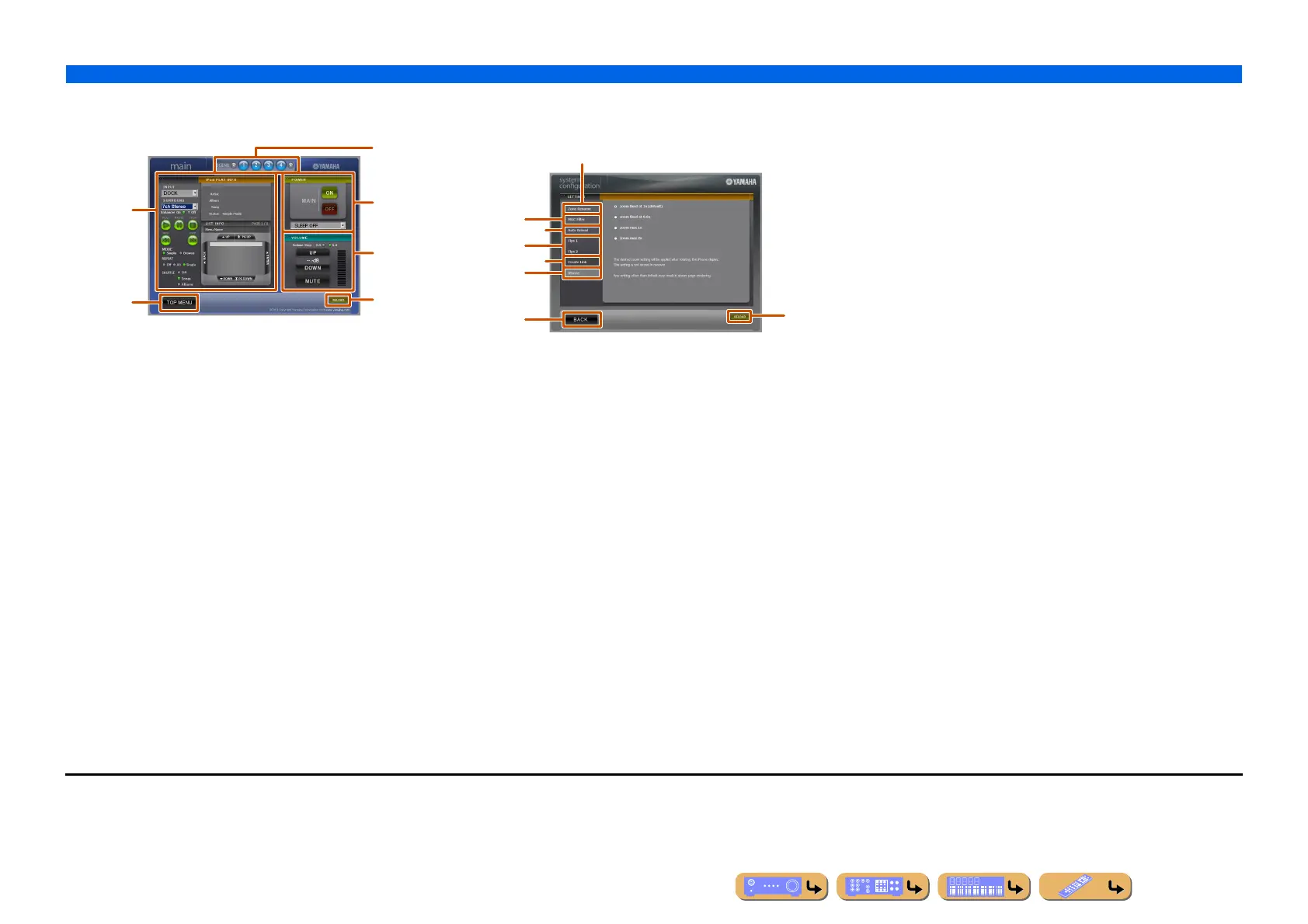
Zone control menu
You can control the selected zone.
a
PLAY INFO
Controls the selected input for each zone.
b TOP MENU
Returns to the top menu.
c SCENE keys
Selects the scene.
d POWER
Turns on/off the power for the selected zone. You can also set the
sleep timer for the selected zone.
e VOLUME
Adjusts the volume level or mutes the sound for the main zone. You
can also switch the step for the volume control.
f RELOAD
Reloads the current status of the receiver.
Settings menu
You can make various settings regarding the web browse control.
a
Zone Rename
Friendly Name indicates the identification name of the device (this
unit) connected to the PC.
Friendly Name or the names of zones can be changed.
b MAC Filter
Applies the MAC address filter to this unit. Web Control Center can
only be accessed from a computer with the same address as the MAC
address registered here.
c Auto Reload
Enables or disables the Auto Reload function which reloads the
current status of the receiver every 5 minutes.
d Tips 1/Tips 2
Displays the tips for use of Web Control Center.
e Create Link
Customizes the display of Web Control Center.
f iPhone J1
Selects the zoom rate for iPhone.
g BACK
Returns to the top menu.
h RELOAD
Reloads the current status of the receiver.
a
b
e
f
d
c
a
b
d
c
e
f
g
h
J
1 : This item appears only when accessing the Web Control Center with the
iPhone.












 To Next Page