Yamatake Corporation Operation Using SFC
ST3000 Smart Transmitter Series 900 Electronic Differential Pressure/Pressure Transmitter 6-17
6-4-2 :Displaying self-diagnostics result: STAT key
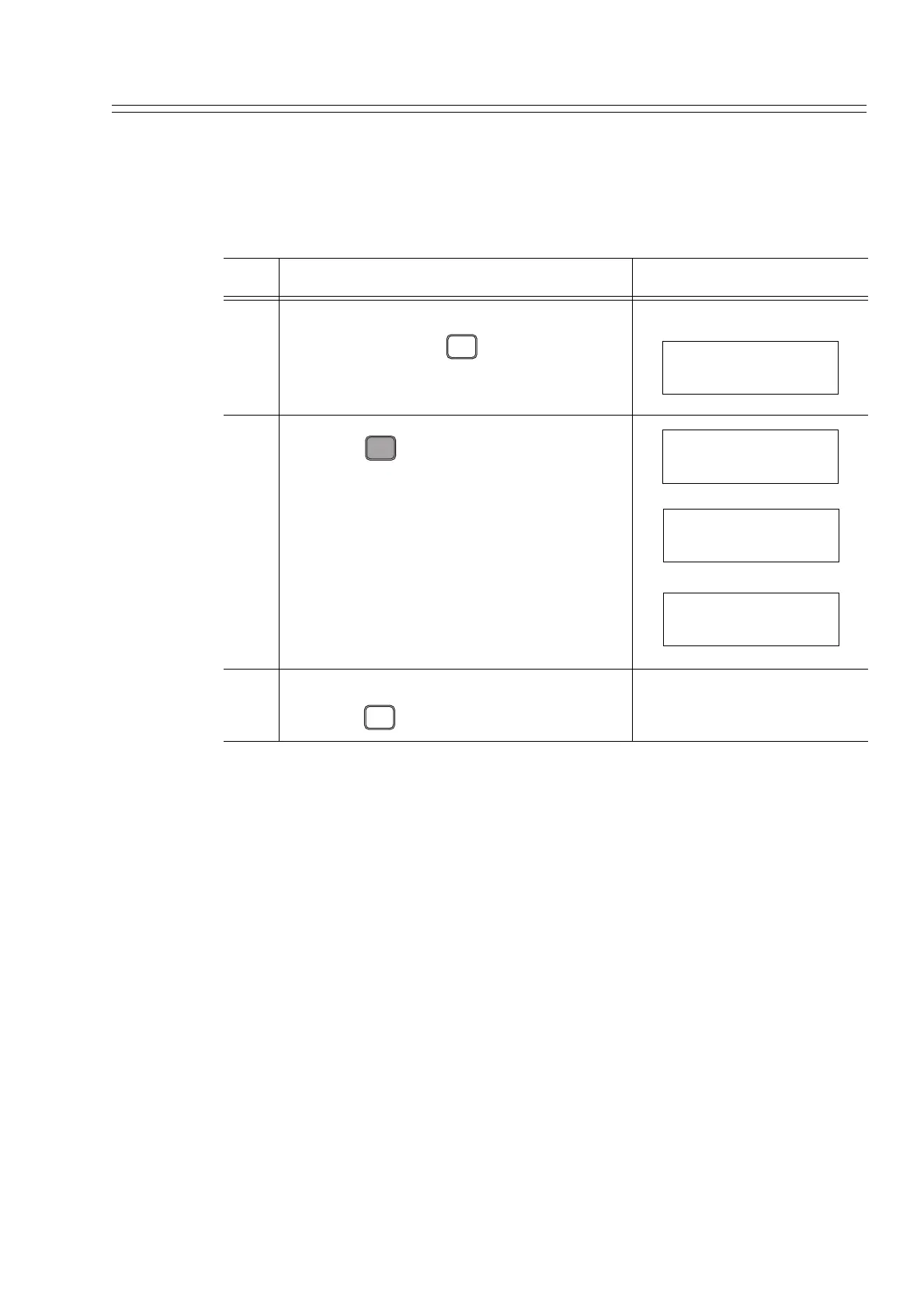
It is possible to display the self-diagnostics results of the transmitter sequentially from
the SFC. This key is useful when used in combination with Action Printout.
Step Procedure SFC screen
1 Make sure that the SFC is set to “READY“.
If it is not, press the key to set it to
“READY“
2
Press the key.
Result:
- When no error has occurred, the message
shown here to the right appears.
- If a minor fault has occurred, “#“appears at
the end of the bottom line of the SFC display
window.
3 After checking the self-diagnostics results,
press the key to return to step 1.
CLR
( No )
DSTJ FIT-1234
READY...
U
STAT
F/S DIR
DSTJ FIT-1234
WORKING...
DSTJ FIT-1234
STATUS CHECK=OK
DSTJ FIT-1234
OUTPUT MODE #
CLR
( No )



 To Next Page