Yamatake Corporation Operation Using SFC
ST3000 Smart Transmitter Series 900 Electronic Differential Pressure/Pressure Transmitter 6-47
6-7-13 :Displaying Sensor Temperature
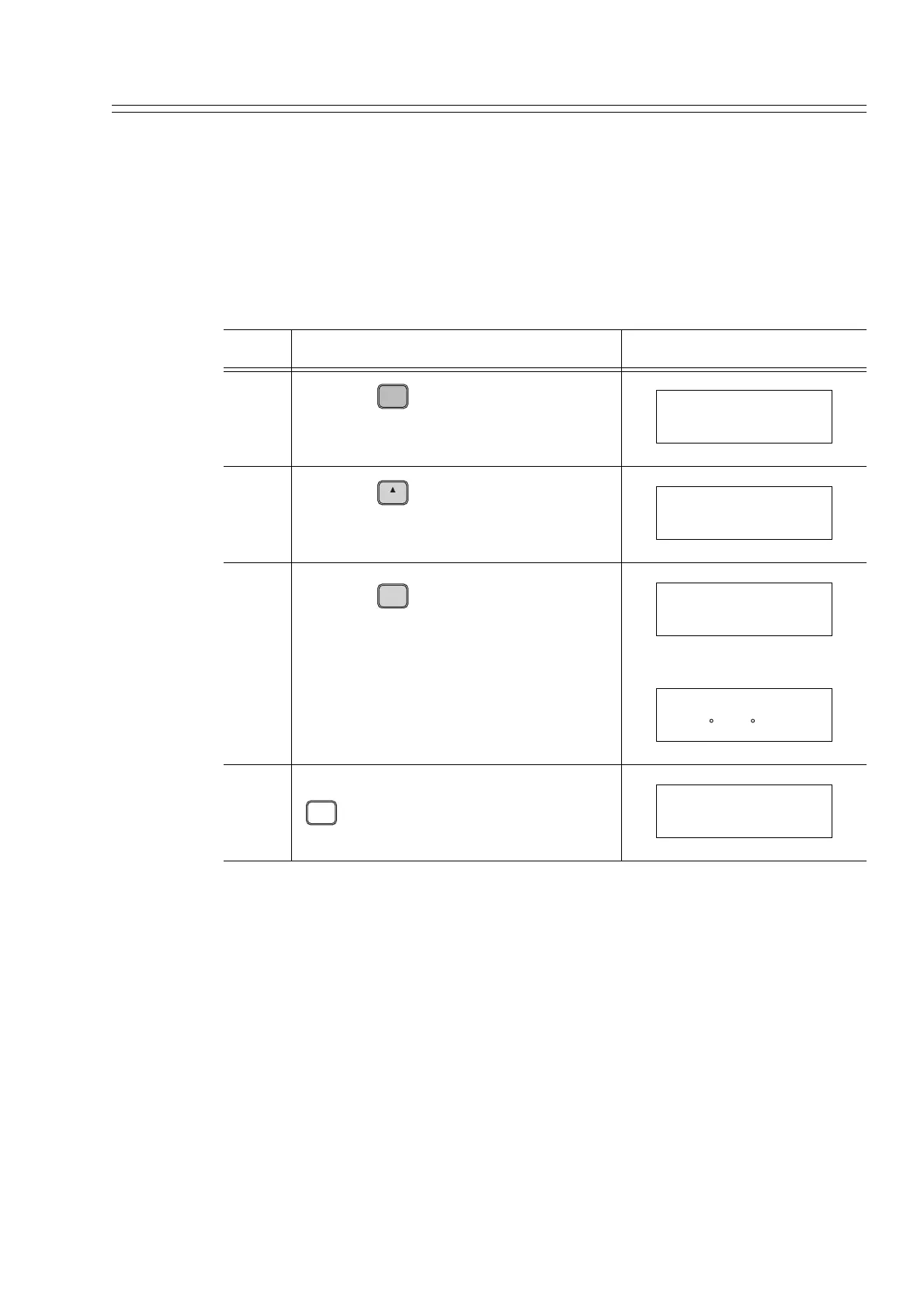
Display the sensor temperature of this transmitter using the SFC.
How to check the sensor temperature:
It is assumed that the sensor temperature is 27°C.
Step Description SFC screen
1
Press the key.
2
Press the key four times.
3
Press the key.
4 After checking the temperature, press the
key twice.
B
CONF
DSTJ CONFIG
CONFORM?
H
NEXT
DSTJ CONFIG
SENSOR TEMP?
ENTER
( Yes )
NON-VOL
SENSOR TEMP
WORKING...
SENSOR TEMP
T = 27 C (80 F)
CLR
( No )
DSTJ CONFIG
READY...



 To Next Page