Operation Using SFC Yamatake Corporation
6-48 ST3000 Smart Transmitter Series 900 Electronic Differential Pressure/Pressure Transmitter
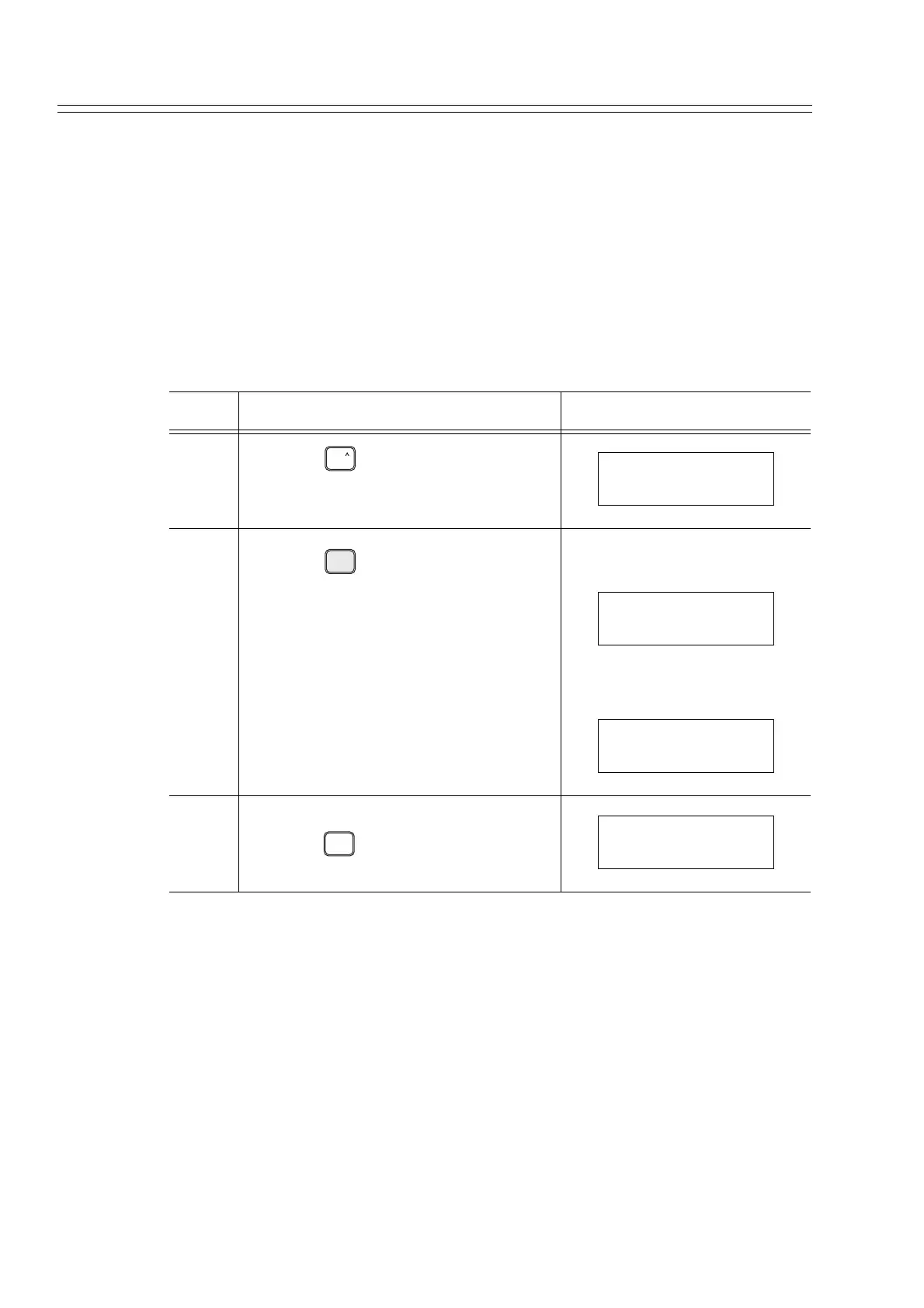
6-7-14 :Displaying Software Version
Display the software versions of this transmitter and the SFC using the SFC.
How to check the software versions:
It is assumed that the software versions are, as follows:
SFC : 7.1
Transmitter : B.1
Step Description SFC screen
1
Press the key.
2
Press the key.
When the SFC is not con-
nected to the transmitter:
WHen the SFC is connected to
the transmitter:
3 After checking the software versions,
press the key.
SHIFT
SHIFT-
X
3
SW VER
S/W VER FIT-1234
SFC = 7.1
S/W VER FIT-1234
SFC = 7.1 XMTR = B.1
CLR
( No )
DSTJ FIT-1234
READY...



 To Next Page