5 Description of the driving position
27
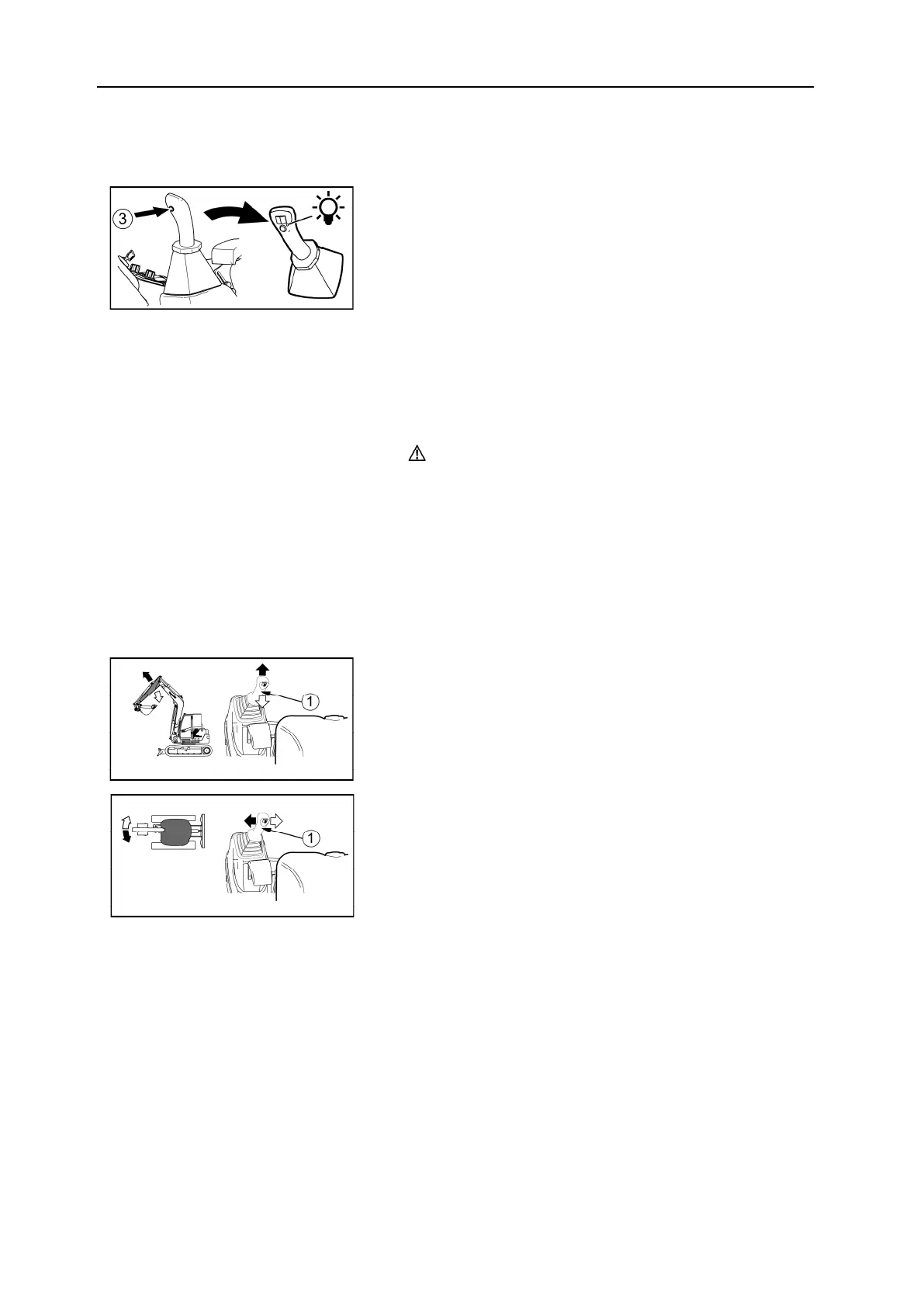
Position holding button
To
use the position holding button:
3= Position holding button
1. Operate the accessory with the proportional roller.(1)
2. Press the position holding button. (3)Release the
proportional roller. (1)
The proportional roller control pressure is blocked
and the LED on the corresponding joystick comes
on.
3. The accessory operation is maintained and the ac-
cessory is operated at the rate set by the knob. (2)
4. Press the position holding button again to return
the pressure to its starting level.
CAUTION
Do not use the position holding with bucket tilting, you would risk damaging the machi-
ne's hydraulic circuit.
5.3.4 Left command lever
• The left hand joystick is used to control the arm movements and the rotation of the upper
part.
Handling the arm
1 = Left command lever
Rotation of the upper part
1 = Left command lever
• When you release the lever, it returns to neutral position and the respective movements
stop.


 To Next Page