NeoGate TG Series User Manual
24/62
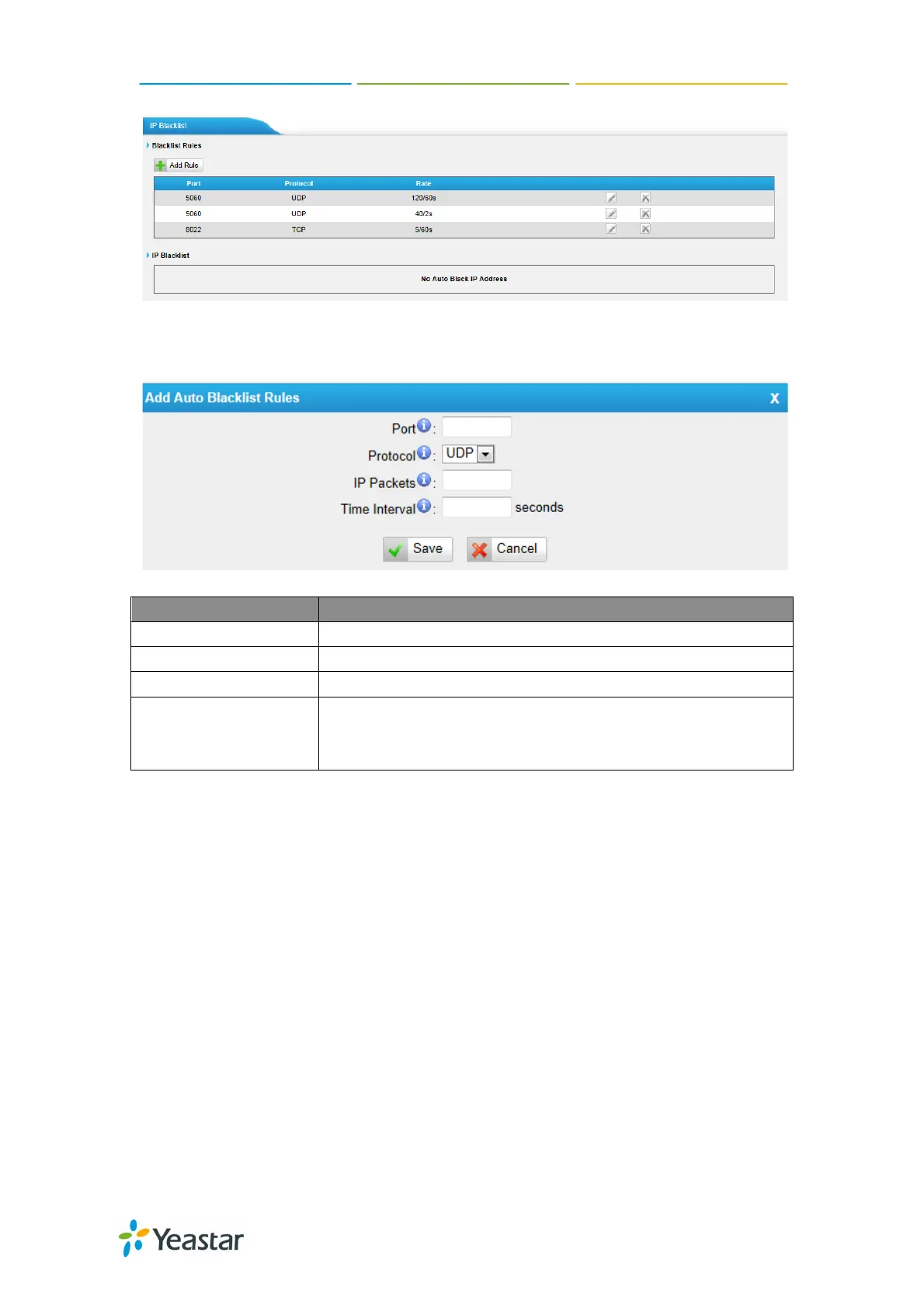
Figure 5-15
1) Blacklist rules
We can add the rules for IP blacklist rate as demanded.
Figure 5-16
Port Auto defense port
Protocol Auto defense protocol. TCP or UDP.
IP Packets Allowed IP packets number in the specific time interval.
Time interval
The time interval to receive IP packets. For example, IP
packets 90, time interval 60 means 90 IP packets are
2) IP blacklist
The blocked IP address will display here, you can edit or delete it as your wish.
5.3 System Preferences
In this page, we can set other system preferences, like the password for admin
account, system date and time, firmware update, backup and restore, reset and
reboot.
5.3.1 Password settings
The default password is “
password”. To change the password, enter the new
password and click update. The system will then prompt you re-login using your
http://arttel.ru
https://arttel.ru/shop/3g-shlyuzy/yeastar-neogate-tg800w



 To Next Page
 Loading...