NeoGate TG Series User Manual
28/62
Notes:
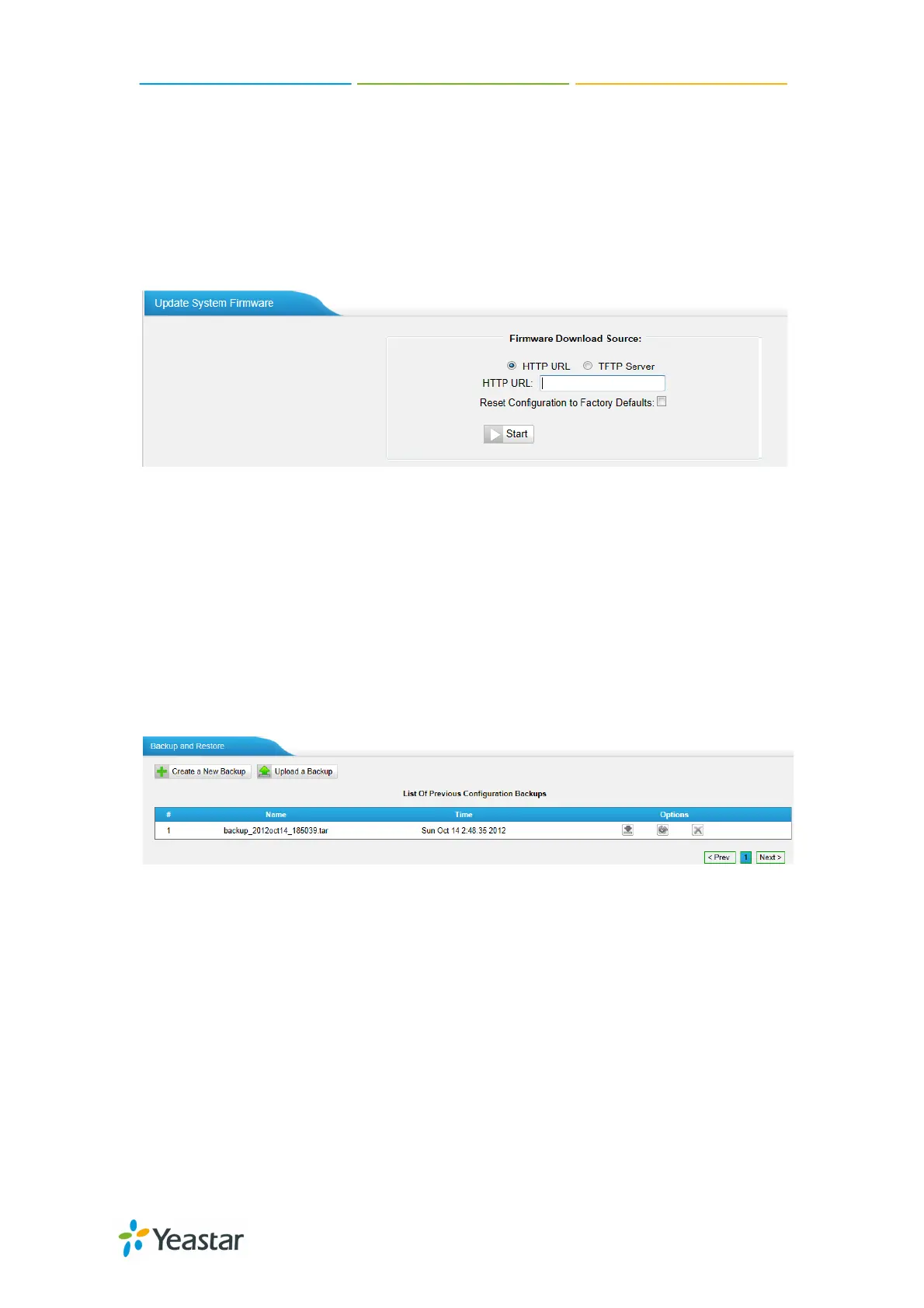
1. If enabled “Reset configuration to Factory Defaults”, System will restore to
factory default settings.
2. When update the firmware, please don’t turn off the power. Or the system will
get damaged.
Figure 5-22
5.3.6 Backup and Restore
We can backup up the configurations before reset NeoGate TG to factory
defaults, and then restore it using this package.
Figure 5-23
Notes:
1. Only configurations, custom prompts will be backed up.
2. When you have updated the firmware version, it’s not recommended to
restore using old package.
http://arttel.ru
https://arttel.ru/shop/3g-shlyuzy/yeastar-neogate-tg800w


 To Next Page
 Loading...