NeoGate TG Series User Manual
46/62
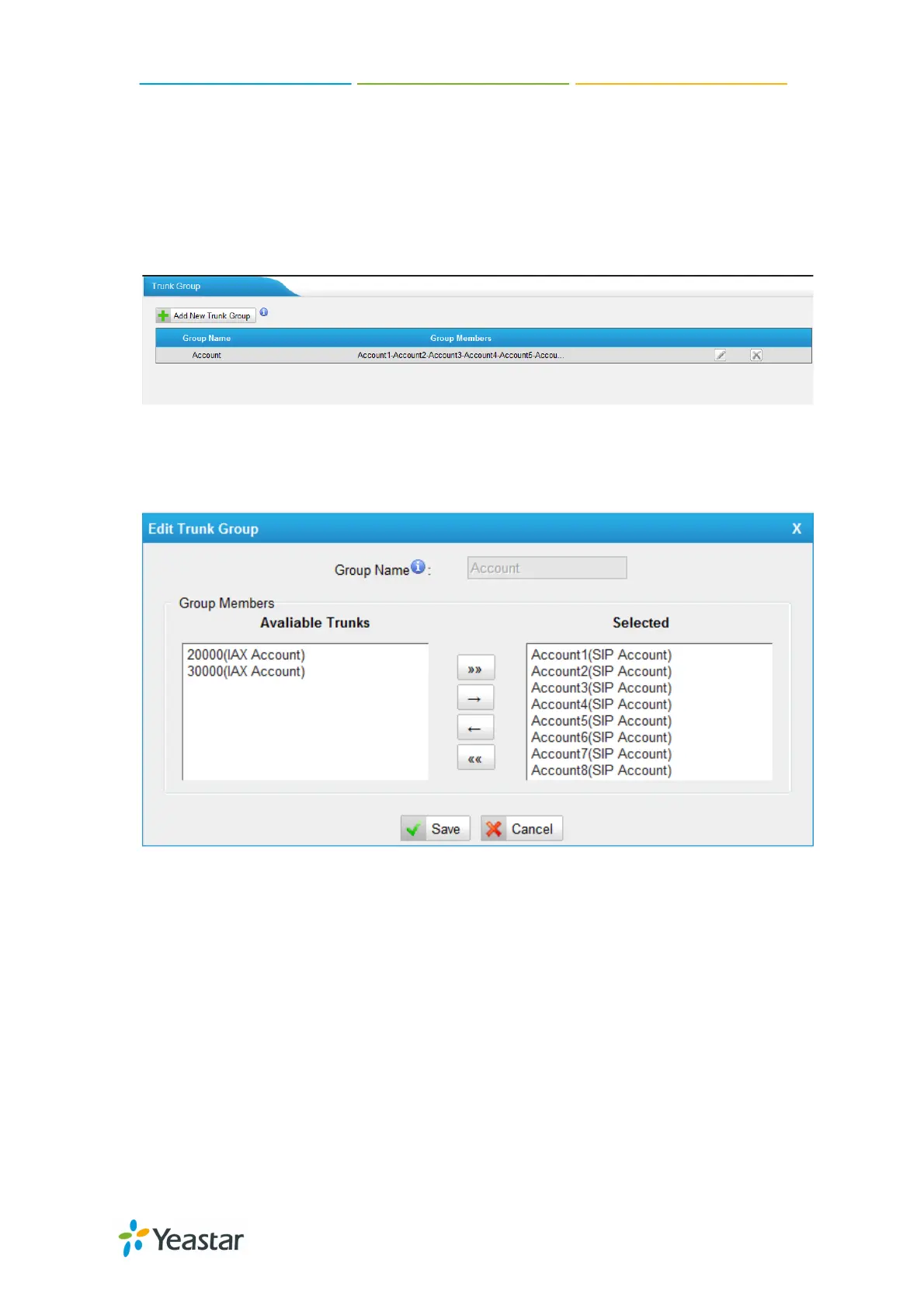
7.2.2 Trunk Group
To route the call from GSM/UTMTS/CDMA trunk to VoIP trunk group, we can
create trunk group in this page.
Figure 7-18
Click “Add New Trunk Group” to add a new one, or edit the defaut one. All the
VoIP trunk will be listed here, we can choose the desired trunks to the right side
as a group.
Figure 7-19
7.2.3 SIP Settings
This is the SIP settings in NeoGate, including General settings, NAT, Codecs, Qos,
Response code and Advanced settings.
1) General
http://arttel.ru
https://arttel.ru/shop/3g-shlyuzy/yeastar-neogate-tg800w


 To Next Page
 Loading...